
-
Search Results
-
Topic: Ghost Recon Wildlands (G3D)
Ghost Recon Wildlands (G3D)
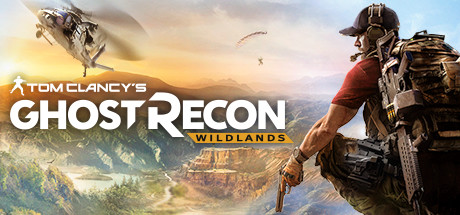
I was excited to finally get this one figured out. It was cool playing in Z3D, and now even better in G3D. First-person ironsights are more convincing as are vehicles and interior spaces.
You’ll need a strong PC to handle G3D, and will have to settle for mostly low settings at low res. Until I can get them fixed, terrain is set to most basic, and shadows will be off. But the game still looks good, especially at night.
I’ve configured FOV and scale to work best for first-person aiming, so it’s easier to check corners and clear rooms. This means Third-person scale appears a bit small, but I think you’ll appreciate the good 3D effect overall. Profile intended for Rift FullVR, Pimax8k alternative to come later.
**First you’ll need a working EAC bypass in order to hook this game (creative googling). Use for offline singleplayer only.
For best possible fov:
– create a 1:1 custom resolution 1200×1200 or 1440×1440 in driver panel
– in game select your custom resolution and set Fullscreen
– set Extended FOV down to 0% in Video settings (doesn’t help ironsights)Graphics settings:
– set Anti Aliasing OFF
– set Shadow Quality OFF, instead use SSBC Ambient Occlusion
– set Texture Quality to High or Ultra
– everything else set to Low/OFF as desired*Hide HUD elements in game settings and toggle with hotkey
*Ironsight pistols with lasers are best in buildings
*Sniper scopes have dual-stage zoom (press B while scoped)
*Don’t forget your nightvision :)If you need ~10 extra fps and don’t mind a bit of light source artifacting, let me know and I’ll upload a lite version. Z3D profiles also available on the cloud. Enjoy!
Ghost Recon: Advanced Warfighter (G3D)
Game based on Diesel engine. Used the Payday 2 profile as a base and fixed some minor shadow issues along with a few other minor reflections. Looks pretty good in G3D and immersive for a tactical squad based game. Profile is set in Cinema mode with a maximum 3D strength due to a lack of in game FOV adjustments. FOV adjustment with VorpX creates some graphical problems. Default FOV is just enough but I’d prefer more myself, at least this works in G3D without major problems.
Notes:
– Max out in game graphic settings
– Higher resolutions can be used but text becomes smaller
– I am using 1920 x 1080 16:9 in game settings
– Consider my settings as a base profile and adjust to your preferenceProfile uploaded to the cloud.
Cheers,
Stryker


