Archives

Homepage Forums Search Search Results for 'nexus 2'

Viewing 15 results - 151 through 165 (of 177 total)
  • Author
    Search Results
  • #121921
    szeliga90
    Participant

    [Imagespace]
    bDoDepthOfField=0
    iRadialBlurLevel=0

    I had the same problem with water but settings above didn’t solve it. Instead I’ve used this mode Green Water Fix mode and it’s working.

    I also have other problem with water. I had it before I installed Green Water Fix. So whenever I moving my headseat up and down (changing angle not posittion) water changing it’s level. It’s visiable most when I looking on the river from the top off the mountain, when i change the angle of my head about 45 degrees river can loose even 50% of it deepth. That doesn’t happening at all when I moving ‘character’ head using mouse. Any idea whay could cousing it? I’ve got 2k textures, Static Mesh Improvment and Unofficial Skyrim Legendary Edition Patch mods installed, but to be fair I left the copy of original Skyrim instalation folder in steamapps\common and I just swap them over to test is that happening on the modless Skyrim as well, and yes it does (unless above modes changing any files in other Skyrim directories).

    So… any ideas? Google doesn’t help, all skyrim-water releted problems seems to be about being unable to see underwater…

    #110473
    Fredthehound
    Participant

    I had my 390s tweaked to hell and back on water and the AIO on the CPU was original when I built my system. Love that H20! I see Gamers nexus did a hybrid cooler on a Titan. The 2 build vids are up now and the bench should be in a day or so.

    The Overclock forum guys still havent reported back on full block installs but with the ultimate voltage being locked down I doubt there will be much improvement over an AIO/Hybrid until it is cut loose.

    That DM12 looks cool as hell. Hopefully Midas will up Behringers quality. I have had good luck overall with them but I only went with the known ‘good’ stuff like the ADA and patchbays. Their Vamp bass rack is great as well for the price.

    #110312
    Fredthehound
    Participant

    OK, back to the madness.

    If you have played any of the Bethesda games, you are familiar with ‘pop-in’. Textures and objects suddenly appearing in the distance. It is distracting as hell and really takes you out of the immersion. The only way we had for a long time to minimize it was max out draw distances but it really didn’t help much.

    Then came the Ugrids to load ini tweaks that forced drawing to a larger area but was brutal on memory and cpu/GPU usage. Most computers simply crashed or ran unplayably.

    Finially, a modder going by ‘Sheson’ created DybDOLOD, a near miracle. In a nutshell, it dynamically loads resources/objects/trees/landscape etc. at far greater distances and resolutions than the stock game, and you can tailor it for the detail level you want without totally slaughtering your framerates.

    When standing on a very high cliff and looking down into Falkreath, the stock game gives at best, a very low rez image of the town and a few trees. Most of the detail of the landscape between is simply not there.

    When doing the same with DyndOLOD, you see it all. Or damn near all. It substitutes 2d images at the greater distances, called billboards, that transition into the actual 3D objects when you are in range. This is far easier on resources than Ugrids tweaking and almost eliminates pop in entirely.

    So aside from the obvious advantages, why is this beneficial to us in VR?

    Well, we already learned that the combo of Skyrim Flora Overhaul, High rez textures and ELFX will kill even a Titan’s framerate in VorpX. The main advantage of SFO is that in addition to straight beauty, it fills empty spaces with things. There is so much foliage in many areas that you simply cannot see that far and the stock load distances aren’t as big a problem as they may otherwise be.

    However with DynDOLOD, The barren areas in the distance are no longer barren. There are things there for you to see, even peripherally and that makes ALL the difference to how you perceive the world. It looks more natural, has massively reduced pop in and your framerates are not nearly hit as hard as SFO hits them even when you crank up it’s detail. But you don’t HAVE to max it out to see an enormous improvement. Low or Medium works spectacularly well.

    And whats better, you can now use improved versions of the stock resolution textures and still result in a net gain to the overall visual quality of the game. Which means better framerates.

    In playing with the Vivid Landscapes 512 BSA textures …
    http://www.nexusmods.com/skyrim/mods/49344/?

    …and DunDOLOD on Medium settings…
    http://www.nexusmods.com/skyrim/mods/59721/?

    …along with the ELFX lighting and weather mods, My framerates are bouncing on 45 the vast majority of the time and it is visually stunning to look at. You CAN see the loss of detail when you are looking for it. But in actually PLAYING the game instead of inspecting it, all you see is a vast improvement in visuals, responsiveness and framerate. In short, exactly the purpose of this exercise to begin with.

    It should be pointed out that DynDOLOD is not the simple ‘point and click one button’ install many mods are. This one takes a bit of work. On the page linked above, there are several tutorial videos that do a great job of hand holding.

    My first attempt was botched, but the second worked great. Once you do it a couple times and understand the process, it is actually pretty simple and within the ability of anyone remotely familiar with Windows. Don’t let it intimidate you. It is very, very worth the hour or so you’ll spend and Skyrim has never looked better.

    Up next: Final thoughts.

    #109874
    Fredthehound
    Participant

    Part 5: Sacrifices must be made!

    You’ve added higher rez textures. You beefed up the flora. You improved Skyrim’s outdated memory and core/thread management. The game looks fantastic and you are ready for MOAR!!! Now it’s time to add Framekiller #3. The lighting and weather mods.

    There’s just one problem. You find that when you add a lighting/weather mod like Enhanced Lighting and FX, http://www.nexusmods.com/skyrim/mods/27043/? your framerate heads into the toilet and you start crashing like a Boss. WHAT VILE SORCERY IS THIS!?!?!?! THIS MOD SUCKS!!!

    No, it doesn’t and Unfortunately it’s the sorcery of simple math. You have hit the limits of the mighty Titan, at least as far as Skyrim’s ability to use it is concerned. With three of the most intensive GPU hogs (By their powers combined!) we can use, added to Skyrim’s kludged 32 bit code and the processing overhead VorpX places on the system, You done sailed into the perfect modding storm. Talos frowns on your Shennanigans and Clavicus Vile revels in your suffering.

    Now what? Once you’ve seen the glory, there’s no going back. You’ll always know how good it looked and be miserable playing at lesser visuals knowing what could be. Actually, you’ve only seen ‘part’ of the glory.

    (Puts on Matrix hat) Neo, what if I told you that I currently have 106 mods loaded up, Skyrim looks better than I have ever seen it, there’s no crashing involved and I’m still pulling 43-45FPS in all but the traditional trouble areas? This is the art of compromise and balance. Give some here to gain some there. Pay attention to the things that matter, etc.

    Here’s what I discovered. Skyrim’s code, more than anything else is your real limiter. Not the GPU. Not the CPU. Although they certainly play a part. Yet when I was back to a slow, stuttering mess, the absolute worst I saw in Afterburner’s monitors was the Titan spiking once into the 80% use range and the CPU into the 70s. The Titan COULD handle a lot more mods. VorpX could process them just fine.But 32 bit DX9 Skyrim CANNOT.

    First is the memory cap. With the HD textures, SFO and ELFX, I hit the 4 gig memory cap during heavy weather events and crashed. and even without the weather events going on, Skyrim simply was not processing the data it need to at the rate it needed to through/with VorpX.

    Now is this a VorpX issue? No, because flipping over to Fallout 4 in Geometry mode with ALL the sliders maxed out and weather/lighting/flora mods and textures running, the Titan cruises at that 45FPS without a problem. The major difference is 32 bit DX9 vs 64 bit DX11 and far older and more inefficient coding.

    Yea so what do we do now?

    You mod smarter so that terrible and Mighty Talos, he who is both man and DIVINE! (hat tip to Heimsker) will haZ a happy.

    Remember back to what I refered to earlier. What matters to you most? Do you need 2048 rez textures? or even 1024? Do you need a massive increase in the variety of flora to fill the spaces as you look across Tamriel or just better versions of whats already there? Are you satisfied with the stock weather or do you want more storm in your life? And what combo of the above will get Talos to his happy place?

    You might notice that I left out lighting. Because IMO, that one isn’t negotiable. Skyrim’s stock lighting works, but it washes everything out. Nothing is ever truly dark in Skyrim, day or night, north or south, mountaintop or deepest dungeon. It’s at worst, eternal twilight. For me, that’s a ‘must fix’ at the cost of anything else because properly lit, even lower rez textures look a lot better.

    Up next: DynDoLod

    #107843
    Fredthehound
    Participant

    Part 4: INI files

    First, go to your C drive and in documents/my games/skyrim, you’ll find skyrim.ini and skyrimPrefs.ini (depending on your system, the .ini extention may or may not be shown. Do not pass go. Do not collect $200. Back them up now.
    ——-

    Once thats done, welcome yourself to either agony or extacy because you’ll either help your cause considerably or hose your game to the point you’ll be glad you made a backup to revert to.

    When you open Skyrim and see the options tag, the screen that lets you set low/med/high/ultra detail etc. is editing these files. It’s a dumbed down front end for them. All direct editing of the files does is bypass that and give you the keys to the kingdom. And thats why you can really hose things. Using the panel, the worst you’ll do is make something ugly or slow. With direct editing, you can prevent the game from working at all.

    Fortunately, Skyrim has been around long enough that many people already learned the hard way what NOT to do and what works in different situations. The answers can be found in the links below.

    The Elder Scrolls V: Skyrim Tweak Guide
    http://www.geforce.com/whats-new/guides/the-elder-scrolls-v-skyrim-tweak-guide#1

    S.T.E.P. Guide:Skyrim Configuration Settings
    http://wiki.step-project.com/Guide:Skyrim_Configuration_Settings

    Nexus Skyrim INI Tweaks
    http://www.nexusmods.com/skyrim/articles/1153/?

    First, let me save you some time and just say, Do all the listed edits given on the Nexus ini page. The most important of them all is the Multithread/Havok edits. They will suddenly open up a lot of headroom for you as Skyrim is now able to use more core/threads. But don’t think you will suddenly be able to max everything. At best, you will get more smoothness, less pop in and a few FPS. Which your future mods will be eating into, consuming entirely and asking for seconds. This goes back to my earlier comments about building a foundation and attending to the details. What I’m doing here is simply giving a general view/direction to learn from and pointing you to it as again, explaining all these in detail isn’t the point of this post and would take tens of thousands of words to do. that info has already been posted at the links above so no point in repeating it.

    Read the STEP and Nvidia guides once you have the basics down as you want to get further into customizing your game. For sane modders, the STEP guide is the Bible. It is the result of many people working to have the most stable and enjoyable Skyrim experience possible. The guide will not steer you wrong.

    However, everyone is different. Some, like me, will put up with a lot to achieve certain goals with the game. For me it is max detail at max FPS. I’ll deal with lower framerates and even occasional instability because I don’t get VR/motion sick and I want to see how far the game can be pushed/how well it can look and play at the same time. But for many, thats the opposite of what they want. They simply want a stable game that looks better than Bethesda delivered and that stock settings can provide. As I said before, it’s all about tradeoffs and only you can decide which ones you are willing to make.

    So far, the Titan X Pascal has performed like a champ and handled some real framekillers that few believed could be employed with VR/VorpX. But it has it’s limits. Even when overclocked as far as locked voltage and air cooling will allow. Yes, it is a monster. No there is nothing faster -atleast without SLI- but modded Skyrim has humbled every card to date and the Titan is no different. It just lets you pretend you’re Capt. Kirk and boldly go where no man has gone before. Including green chicks if you count Orcs…

    We now come to the point of deciding which tradeoffs to make.

    Right now, we have the game looking far better than the Bethesda version. We have a pretty consistent and smooth game that can be played and enjoyed all day long. And for many, thats the end of the road in a thusfar painless process. If you skip my ranting and simply install the mods thus far and make the basic ini changes from the Nexus page, you’ll spend less than an hour of your life and take massive advantage of what the new Titan can give you. And it just gave you a LOT you could have never done without it.

    Or you can come to the Dark Side, Luke. Screw Kirk and his green women. There’s pain ahead. Untold misery. Crashing. Black screens. countless hours pissed away. Headaches. Frustration…

    …God how I love it so.

    Up next, Making changes.

    #105373
    Fredthehound
    Participant

    Part 3 – Skyrim Flora Overhaul.

    OK, now that we have the basics in place and vastly upgraded textures, it’s time to start going for the real eye candy. Skyrim in it’s normal form is a pretty sparse place and to be fair, thats geographically accurate to a degree. But since we are in a place with the forementioned talking dragons and knee-arrowed former adventurers, a few extra trees isn’t gonna break the illusion of ‘reality’ for anyone outside those stalwart loremongers that haZ sadZ every time someone installs a CBBE mod.

    Skyrim Flora Overhaul (SFO adds a LOT of new trees, plants, grass and variety thereof. It transforms vanilla Skyrim into a more fleshed out place. This is both good and bad. Good because it’s nice to look at. Bad because that performance comes at a relative cost. On lower end machines running on a normal monitor, SFO can make a game unplayable because it simply adds so much more ‘stuff’ for the computer to render. When you add things like lighting mods/ENBs, all that ‘stuff’ then casts shadows. Which have to be rendered as well. So adding SFO can quickly spiral out of control and have a devastating impact.

    SFO comes in several flavors and can be found on the nexus page here, including the assorted add-ons and details…
    http://www.nexusmods.com/skyrim/mods/141/?

    For this install I’ll be using the ‘Regular’ version because it is not as brutal as the latest build and I have to consider what effect the upcoming lighting and weather mods will result in. No other mods you make to Skyrim in VR will have the level of impact that SFO and a lighting/weather mod will. An ENB WOULD, but they are currently not usable. The only other thing we can use that would be so damaging to framerates is the Static Mesh Improvement Mod (SMIM) which massively increases the polygon count of the meshes/models. It is a fantastic mod and I use it for regular modding, but at VR resolution, the increase in detail just is not worth the performance cost.

    So… whats the result of adding SFO? To be honest, I was really surprised at the impact this mod, on it’s own, had to frame rates. Almost nothing as it turns out. It would seem, at least as far as the Titan is concerned, it’s not much of an issue until the forementioned lighting and weather mods come into play.

    On the WRF run, framerates stayed at/in the same roughly 44-45FPS range with occasional dips to 42-43. In the vast majority of the run, the framerate sat in the mid 44s. So effectively I lost about 1FPS. With 2.0 upscaling, x8 AA and x16 AO still enabled. Now Skyrim is looking VERY good, gameplay is still smooth as silk and the CheeZburger Cat haZ his happy. As do I.

    There are now more trees, bigger trees in more places, more and different ferns/plants/flowers and grasses and Skyrim is more lush overall and less desolate/barren. Think more like Upstate New York/Adirondack mountains or the Alaskan wilderness than arctic circle/Tundra.

    The Titan is starting to do some work as reflected in Afterburner with GPU use now in the 60% range and seeing a blip/high spike to the 80s on one occasion. CPU rose a bit as well, but overall, there’s a ton of headroom yet to take advantage of.

    And that, dear reader, will be the topic of the next entry. Now that we have seen our first ‘negative’ in performance, how do we mitigate it knowing full well that the weather and lighting mods are going to ALSO lower our framerates? We HAVE to stay within a playable rate. there is zero point in modding Skyrim to the point of screen archery if it’s going to mean we can’t enjoy playing it.

    Thats where the heavy voodoo comes into play. INI file tweaking, for starters. There is a lot of performance tweaks to make and it never hurts to offer up the PCMR prayer to Lord Gaben of the Steam Empire. “May our framerates be high and our temperatures low!”

    #105349
    Fredthehound
    Participant

    OK folks, Part 2.

    Before we get started, let me explain a couple things that are important to understand when modding skyrim, regardless of what CPU or graphics card you have. the Creation engine, running DX9, was old when Skyrim released and was a kludge of sorts based on the old Gamebryo. Without getting into detail, lets just generalize and say it has issues. Memory management being among them. And many of the problems encountered modding Skyrim, and that includes VR modding, stem from those.

    Fortunately there are fixes/workarounds out there for many of them. Skyrim could not be modded without them to the degree it is. They all address one or more issues and some are the literal basis of many a mod besides. These are must installs even if you do not mod Skyrim because they deal with problems that need dealing with, mods or not. I’ll provide the links and you can read up on them from there because there is no point in me rewriting War and Peace…which is what a thorough explaination here would result in …and this ain’t that kinda’ article ;)

    Skyrim Script Extender / SKSE / SKSE-Shishon’s Memory Patch
    http://skse.silverlock.org/

    Bug Fixes
    http://www.nexusmods.com/skyrim/mods/76747/?

    Crash Fixes
    http://www.nexusmods.com/skyrim/mods/72725/?

    USLEEP – Unofficial Skyrim Legendary Patch
    http://www.nexusmods.com/skyrim/mods/71214/?

    They are the American Express of Modding. Don’t leave home without’em. (Yes, I’m that old ;)

    There is one more ‘essential’ that unfortunately we cannot use in VR. ENBoost. This is a memory manager and more that unfortunately VorpX cannot use…at least in theory. There is a version…the ‘Injector’ version, that supposedly work but success stories are unicorns. So for now, I’ll leave discussion on that out. Hopefully at some point, someone will sort it out because it is a great program and solves many, many issues.
    ———————————–

    OK. So with the memory patches and assorted fixes in place, we move to the meat of the issue. Skyrim 2K texture pack / Lite version.

    From the Nexus page:

    “Explanation FULL/LITE:
    FULL – All the textures are at the maximum resolution. Average is around 4x the official HD DLC.
    LITE – All the textures are at 50% of the FULL Version. Average is around 2x the official HD DLC.”
    http://www.nexusmods.com/skyrim/mods/607/? ”

    While twice the rez of the official texture pack, the lite version of this one is actually less heavy on resources than the official version, looks better and is pretty damn nice to look at. But surely something that much more detailed than the stock textures HAS to be a framerate killer right? RIGHT????

    Well lest we forget, we installed better memory management above. And because of those few changes and fixes, Skyrim is now a very different animal than it used to be. Normal rules have been altered a bit. Remember that in bone stock trim, I was seeing solid 43-45FPS on the WRF/FRW runs. The only dips below that were on cell loads and changes which CANNOT be totally eliminated.
    ———

    Whiterun/Riverwood/Falkreath (WRF run) and back:

    No change in minimum framerates. In fact, thanks to those managers and fixes, the framerate counter was most often 44-45.5. It got FASTER. Not slower. Faster. Ever so slightly, but it’s there. Now consider this is still at 8xAA, 16x AO and 2.0 upscaling. This included day/evening, night and sun/rain.

    And it ‘felt’ more responsive. It was smooth before. As I said. This is now a different animal altogether. The CPU and GPU are still just casually cruising along with no effort on their part.

    ——————————–

    OK now how does it look? Well, as you’d expect, it looks considerably better. It’s not yet at Witcher 3 levels because no lighting or weather mods are in yet, but there is no mistaking a significant visual boost. And at ZERO FPS cost and quite literally, for 20 min of modding, including downloading the files.

    Next up will be the killer. Skyrim Flora Overhaul. I will be using the ‘regular version rather than the newest because the regular is hard enough on the system. In VR, the full/new version is too intensive to deal with, even for a Titan. However, the regular version is a sight to behold and transforms the game into something far more ‘realistic’ looking.

    OK, thats it for now. Time for bed ;)

    #105343
    Fredthehound
    Participant

    Hi all,

    As promised, This thread will be dedicated to giving you the rundown of my experience with the new Titan X Pascal and Skyrim/Fallout. Expect it to go on for a while as there are a ton of variables to cover.

    ——–
    Computer:
    i7 4790K @4.7Ghz on water
    240GB x2 Kingston HyperX Savage SSDs in Raid 0
    16 gig of 2400mhz Gskill Trident DDR3 ram
    Titan X Pascal overclocked +230/+500
    HTC Vive
    Process Lasso software using Bitsum Highest Performance preset
    ——–

    I’ll start by saying that if you saw the other thread about the 1080, you’ll already know that the Titan Pascal can handle a metric ton of mods IN GEOMETRY MODE and return smooth, playable framerates at an enjoyable level – depending on your tolerance. But to be clear, this card running in the upper 30FPS range feels smoother by far than my old Crossfire 390s running in the 40s. No microstutter is a beautiful thing. The best part is you’ll rarely see under 40FPS even with a ton of mods on the TXP (Titan X Pascal) if you mod smart.

    Now to begin with, I loaded a fresh and bone stock install of Skyrim. No ini tweaking, nothing. 100% stock install as Todd Howard intended. No updates beyond those baked into the Steam install. No Nexus patches. Just vanilla/stock Skyrim. With all sliders maxed in non VR at 1920×1080, FRAPS never moved off 60FPS no matter where I went or what I did. Glued. Not really surprising as my 390s would do the same thing. But thats the baseline.

    For most testing, I’ll be using my normal three areas. Whiterun/Dragonreach, Whiterun to Riverwood and the forest outside Falkreath. I find they are the most demanding on the system with a ton of draw calls and it makes for a semi-repeatable benchmark. Leave Whiterun, go to Falkreath via Riverwood and you have three of the most CPU/GPU demanding areas of the vanilla game.

    To get the basics out of the way, I’ll condense. Bone stock install. No ini tweaks. Geometry mode. Skyrim set in it’s launcher/config to “High” (not ‘ULTRA”) preset. VorpX set to the standard/recommended/Optimizer settings.

    With that out of the way, Ill condense a bit more. I’ll refer to the Whiterun (top of Dragonreach stairs)/Riverwood/Falkreath run as WRF henceforth. Or FRW when reversing the run from Falkreath to Whiterun.

    With the above settings in place, day or night, WRF or FRW, you get 43-45FPS. And it is smooth like butter.

    If you increase the Ambient Occlusion to 16 from the setting of 8 that High provides, you get 43-45FPS. If you Supersample/increase internal resolution to 2.0, while at 16 AO, you get 43-45FPS. The only time you will see a different FPS is on a cell change or a load screen. The Titan, and the CPU, are just cruising with no effort.

    ————————————-

    OK so that’s the baseline. If you are crazy enough to go buy a Titan, that’s what you’ll see for FPS playing bone stock Skyrim with no mods and no performance tweaking.

    Why not start with Ultra? A couple reasons. One, as Ralf pointed out, the 1080/Titan will handle geometry mode on High settings in different games if you don’t get crazy. And another, because ‘Ultra’ Shadows/draw distances will immediately destroy your framerate and make the game unplayable. (well fix the draw distance problem with a mod a bit later down the road).

    So basing everything off of High and moving up as we go along makes more sense to me and it will give those unfamiliar with modding a look at what Skyrim/VorpX can do with a Titan powering it. Ultra Shadow/draw distances combined with the almost non existent multithreading of the vanilla game will ruin your day in VorpX. On a monitor, FRAPS never leaves 60FPS on fully maxed settings no matter what. But it doesn’t take a Titan to pull that trick off. An old R9-290 will do it all day long. But VR is a different animal and modding in it throws conventional wisdom out the window. You basically HAVE to mod your way around issues like this. And you can.

    Next up:

    Before the weather and lighting mods, the first place most people go is higher rez texture packs. But while the Titan has VRAM to spare, Skyrim’s 32 bit DX9 code, combined with Windows 10’s 4 gig hard limit on it means that 4K textures are best left to the details that make the most difference…Bodies/Armor. And believe me, a supersampled 2K texture at x16 AO is VERY nice to look at even at the standard VorpX/Vive resolutions. In most cases, 4K textures are a waste. Personally, I would rather have 4K people and armor since those are what you see and interact with. The better those look, the easier it is to buy that a world full of talking dragons and plagues of knee-arrowed former adventures and less than photoreal textures is almost ‘real’. And thats what VR is all about in the first place.

    For the next test, I’ll be installing the 2K ‘LITE” texture pack from the Nexus, followed by the known FPS killer. Skyrim Flora Overhaul. Conventional wisdom says these should show a very noticeable impact, especially considering that 2.0 upscaling is in effect. But lets see what happens to the framerate before we get into the Ini files to counter it with heavier voodoo.

    Stay tuned.

    #103930
    lipplog
    Participant

    Actually there is a perfectly working HUD mod but people are too l*zy to search (I updated it for 8:9 custom resolutions a few months ago already)

    That’s great! You should post this on reddit! /r/Vive and /r/oculus!

    #103929
    yaglourt
    Participant

    Actually there is a perfectly working HUD mod but people are too l*zy to search (I updated it for 8:9 custom resolutions a few months ago already)

    #103628

    In reply to: Fallout 4 CV1

    ageem123
    Participant

    Fallout MODS (Using Nexus Mod Manager)

    • Ultimate Engine by Extark
    • Interiors Enhanced – Darker Ambient Light and Fog by fadingsignal
    • Bullet Time – Slow Time by registrator2000
    • Lower Weapons (for more screen space)
    • FO4 Hotkeys by registrator2000 (override VATS with BulletTime, also override “Xenon_Select” to not change FOV and press Insert for edge peek from controller)
    • Fallout 4 – Texture Optimization Project by torcher (for speed)

    I also use JoyToKey to make the “select” button on the joypad trigger “EdgePeek”. This is quite a bit of setup, but the effects are pretty fantastic.

    Are there any other settings out there that others have tried?

    #103627

    In reply to: Fallout 4 CV1

    ageem123
    Participant

    Fallout INI Settings (Highly recommend using the fallout launcher on NexusMods named “Fallout 4 Configuration Tool”)

    • Animation:fMotionFeedbackMinAngleDelta:0.0001
    • Animation:fMotionFeedbackMinSpeed:0.0001
    • Animation:fMotionFeedbackMinSpeedDelta:0.0001
    • Animation:fMotionFeedbackMinTime:0.0001
    • Camera:f1stHorzDampeningVelocityDampening:0.1
    • Camera:f1stVertDampeningVelocityDampening:0.1
    • Combat:bIronSightsZoomEnable:0.1
    • Controls:fMouseHeadingYScale:0.42
    • Camera:f1stVertDampeningVelocityDampening:0.1
    • Camera:f1stVertDampeningVelocityDampening:0.1
    • Dialog:bUseDialogueCursor:0
    • Display:fDefault1stPersonFOV:110
    • Display:fDefaultWorldFOV:110
    • Display:bVolumetricLightingEnable:0
    • Display:iPresentInterval:0
    • General:fChancesToPlayAlternateIntro:0
    • General:sIntroSequence:0
    • Imagespace:bDoRadialBlur:0
    • Imagespace:bScreenSpaceBokeh:0
    • Imagespace:bDoDepthOfField:0
    • Interface:bDialogueCameraEnable:0
    • Interface:bDialogueCameraEnable:0
    #103626

    In reply to: Fallout 4 CV1

    ageem123
    Participant

    Fallout INI Settings (Highly recommend using http://www.nexusmods.com/fallout4/mods/102/?tab=2)

    • Animation:fMotionFeedbackMinAngleDelta:0.0001
    • Animation:fMotionFeedbackMinSpeed:0.0001
    • Animation:fMotionFeedbackMinSpeedDelta:0.0001
    • Animation:fMotionFeedbackMinTime:0.0001
    • Camera:f1stHorzDampeningVelocityDampening:0.1
    • Camera:f1stVertDampeningVelocityDampening:0.1
    • Combat:bIronSightsZoomEnable:0.1
    • Controls:fMouseHeadingYScale:0.42
    • Camera:f1stVertDampeningVelocityDampening:0.1
    • Camera:f1stVertDampeningVelocityDampening:0.1
    • Dialog:bUseDialogueCursor:0
    • Display:fDefault1stPersonFOV:110
    • Display:fDefaultWorldFOV:110
    • Display:bVolumetricLightingEnable:0
    • Display:iPresentInterval:0
    • General:fChancesToPlayAlternateIntro:0
    • General:sIntroSequence:0
    • Imagespace:bDoRadialBlur:0
    • Imagespace:bScreenSpaceBokeh:0
    • Imagespace:bDoDepthOfField:0
    • Interface:bDialogueCameraEnable:0
    • Interface:bDialogueCameraEnable:0
    BrillBill
    Participant

    Took a bit of tweaking but I’ve been amazed at Skyrim on the Vive.

    I had the massive hands problem when you set the FOV to 120. I followed some of the threads on here but the Vorpx settings didn’t resolve the problem. Maybe Rift settings don’t directly map to the Vive?

    So I went for the Immersive First Person View mod. In there I turned off showing the helmet and set my head back to -15 and it’s been great.

    http://www.nexusmods.com/skyrim/mods/49036/?

    In the end I used the default Vorpx settings.

    The only problem now is that underwater, the graphics just go blank. I’m guessing that’s just some incompatibly with the drivers? Is that the sort of thing that will improve with time?

    Do you get the same with the Rift?

    Is there another potential fix?

    Cheers

    p.s. been playing for hours with mouse and keyboard – no motion sickness.

    #96205
    lipplog
    Participant

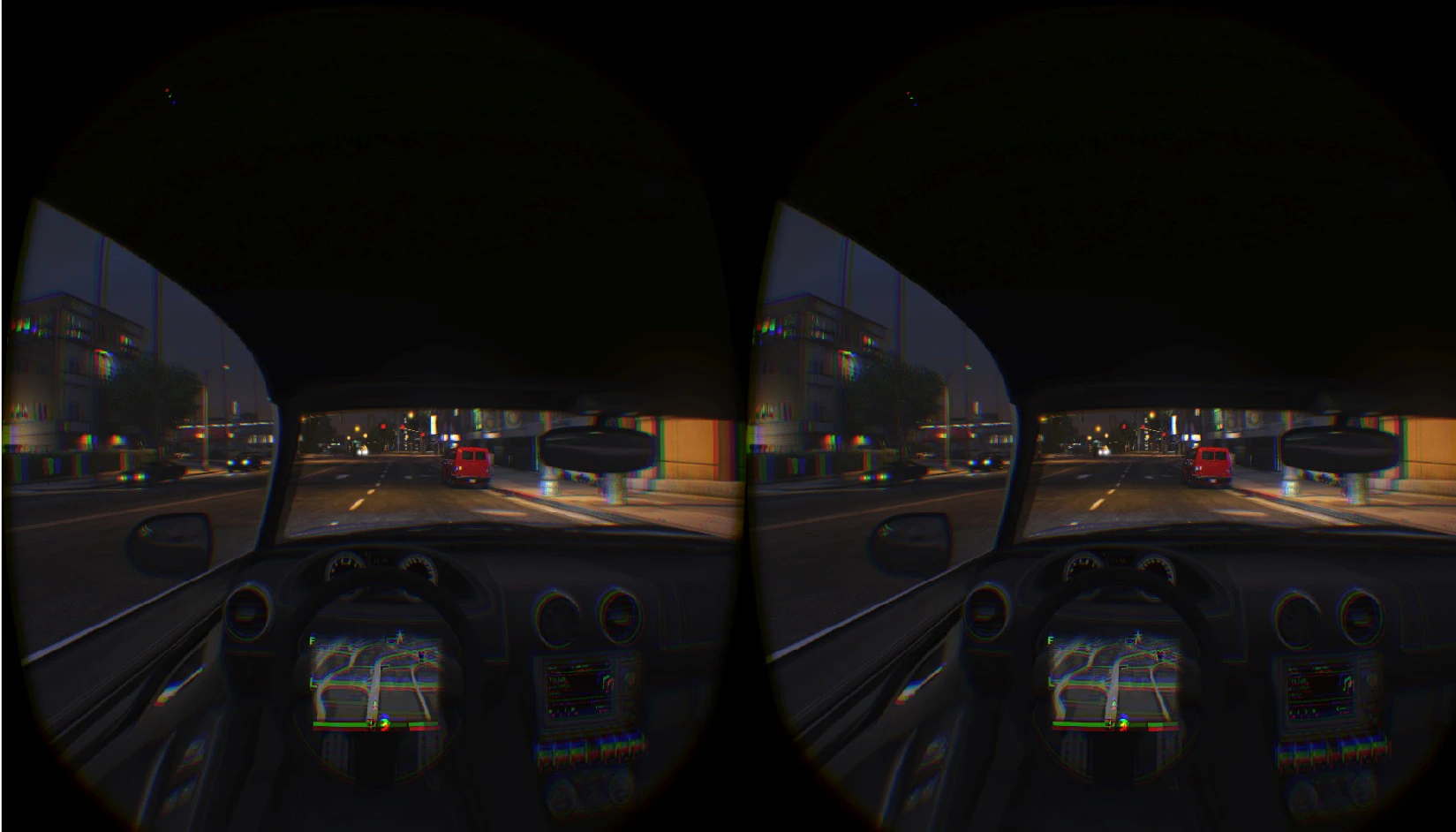
    Is the GTAV-R HUD mod still compatible with the GTAVR Mod v.0.3.2? I downloaded the version on nexusmods.com and installed using OpenIV, but when I start the game, no HUD is visible.

    P.S. I haven’t gotten past the opening porsche chase, so I’m assuming the HUD, radar, and mini map should be visible at this point.

Viewing 15 results - 151 through 165 (of 177 total)

Spread the word. Share this post!