
-
Search Results
-
Topic: Ghost Recon Breakpoint
I finally picked up the retail version during the Ubisoft Spring sale going on now, and can confirm that it still works with vorpX. I’ve been enjoying the stunning visuals in crisp Z3D with my HP Reverb, and must say it gives RDR2’s landscapes a run for its money. Ubisoft are getting quite good at building world environments.
The game also just released it’s Ghost Experience immersive mode, getting rid of all the gear score crap and letting you define your preferences for difficulty and HUD display. Now it’s much more the experience I was hoping for and am now enjoying in vorpX. I’ve uploaded my new Reverb settings to the cloud profile for anyone interested.
Ghost Recon Breakpoint (Z3D)

To hook vorpX, Battleye must be uninstalled and disabled. First set Uplay launch argument in Breakpoint properties:
/belaunch -be
Then uninstall Battleye as described by PCGamingWiki:
1. Navigate to <path-to-game>\BattlEye.
2. Run Uninstall_BattlEye.bat.
3. Open BELauncher.ini.
4. Set SilentInstall to 0.
5. Run the game and turn down any prompt to install BattleEye again.Recommended Game Settings for this Profile:
As with Wildlands, aspect ratio affects FOV scale. I found that a near 1:1 square ratio gives the best result. 3000×2880 looks great in the Reverb. Create one of the following in your graphics driver panel and select it in game:
– 3000×2880 quality
– 2250×2160 balanced
– 1500×1440 performance– use standard AA, but must disable Temporal Injection AA
– set Extended FOV to 100 in game
– set Camera Distance to Near/Close (my preference, but Far works also)*HUD is scalable, but affects scopes and menus
*Use EdgePeek for menus and cutscenes
*Experimental G3D included, but still glitchy and very performance heavy
*Tested on HP Reverb, for Offline solo play onlyYes there is WIP G3D included, but not recommended at this point. Also, if you’d prefer to play in widescreen cinema mode, you’ll need to figure your own resolution, FOV, and image zoom values — as this is geared specifically for an up close and in your face “fullVR” experience, as close to first-person as possible.
Experimental G3D profile for Far Cry New Dawn also coming soon. Enjoy.
I had far cry 5 running since last week. I have Mr.antifun 1.6 version . Vorpx is hooking for a few seconds and that all, the game starts but not in vorpx. Any thing changed lateley. Oculus s, win 10 and nvidia latest udates
Homefront: The Revolution (G3D)
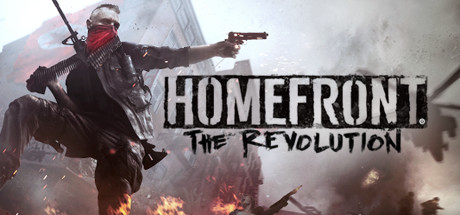
Feels like an urban Far Cry with vibes of Deus Ex – liberating outposts with a bit of exploratory platforming. World design is nice and the gunplay feels good.
While there are already Z3D cloud profiles, we now have a working G3D profile for Homefront 2. It still has some minor lighting glitches to sort, but all world objects are 3D as expected. I had to disable fog to prevent artifacts, and you may notice some decal/light-source swim due to mild FOV Enhancement. Ignoring that, things can look pretty impressive at times in this CryEngine based title. Nighttime in the rain amongst the search drones is stunning.
The full-body presence and animations do well for immersion. Default weapon model placement felt a bit high, so I’ve raised the vorpX camera to my preference. This changes aiming down sights, so adjust vorpX height modifier if it breaks your weapon of choice.
– FOV setup open: C:\Users\(user)\Saved Games\homefront2… game.cfg
edit lines to 80:cl_defaultnearfov = 80
cl_fov = 80– 4:3 resolution recommended for Rift (1920×1440)
– turn off TAA anti aliasing and motion blur
– set all Shadow related graphics settings to Low*Reduce vorpX FOV Enhancement if light/decal swim to bothersome
*Adjust vorpX height modifier for preferred aiming
*Scaling down HUD can misalign some UI effects
*Hide HUD elements in game settings
*Zero key to holster weaponTopic: Far Cry 5 (G3D)
This is still somewhat experimental and not yet complete, but is already a good immersive gaming experience. I’m hoping the new tools coming later might iron out the remaining artifacts. There are alternative Z3D profiles available if you prefer.
Far Cry 5 (G3D)

G3D is working as intended across all world objects. It’s the terrain textures and shadows that do not yet align correctly. To mitigate eyestrain, I’ve reduced terrain textures to their most basic. Works well enough.
I wish FOV in vehicles wasn’t so narrow, but I’ve adjusted EdgePeek to be more suitable for driving. Running around and shooting feel good though.
**You’ll first need a working EAC bypass to hook this game, unfortunately. Please use Offline only.
– use a 16:9 resolution (2560×1440)
– set FOV to 109 in game’s Advanced Graphics settings
– set Anti Aliasing and Motion Blur to OFF
– Low Graphics settings recommended for best performance*Use EdgePeek in vehicles
*Some shadow and pixelated artifacts remain
*FOV Enhancement will separate the terrain
*FullVR/Immersive modes optimized for Rift
*Cinema mode optimized for Pimax8k3D screenshot upload attempt:



