
Forum Replies Created
-
AuthorPosts
-
 RJK_Participant
Arcania: Gothic 4 (G3D)
Quite some people were longing for this game in VR, i hope you will enjoy this profile. This is “V 1.0”, so there might still be some glitches in caves or remote places. Let me know how good this profile works for you.
-Update to latest patch (SGSD70C)
-Turn off or lower shadows and advanced light settings
-Dont touch HUD settings
-profile availiable from the cloudI used Arcania GOLD for this (first DVD).Any other Version should work too if patched to the version above. The Add on worked completely different with 3D Vision, so it will receive a separate treatment.
Screenshot 1 – Screenshot 1 – Screenshot 1


 RJK_Participant
Thanks Ralf for the info, i probably was a bit confused by some postings about macros somwhere in the forum.
RJK_ParticipantSpiderman 1 (G3D)
Requires DX8toDX9 wrapper from https://github.com/crosire/d3d8to9
-Update to latest patch (1.3)
-If Tutorial is Broken (bad sound, no image ) start with 1st level
-Change resolution in game.ini to desired values
-profile availiable from the cloud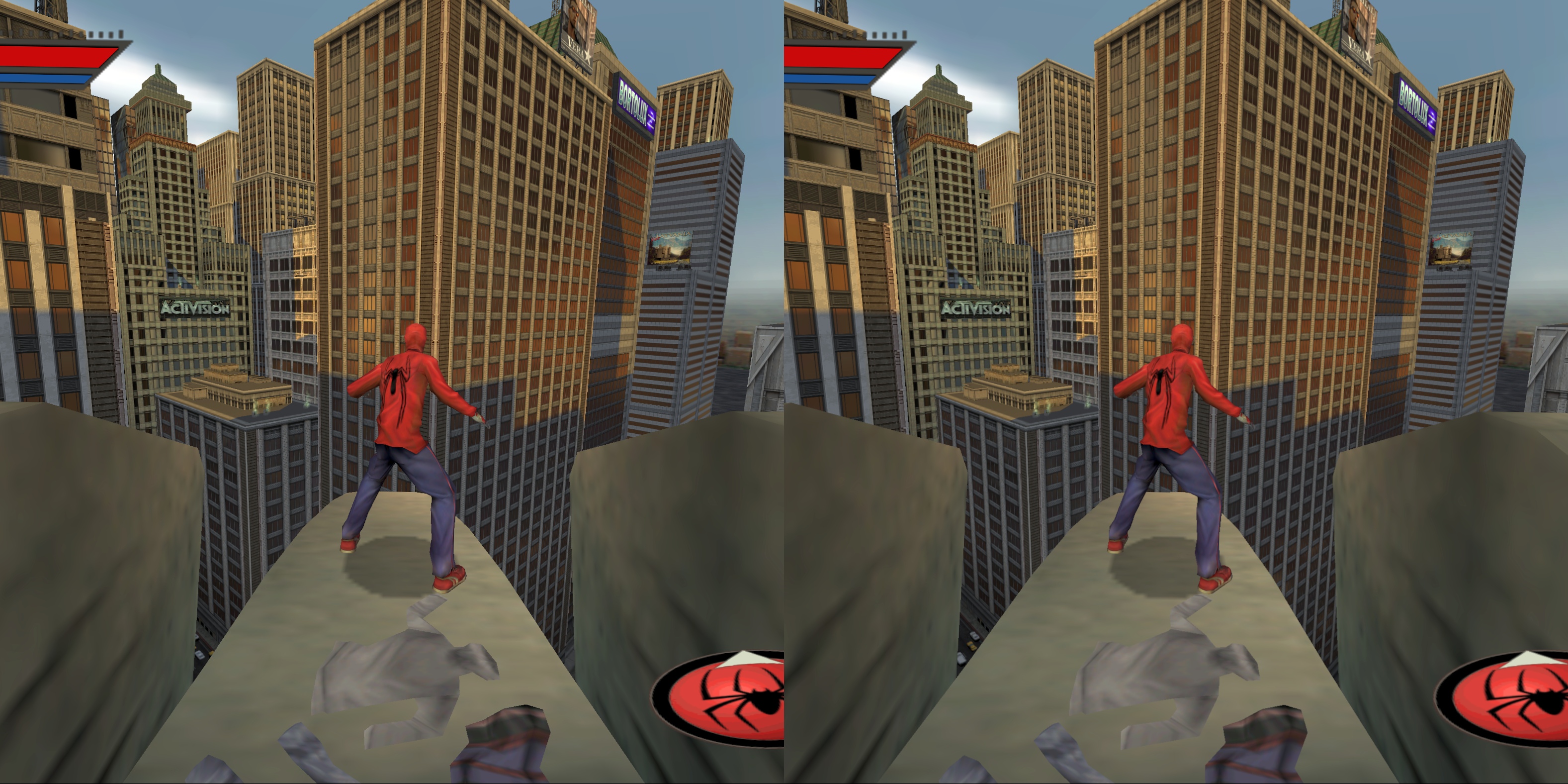 RJK_Participant
Iron Man (G3D)
-3rD person DX9
-disallow GameLauncher.exe
-Start game through GameLauncher otherwise game may crash (DVD error)
-knows issues: Crosshair way too large
-In case IronMan.exe remains in taskmanager or freezes on shutdown, please remove manually with STRG+ALT+DEL
-Profile availiable from the cloud RJK_Participant
Thank you moarveer !
INFERNAL (G3D)
-DX9 3rD person shooter
-RENAME game.exe to infernal_game.exe !
-very nice 3D
-thanks to VorpX FOV enhancement you can play this game in FULL VR Mode
-The profile has been optimized through 3D FOV, if you are in need to decrease 3D FOV, you may experience unwanted reflections on certain objects.
-increase resolution to the max as usual for best image quality
-special setting: set Force_freelook = 1 in standard_game.feel to fly around a level with a free camera. (Very intersting for taking screenshots). Note: while this is enables you can not move your character.
-profile availiable from the cloudInstalling notes
If installer crashes, install “english”, then ingame change language. RJK_Participant
For my taste cartoon like games work mostly quite well in that mode too.
RJK_ParticipantThanks for the info Ralf,
Am i seeing this right, the config app now remembers the latest game path while its open?VERY GOOD WORK
 RJK_Participant
Thanks for the Update !
Keep/remove Shader definitions sounds definately interesting.
RJK_ParticipantAdiitional Info on Larry Larry: Magna Cum Laude
Changing over to Immersive Screen oder Cinema Mode or SHiFT+Mousewheel could improve visibility of the status bar.
Jun 12, 2018 at 7:47pm in reply to: [Unsupported Games] Some DX9 games not terminating properly #173462RJK_ParticipantThanks Ralf,ill keep that in mind, i probably confused myself with all the games i was trying lately, forgetting they arent supported.
RJK_ParticipantI couldnt resist to try that cartoon game and to see how it turns out in 3D. Luckily it didnt take long to enable Stereo 3D (some games take weeks)
Larry: Magna Cum Laude (G3D) (boxed version)
-3rd Person
-Full VR
-Headtracking
-very high resolutions can be used
-profile availiable from cloud Jun 10, 2018 at 9:11pm in reply to: Since Need for speed rivals got G3D, uses frostbite, will NFS payback work..? #173443RJK_Participant
-click on copy
-click button “Add” (to your right)
-navigate to game executable
-select game executable
-click applyJun 10, 2018 at 4:40pm in reply to: Since Need for speed rivals got G3D, uses frostbite, will NFS payback work..? #173440RJK_ParticipantKlick right on NFS Rivals profile, make a copy, select/load the game exe from the game you are trying to play into that copy, press apply, go through vorpX ingame menu for further adjustments in 3D image.
RJK_ParticipantOh no, this forum most be overdone seriously, just one second after submit no more edit button :-(
Pariah G3D

 RJK_Participant
@vrbandwagon, please make requests only via this this page, thanks. (Note: no guarantee that my profiles will work with GOG or other onlineversions.)
–
–Who says that DX8 games suck, this shooter has nice graphics via DX8toDX9 and VorpX. Quite some settings must be done, but you get a nice FPS shooter in FULL VR.
PARIAH (G3D)
Requires DX8toDX9 wrapper from https://github.com/crosire/d3d8to9
-Slow down mouse before start
–dont use windowed mode above 1920×1080 !
in Pariah.ini set:
-FullscreenViewportX=2560 (or the desired res.)
-FullscreenViewportY=1920 (or the desired res.)
-StartupFullscreen=TrueIngame changes will reset settings, so best if you make changes manually.
FOV:
Either press ~ (some game versions seem to use Tab) to enter console and type FOV 120 (or your desired value).
or set DefaultFOV=120.000000 in DefUser.ini BEFORE YOU START THE GAME THE FIRST TIME.Dx8toDx9 is a great wrapper, though i has one snag together with vorpX, it does not shutdown properly.
If Pariah.exe remains in the taskmanager after shutting down the game, you either need to wait for VopX to pop up with a message to close the program or terminate Pariah.exe through taskmanager manually. If you do not remove Pariah.exe from the taskmanager,VorpX will not attach at next game start !-Profile is availible from the cloud


-
AuthorPosts