Archives

Homepage Forums Search Search Results for 'Star Trek'

Viewing 15 results - 1 through 15 (of 48 total)
  • Author
    Search Results
  • #222074
    CupeDeNoodel
    Participant

    I’m testing out my main games that I usually play.

    ESO – G3D works
    Star Trek Online – G3D works
    WOW – crashes
    GW2 – only getting z3d using one of the cloud profiles and hook helper.

    Anyone got Guild Wars 2 working with Geometry?

    #221557
    RJK_
    Participant

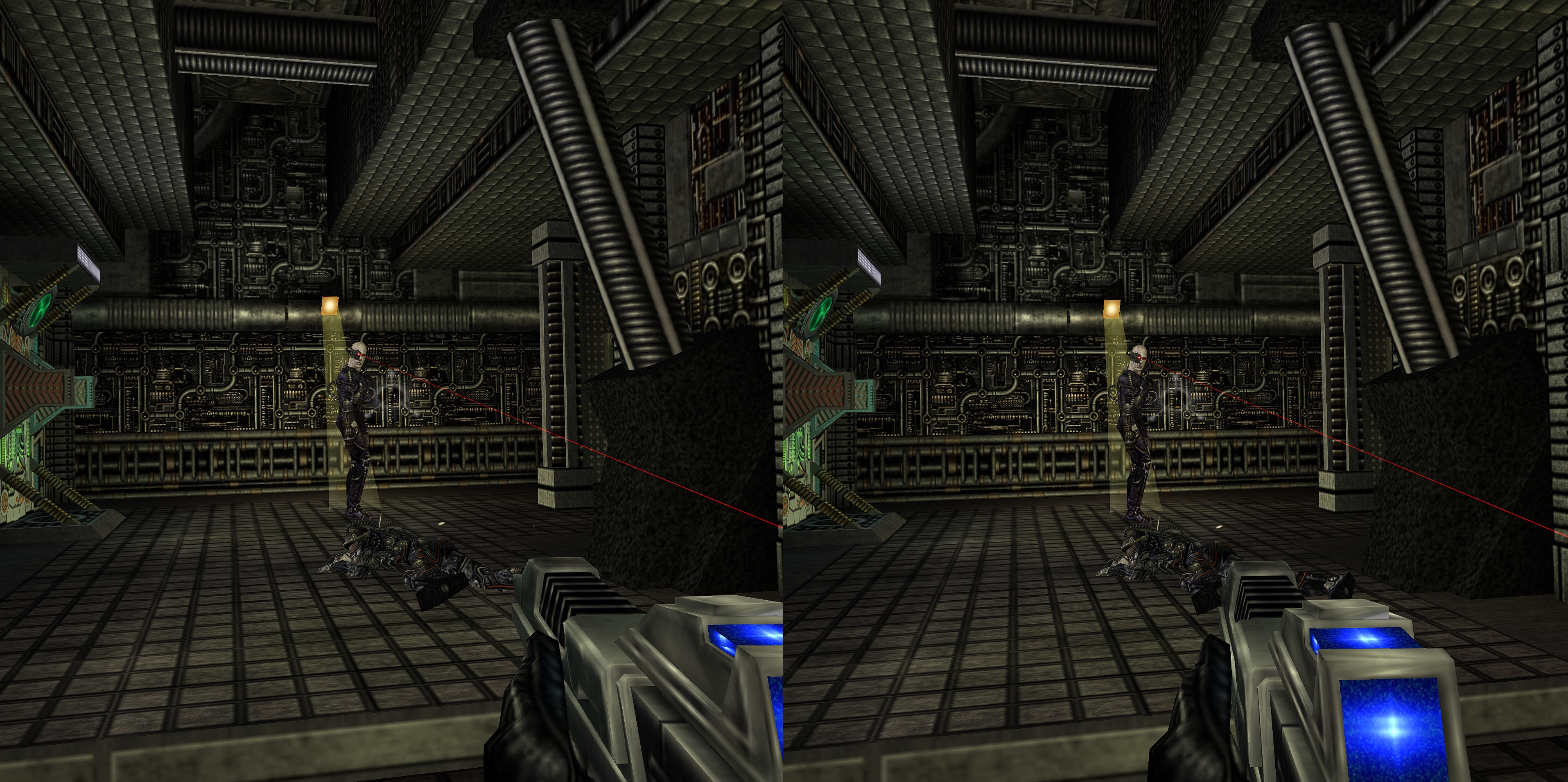
    Star Trek Voyager Elite Force (4k-G3D)

    – Required: Rename stvoy.exe to stvoyk.exe
    – Required: GlDirect5 (put opengl32.dll into game folder.
    – Required: DGVoodoo2 v 2,6 ( install D3D9.dll and into game folder )
    – Required: set DGVoodo2 to force 3840×2160
    – Optimized for Cinema Modes
    – Full VR available
    – Profile availabe at the cloud

    #219351
    Reaver Shadow
    Participant

    @Ralf, thank you very much for giving consideration to my request, and letting me know you’ll consider it. It’s not often you hear a dev say they think about your suggestion.

    My thoughts on the possible confusion.
    – I would leave it up to the user to do the mapping, rather then have defaults. This way should a game have tap+hold default functions, it wouldn’t cause an issue and its up to user to assign. (Star Trek online for example has this hidden in the game engine, and you have to setup through console commands). Alternatively, as an example to demo this feature to users, use something like the Fn Keys (or use AI to search if there is some keys which no game has used as tap+hold).

    – I can also see how double_tap could cause confusion, because if the single_tap is assigned to a game function that’s used frequently (God forbid someone assign a punch, or fire function), then double_tap could get triggered more then desired. This again is why I would simply have no default key binds assigned to these advanced functions, its a great available advanced feature, available to users/games that would benefit from it. If a button is not assigned either of these advanced functions, it disabled,

    – There are a few keybinding software, such as reWASD,( and I believe SteamInput), which has the ability to add tap+hold and/or double_tap to controller. You can review how they implemented the feature. (Don’t believe I can use these with VorpX)

    -LOL, it actually just occurred to me, that The Witcher (and STO) both implemented double_tap and press+hold (although not as a secondary function trigger). WASD. Double tap either and you preform a roll/dodge. (Although it doesn’t work so well when WASD is assigned to Thumbstick)

    #215650

    In reply to: vorpX 23.1.0 BETA

    Ralf
    Keymaster

    The next beta is now available. Note that this is still a BETA in the true sense of the word. So expect one or the other rough edge. Full changelog a few posts above.

    BETA download

    Highlights:

    1. New Gestures

    With the newly added gestures the arsenal is now large enough to make certain games feel fairly close to native games. Especially shooters with their limited set of interactions, but pretty much every action oriented game can benefit hugely. For now there aren’t many games with predefined gestures though, which will be one of my tasks in the upcoming weeks.

    If you don’t want to configure gestures yourself (easy, check the video in the original post), but still would like to try, try Cyberpunk 2077 (powerful PC required) or Aliens: Colonial Marines (decent PC should suffice).

    Cyberpunk extra hint:

    The Cyberpunk profile now comes with all the extra goodies of the standalone version. vorpX will ask you to install a dedicated mod when you launch the game the first time with vorpX hooked. This mod is necessary to make things work, it communicates with vorpX to enable AFR3D, positional tracking, VR optimized vehicle cameras and context sensitive gestures, i.e. the profile not only has gestures, but even can switch between gesture sets depending on gameplay context, e.g. whether you are in a car or on a motor cycle, or are holding a rifle or a pistol.

    ACM extra hint:

    ACM was my most recent gesture testing ground. Don’t let reviews put you off, the game has been massively improved after its flawed launch. Almost more important: story driven, straight forward shooters without much fluff like this one lend themselves well to VR/vorpX.

    Make sure to run the DirectVR scanner when entering a level for roomscale tracking and FOV. and don’t forget to check the instructions shown in the headset. The game’s FOV slider has to be set to minimum, otherwise vorpX’s FOV calculation doesn’t work right. BTW: Also one of the games with automatic weapon hide, so no face gun.

    2. Virtual monitor / desktop viewer integration

    The virtual monitor added in the last beta now automatically kicks in when you launch the desktop viewer and put on your headset. Now you may think: great, thanks. But I already have a monitor and am about to play in VR anyway, so why on earth would I want that?

    First and foremost: No more tinkering with custom resolutions to play games at higher resolutions than your monitor can display. This is a no-click one-size-fits-all solution that works for any GPU (AMD included) and any game you may intend to throw at it. That alone is reason enough to use the virtual monitor even if you don’t plan to use the desktop viewer for anything else than launching games. The virtual monitor has a large set of resolutions tailored for use with vorpX predefined that your monitor can’t display. If you want, you can add even more in the config app. Shouldn’t really be necessary though.

    Secondly: If you occasionally play games using the desktop viewer without vorpX hooking into them, the virtual monitor has the huge extra benefit of running at your headset’s refresh rate. So provided the game you want to play can run at the full headset refresh rate, there won’t be any micro stutter from the normal monitor/headset refreshrate mismatch you get when you capture your actual monitor. Make sure VSync is enabled in games for that to work, also make sure there is no 60fps or so limit set in the game options. VSync alone is what you want. If you want a desktop capture app optimized for playing games, this is officially the one you want to use.

    Added bonus: Probably not many will, but if you actually want to do general PC stuff using the desktop viewer, you can now do so on an ultra-ultra-wide 32:9 display surrounding your head. Judging from recent Star Trek TV shows that’s the future. So, welcome to the 24th century. :) The virtual monitor’s desktop resolution can be set in the Windows display settings.

    #212384
    Ghost75757
    Participant

    Does anyone know why some games start up well with Vorpx Viewer and some instant crash?
    Outriders, Far Cry 5, 6, New Dwan, even Star Trek Battlefields 2 – all run perfectly on start up,
    on the other hand MARVELS Avengers, Control, Quantum Break straight away crash with the Vorpx Viewer running.
    No idea why.. cant really be the 3D engine as Tomb Raider runs great with the Vorpx Viewer but Marvels Avengers crashes, both run same engine..

    Anyone has an idea or tip how to bypass those crashes on start up?

    #205472
    dellrifter22
    Participant

    It’s still working here for me (steam version). Did you download the new 2021 cloud profile from June?

    Make sure you have excluded the launcher “Star Trek Online.exe” in the vorpX config app. We don’t want to hook the launcher, instead we want to hook GameClient.exe that initiates after you click “Engage”.

    Also, if you have an oculus headset you can try running vorpX in SteamVR mode. Sometimes that helps with hooking certain games.

    #204881
    markbradley1982
    Participant

    Is it worth getting into Star Trek Online now? I love playing Bridge Crew with my friends and have been on a big Star Trek kick, binging on TNG (the remaster is amazing).

    #204645

    In reply to: Star Trek Online

    dellrifter22
    Participant

    New profile added to the cloud: Star Trek Online 2021

    G3D redone for current build. FullVR mode is recommended default for best scale.

    Do not attempt Z3D, as it seems to insta crash the game.

    Same general setup as above, with shadows and depth of field effects OFF as recommended.

    #204644
    dellrifter22
    Participant

    Thanks for the heads up. An updated G3D profile has now been created for the current build and uploaded to the cloud. Look for Star Trek Online 2021.

    I have not tested all graphical options, but with modest settings things are looking pretty clean. It is still recommended to turn off shadows and depth of field effects. Also note that switching off G3D at any time may crash the game.

    Don’t forget to paste the FOV command into chat if you have not already done so (should only need to be done once per install):

    /gfxsetdefaultfov 90

    Hope it works for you. Good luck.

    #204629
    TightAssPants
    Participant

    Geometry3D used to work with the cloud profile. Is there a way to fix it?

    #201858
    Dave
    Participant

    … also if vr will not become mainstream in games, it will survive in the hardcore gamer scene and the business section. Have a look at the linux scene. In the business server and also many other industries its mainstream, and in the linux desktop and mobile scene, there are hardware projects although it isn’t much profitable. This is my worst scenario, but vr will though not die. But with the exception, if we will have auto-stereoscopic TVs and Gaming Rooms in a quality of hologram’s in Star Trek !

    But we will have the PSVR2 ! In my opinion it will be the revolution for the masses because Sony will release a headset in a quality of the valve index for low budget console gamers, and will sell millions in the next years. The PSVR1 sold 3 Million units. Sony makes VR for the masses and not for the classes, like the PlayStation itself. We will get a PS5 and PSVR2 Bundle at 1000$, with a quality of a PCVR System at 2500$.

    Oculus has tried the same with the Quest 2, but they aren’t selling a High-End Gaming PC at 500$ and Mobile VR will not replace the Flatgames in the future, and if you want PCVR with the Quest 2 you need a 1500$ – 2000$ PC and a Quest 2 at 450$, and this is to much expansive for the masses.

    The 100-200$ HMDs are perfect for XXX movies. Have you ever seen a 3D 180 degree xxx movie ? I don’t know why this is not popular !?

    Vorpx is a one way ticket, never ever Flatgames on TV !!!
    I hope if VR will replace the Flatgames and become mainstream, every game has the option to play it with a gamepad or keyboard and Mouse, i hate the motion controller and aerobic in my living room.

    #201329
    Warrie
    Participant

    I’m not too much into Star Wars, always have been more of a Trekkie so I didn’t buy this one. But there’s a sale on Steam now, Squadrons, Jedi and Battlefront 2 for 40 euro.
    So I just did Jedi with Vorpx and well.. that is my best Vorpx experience so far. In immersive mode the 3d is great, things were popping out right from the start and the first sequence in Immersive mode was nothing short of spectacular.
    Well worth a buy now that it’s on sale :)

    #201276

    In reply to: add any game

    ikolloki
    Participant

    I just try TESO, its AWESOME, its a little dream to be inside this game.
    I search to try THE SECRET WORLD, Start trek online and SWTOR is it possible?

    #201274
    ikolloki
    Participant

    or star trek online xD yeah I love sompe old games. I try call of cthulhu 2006 and the result is pretty good.

    #197207
    mrphilipjoel
    Participant

    I’m a bit confused by this part here:
    —————–
    Then you ve to fix the resolution. Go to: http://www.wsgf.org/dr/star-trek-voyager-elite-force and download the “1_20_StarTrek_Voyager_Elite_Force_Centred_HUD.7z”.
    Unzip it in your base directory(for expl.:1920x1080p folder) and go to “BaseEF” folder.
    —————–
    Do I drag all the folders from the download into the main Elite Force folder? Or do I drag them into the BaseEF folder? Or do I just grab what is inside the 1920×1080 folder and drag into the Elite Force main folder? But, if I do that, won’t it overwrite all the HD textures I added in your previous step?
    Inside open the autoexec.cfg and change resolution as you prefer (for me

Viewing 15 results - 1 through 15 (of 48 total)

Spread the word. Share this post!
