
-
Search Results
-
I just played the Resident Evil 7 PC demo thru Vorpx using my Oculus Quest, it is very blurry compare to PSVR version at lower resolution. Same with Ace Combat 7.
My in game setting for both is 1980×1080, I think steamvr upscale it.
Is this blurriness normal?Thanks !
As I noob here, I finally able to get ACE 7 going like the one shown on youtubes. (Just played the 2nd mission. this is about 70% of PSVR version in terms of VR)
There maybe better way, but it took me 2 days to get it going. I am using Quest Link to PC.1)Play the game on 2D monitor and get thru 1st mission so you get the free 1st mission, which you can use to test your setting while setting things up.
2)I had to keep the keyboard, gamepad, and touch controller handy nearby to navigate when one controller cant control certain aspect of the menu.3)Setup FOV using Hex: (Vorpx does not have this function for this game)
PSA! How to change FOV in Ace Combat 7.
byu/ChoPT inacecombatNote: If you set it the first time and close the program, your hex will change but you can search again using “D8F57F” then highlight the hex before it, the value will show up again and you can change it. Just read thru it, the poster done a great job there. My is set to 0.013 and save it.
4)Set up your Vorpx Menu
Simple setup (My slight variation to poster)
1. Download cloud game profile “ACE COMBAT (REDDIT)” VorpX
2. Apply game profile and run VorpX
3. Run Ace combat.
5. Set ingame setting, “Mouse aircraft/camera control” to “On” under “Option>>>Mouse”.
6. Open in-game VorpX menu: “DEL” key.
7. Adjust Head tracking to around “.30”
8. Adjust Image zoom to around “.75”
9. Set Control to “Gamepad” not “KB”(Default)
10. Save and Close
NOTE:
a. You will need to familiarize (trial and error) how to navigate using gamepad, touch controller, keyboard to get thru the steps.
b. I did not have to PERMANENTLY KEEP “LAlt” pressed, the head tracking works using gamepad. If you are using touch controller you may need to. I have other problem with touch controller (I can’t pitch up and down), so I use gamepad.
Note: I found both gamepad and touch controller can’t navigate thru all the menus whether it is vorpx menu or in game menu so you may need the keyboard from time to time.5)
You should able to game with gamepad, but I need to use touch controller to EDGE PEEK.You maybe need to restart few times as navigation can be a bitaach, just close the vorpx and the game, yah take off your headset included and restart etc.
Good Luck!
I hope Computer Savy guys here should write Simple Guide for Noobs here more often.
Hello,
Does anyone know how to launch this game with VR enabled via VorpX?
I bought this yesterday and was keen to play it in VR, as there are tutorials online that make this game work… but I’m at a loss! Any help would be appreciated.
I am running Windows 10 and have an Oculus Rift S.
Topic: Blackwake (pirate naval FPS)
There’s a couple profiles for this game on the cloud now, but no mention of it anywhere on the forum. Another neat online vorpX experience for less than $7 during the summer sale.
Blackwake (G3D)
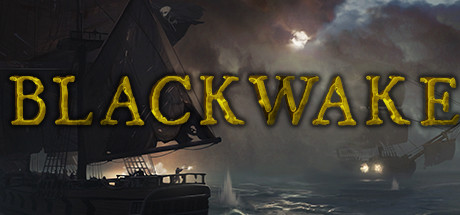
This Unity engine Pirate game is easy to get working in G3D, and is one of the prettier looking I’ve seen on the engine. The moonlit rainstorms add nice atmosphere – making all weapons and surfaces wet and reflective. Also, the models and animations are well done, which really enhances the 3D effect.
All that really needs to be done is lower the shadows to LOW, and all other lighting effects should look great. I only wish the water could be more 3D. I’ve added another profile to the cloud, best for Pimax8k.
– use a 16:9 resolution (2560×1440)
– set FOV to 88 in game
– set shadows to LOW
– set motion blur to OFF*The first launch Tutorial can’t hook for some reason, so do that on the monitor first, then launch Blackwake with vorpX the second time through.
*cinema fullscreen works best for Pimax8k, but Rift may prefer fullVR mode.It’s pretty fun running a cannon crew, and the ship boarding combat can be pretty hilarious. A quick look at the gameplay trailer in case you missed it:
Topic: Ace Combat 7
Hello everyone,
Stereo rendering doesn’t work, but as it’s a new game, I was not expecting a miracle.
I am also very surprise not to see any other thread about this game.I am a new Vorpex user and I am confused by the binding usage.
What ever setting I use,HMD rotation is rotating the aircraft, I don’t know how to have the HMD rotation binded to AC7 default: the Right analog stick.
So the view in game can be linked to the HMD.So far I have a flat game, on a giant screen and I can’t move my head!
Looking forward to your insights!
Anyone here got 3D stereo working?
