Hey guys, I figured out a workaround here: https://www.vorpx.com/forums/topic/arma-3-doesnt-work-dk2/
If you don’t mind playing it in 2D, personally I think it’s ok, gets around the pesky crosshair problem!
I also would like to see this work with Arma 3 :)
I think Arma 3 has built in aim/walk separation. I never looked at that before to be honest, but will when I fix the game. Can’t promise anything yet though, since currently I don’t know how it is done in the game.
Hey Ralf,
Will it be possible for this driver to allow full headtracking in Arma 3, in place of Track IR perhaps? Or is this something the Arma 3 devs will have to do?
Thanks!
Hello awesty,
A short check revealed that Arma 3 appears to be broken unfortunately. The basic hooking works, but no image duplication/3d is applied, so it’s not usable. Probably just an issue with the game profile, so it should be fixable, but I have to investigate further until I can be sure.
If you use a DK1, please send a mail to support |at| vorpx com to get a rollback option to the last vorpX version, for DK2 I don’t have an instant fix unfortunately.
Does Arma 3 work with new DK2 update? If so, how do you get it working?
Thanks!
Can’t wait for Arma 3 support!
Its the #1 game I want the Rift for.
Hey Walkn51, I have the same issue. The only workaround I was able to achieve was to drop the resolution in A3 to 948 x 1080 which apparently puts the Rift into some sort of 2D mode. Working out the main menu nav is still a pig but you can adjust the HUD, which is handy.
To adjust the FOV you’ll need to go into <profilename>.Arma3Profile in your My documents/Arma 3 folder and use a tool like this: http://hia3.com/tools/ArmA_3_wide-angle_FOV_calculator_online_by_Hi,A3.htm to calculate the values and entries you’ll need (using the afforementioned resolution). I went for an FOV of 95 which was closer than not.
So it’s 2D, but still pretty damn immersive. Mouse emulation means that body / head movement is not decoupled, double-tapping left alt does a pretty good job though.
Makes me think a rift-track to mouse / freetrack emulator standalone tool would be handy…
 Anonymous
Inactive
Hi,
My DK2 doesn’t work with Arma3, When I lunch the game i’ve got just 1 screen, not 2 for 3D. Please help me
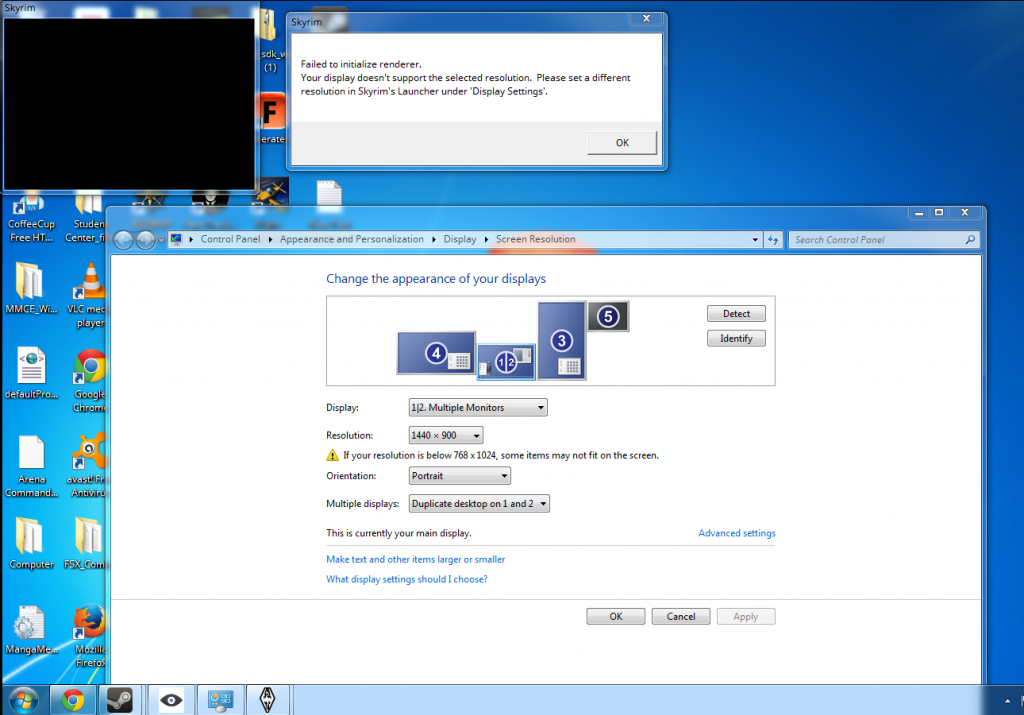
I just got my DK2 today. and at the moment it does not work at all with the three games I’ve tried in “Direct HMD Access from Apps” mode (ARMA III, Mirrors Edge, and Skyrim). And it has major problems in “Extend Desktop to the HMD” mode. In ARMA III, the game launches, but the game is not projecting two images and there seems to be problem with the colors as well. I also can’t access the in game menu because my mouse wont travel to that part of the screen for some reason. In Mirrors Edge the game just doesn’t launch after a “Head tracking init failed” error. In Skyrim it gives that same head tracking error as well as “failed to initialize renderer”.
I was so excited when it arrived today, but now I am bummed because I can’t get a single game to work on it.
Nevermind my first post, i got it wrong.
I corrected the FOV in Arma to fovTop=0.89999998 fovLeft=1.1 and in VorpX i use Simple Aspect Ratio, everything is fine now. The one and only thing i’m looking forward to, is Arma 3 in Geometric 3D. I hope that will be possible, because Z-Buffer 3D isn’t that immersive, especially in cockpit perspective. For comparison, check the cockpit of the truck in Outerra:Anteworld, best 3D-effect i’ve seen so far.
… the black bars in Letterbox modes.
While playing Arma 3 with the Rift, the Letterbox modi give me the best setting, but those black bars are blocking too much of the upper and lower borders. I think an option to adjust them or to disable them, will be a solution.
Thanks for looking into it, VorpX is a must-have!
Alex
I second that, also bf4 and ArmA 3 are desperate for geometry 3d… When is the next update?
Hi ralf , i dont know why, but i tested a few other games and then i switched back to arma 3 , and now it´s working fine..
I really dont know what caused this issue.
In arma 2 it works really nice. But it says in arma 3 not supported game… But on the webpage it says it´s supported. Maybe we have to wait for the new update. Does it work for anyone ?
