The dayz epoch mod works when I enable it in Arma 2 OA then restart but it didn’t work when I tried launching it directly from the dayz commander mod manager for some reason, anyway it look like mods will work too if launched directly from the game. Otherwise for dk2 movement it basically becomes your mouse in game (you can use your regular mouse as well) and you can still toggle freelook with a key as usual but by adding track ir (or free track might work too) it makes it automated + being able to zoom in and out, lean around corners etc… so you can add positional tracking if you’ve got the extra gear even though it’s not officially supported through vorpx yet like it is for Skyrim.
tnx for the reply, still, I m not sure I got it. In arma2, dk2 enabled, isn t the alt key doing this job? heck, I ll have to try it myself, I guess. Can you at least tell me please if dk2 is working with the dayz epoch mod? many thanks.
PS: my opinion is that for a proper arma2 experience is that any dk2 movement should act as alt-key is pressed, plus, head tracking should be disabled when aim down sight (with raised weapon)
sry for double posting but couldn t find the edit button :D one question: why TrackIR, isn t the mouse tracking replaced in arma2/arma2 oa by the dk2 head tracking? can you please detail the actual arma2 ingame use of the dk2, my kit is arriving today and I think I might give vorpx a try, but only if I can use it with dayz epoch mode for head tracking
Tested and working with Operation Arrowhead as well. These are a little trickier to get looking good. Turn off post processing to get rid of the blur. There’s a utility you can use to get a wider FOV here and you can double tap “-” to get a wider FOV in game.
If you also have Track IR (have to enable it in game) you can use that in addition to the DK2 to add independent look vs. aim/move or for head tracking in vehicles… lots to experiment with in this one and what looks good on foot might not look good in a vehicle etc… A useful future feature for Vorpx would be the ability to have a few saved custom profiles we could switch between with hot keys so when either on foot or aiming down sight or in a vehicle we could easily toggle between the settings that work best for each. Hotkeys for in game adjusting of depth, aspect ratio correction and focal point offset would also be great so we can adjust the scene without going into menu mode where it’s zoomed out a little.
Anyway, LOTS of vehicles to play with here too. The helis are great with headtracking especially the little bird with the high visibility cockpit.
Anyone happen to have Day Z as well as I suspect it should work in Geometry 3d for that too?
Planetside 2 was never tested here, but reportedly works fine with a gamepad.
For Arma 3 please check the thread below. It’s currently buggy but there seems to be a temporary workaround:
Arma 3 doesn’t work DK2
Planetside 2 has a vorpx hook but the game doesn’t response to the mouse cursor at all but the vorpx menu mouse it does
I downloaded arma 3 and f1 2012 again so I will try those later on and see
can set
winW=1920
winH=1080
I think arma reset those one it’s own as that was my old native res, but I did set them to 1920×1080 originally.
I have set up my DK2 according to the Vorpx DK2 setup guide.
Rift Extended
Show only on Rift DK2
Portrait orientation
I have launched Arma 3 with these settings. It does show up correctly on the Rift (yay) but it is horizontal, and it is not split into 2 windows. I *believe* I followed the instructions properly in this post:
Arma 3 doesn’t work DK2
I have set the resolution to 948×1080 as both the fullscreen height/width and render height/width.
I think I am doing something wrong early in the process as it is still vertical. I press delete in game but there doesn’t appear to be any setting to switch the orientation. Any guidance would be greatly appreciated, thank you!
Also – Ralf – the game does support independent head tracking. By default when you press Alt and move the mouse you can free look around without moving your aim.
Hey guys, I figured out a workaround here: https://www.vorpx.com/forums/topic/arma-3-doesnt-work-dk2/
If you don’t mind playing it in 2D, personally I think it’s ok, gets around the pesky crosshair problem!
Hello awesty,
A short check revealed that Arma 3 appears to be broken unfortunately. The basic hooking works, but no image duplication/3d is applied, so it’s not usable. Probably just an issue with the game profile, so it should be fixable, but I have to investigate further until I can be sure.
If you use a DK1, please send a mail to support |at| vorpx com to get a rollback option to the last vorpX version, for DK2 I don’t have an instant fix unfortunately.
Does Arma 3 work with new DK2 update? If so, how do you get it working?
Thanks!
Hey Walkn51, I have the same issue. The only workaround I was able to achieve was to drop the resolution in A3 to 948 x 1080 which apparently puts the Rift into some sort of 2D mode. Working out the main menu nav is still a pig but you can adjust the HUD, which is handy.
To adjust the FOV you’ll need to go into <profilename>.Arma3Profile in your My documents/Arma 3 folder and use a tool like this: http://hia3.com/tools/ArmA_3_wide-angle_FOV_calculator_online_by_Hi,A3.htm to calculate the values and entries you’ll need (using the afforementioned resolution). I went for an FOV of 95 which was closer than not.
So it’s 2D, but still pretty damn immersive. Mouse emulation means that body / head movement is not decoupled, double-tapping left alt does a pretty good job though.
Makes me think a rift-track to mouse / freetrack emulator standalone tool would be handy…
 Anonymous
Inactive
Hi,
My DK2 doesn’t work with Arma3, When I lunch the game i’ve got just 1 screen, not 2 for 3D. Please help me
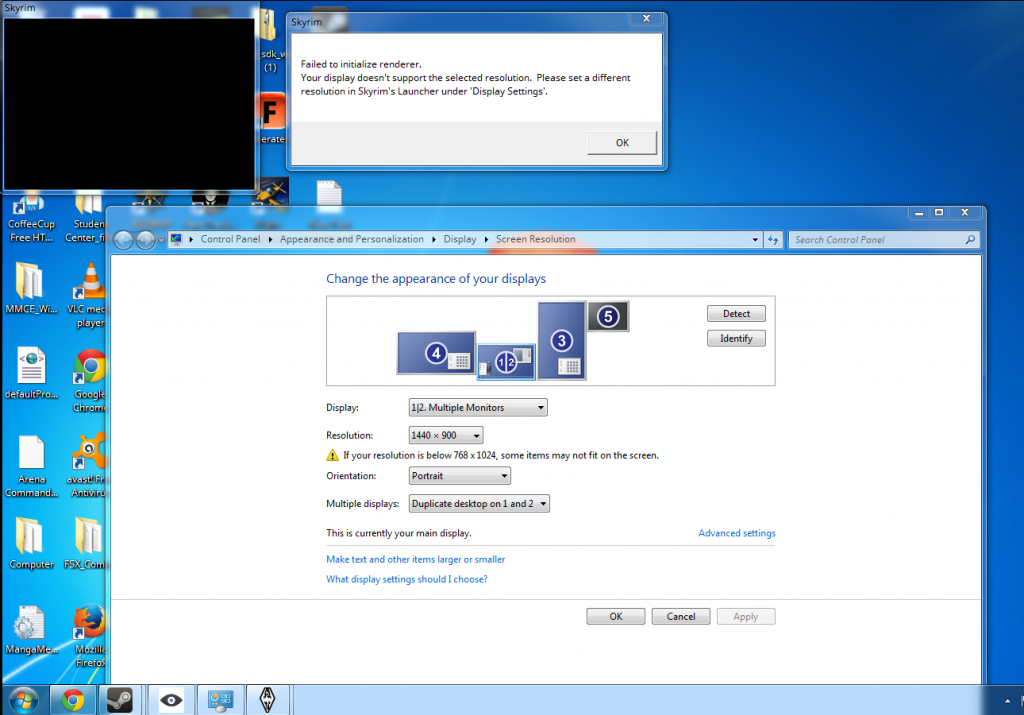
I just got my DK2 today. and at the moment it does not work at all with the three games I’ve tried in “Direct HMD Access from Apps” mode (ARMA III, Mirrors Edge, and Skyrim). And it has major problems in “Extend Desktop to the HMD” mode. In ARMA III, the game launches, but the game is not projecting two images and there seems to be problem with the colors as well. I also can’t access the in game menu because my mouse wont travel to that part of the screen for some reason. In Mirrors Edge the game just doesn’t launch after a “Head tracking init failed” error. In Skyrim it gives that same head tracking error as well as “failed to initialize renderer”.
I was so excited when it arrived today, but now I am bummed because I can’t get a single game to work on it.
In arma 2 it works really nice. But it says in arma 3 not supported game… But on the webpage it says it´s supported. Maybe we have to wait for the new update. Does it work for anyone ?
