I don’t personnaly care about G3D that much, especially if it disable a lot of graphics options. There is a Geo11 profile (and maybe it can be used with VorpX without headtracking), but I don’t think it’s perfect (and it could be incompatible with a lot of mods, except textures ones).
Your profile must be the best option to play indoors environments, but playing with headtracking in DX11, even without 3D, would be a huge graphics improvement in outdoors environements (at least during daylight). Some VR users wants G3D or nothing. Some don’t care at all. I like it if it’s available (and love it when it’s perfect), but it’s not mandatory, so it depends. I would probably use both alternatively, like I did in Metro Exodus, if I could.
Stalker games are old games, but they can be beautiful in DX10/DX11, they are not too demanding and can be improved a lot with mods, so probably headtracking without 3D would be very useful for people like me. I can still play with Desktop Viewer (it’s already very good), but I won’t have headtracking.
I just got Meta Quest 2 (former Oculus Quest 2) and I am wondering whether buying VORPX or not, tbh. I’ve been lots of videos with very cool 3D works on non native VR games however, I was not able to see the games that I would be interested to use this in, on YB… At least these are not very populated… For instance:
– TruckerMP (EuroTruckSimulator2)- Read some people were able and even found a video which explains how to but most of the forums was negative comments.
– Train Sim World or other TrainSim simulators… Same as ETS2..
– Dead by Daylight…
Are there any 100% working profiles uploaded in the VORPX software?
Check out this horse feces
______________
My message:
Please whitelist VorpX so that we may play Dead by Daylight in 3d. It is a very popular piece of VR software. It has been around for around a decade now I use it for almost every game that I currently play https://www.vorpx.com or the Dev’s contact info https://www.vorpx.com/frmct73522431/
their response:
James (Dead by Daylight)
Mar 1, 2022, 8:48 EST
Hey there!
We would like to apologize for the delay in our response, and to thank you for contacting us.
I understand you would like to be able to use VorpX with Dead by daylight.
Thank you for sharing your opinion with us! We are constantly trying to improve the game based on the feedbacks we receive from you, so we hope you’ll stick with us despite the lack of compatibility with other platforms that you may be using.
Please feel free to check out the links below for any future news/update regarding the game:
Thank you again for your time and patience.
Don’t hesitate to contact us again should you have any other concern or issues.
Best regards,
James
——————
To me it seems no one actually read this. Seems like an automated response. So I sent a message back stating so. Would like some more people.. Even if you don’t have any intention to play DBD.. every game that allows its support, will convince other companies to allow support for their games.
Thanks
Maybe petition isn’t the right word. But Could people interested contact beHAVIOUR software about allowing Dead By Daylight to whitelist VorpX so that we can play it in 3d. It’s really the only 2d game I still play, I think it would be amazing in vorpx.
Hell, I don’t think you even have to have to the game to request it, and you can log in with your FB or Google accounts.
If you haven’t played it, try it out. It’s a mutliplayer survival horror game with characters from different horror franchises. Halloween, Resident Evil, Saw, Scream, Nightmare on Elm Street, Texas Chainsaw Massacre, etc. Tons of fun, and It feels like the perfect fit for VorpX, but currently their anticheat doesn’t allow it to run
Settings are supposed to be saved. If you play with mouse and keyboard, you have to use the OK&SAVE button, with gamepads and motion controllers settings should be save automatically when closing the menu.
If you are sure you actually saved the setings, it would be great if you could check whether you have write access to [CP2077]\bin\x64\plugins\cpxCP2077\Data and let me know whether that’s the case or not. The installer should take care of that, but maybe that failed for some reason.
@ Zel1984:
Super weird glitch, luckily only in bright daylight. My personal guess is that the game’s postprocessing pipeline does some kind of light metering, which gets confused by the increased car FOV in VR, so that it assumes a darker environment than it should in cars and then brightens the image too much. Just a theory though. I already adjust the image gamma in cars, but that can only do so much. Good workaround: In bright daylight I usually switch to the hood camera the mod adds. You can do that with the game’s usual camera perspective button.
I uploaded a little update that adds a hood cam for driving. You can change between the normal in-car view and the hood cam with the game’s usual vehicle camera switch button/key. Hopefully without any unwanted side effects. Didn’t test it too long. Anyone annoyed by the overbright colors in cars when driving in bright daylight should definitely grab this.
Also the hood cam is a cool way to drive around anyway.
A couple more for those who like to explore eerie forest trails at night.
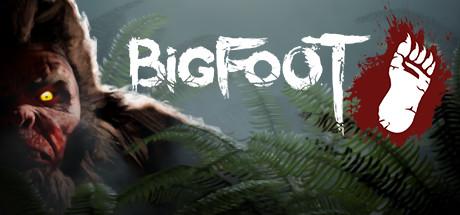
BIGFOOT (G3D/Z3D)
That moment when the hunter becomes the hunted. A fun little game of cat and mouse as you try to find and trap Bigfoot before he finds and kills you. Fun national forest environment, fun gadgets to use, looks good in Unreal4 G3D. Play solo or coop of 4.
– FOV setup: open Engine.ini from C:\Users\….\AppData\Local\Bigfoot\Saved\Config\WindowsNoEditor
Add at the bottom:
[/script/engine.localplayer]
AspectRatioAxisConstraint=AspectRatio_MaintainYFOV
– use a 16:9 resolution (2560×1440)
– set graphics settings to Epic
– turn motion blur off
*Use vorpX Shadow Treatment to toggle reticle dot if needed
*Cinema mode best for Pimax8k, fullVR and immersive modes best for Rift
The Land of Pain (G3D/Z3D)
Brief horror adventure through forest, caves, and mines. Find the right tools and keys to progress while running from evil creatures in the dark. Works well in CryEngine G3D, minus some miss-match shadows. I’ve opted to hide them, but you can toggle them back on with vorpX Shadow Treatment. Perhaps best to play the daylight prologue in Z3D, then switch to G3D for the remainder.
– use a 16:9 resolution (2560×1440)
– set fov to max 75 in game
– set shadows to LOW
*If launch is very pixilated, cycle Crystal Image setting in vorpX to resolve
*If encounter crashes mid game, use experimental version from steam game’s properties beta tab
*Cinema mode best for Pimax8k, fullVR best for Rift, immersive screen best for Z3D