
-
Search Results
-
Battlefield: Bad Company 2 (G3D)
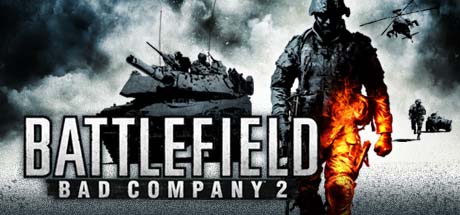
Probably still my favorite Battlefield game. G3D is looking good here, shadows included. Weapon placement is not perfect, but I’m happy with the way this game looks in VR. FOV is adjustable in multiplayer but not singleplayer, so I’ve configured two separate profiles.
- Battlefield: Bad Company 2 MP (Multiplayer)
– ensure BFBC2Game.exe is assigned in vorpX config app
– FOV setup open: C:\Users\….\Documents\BFBC2… settings.ini
Find and change value to:
Fov=74
– use a 16:9 resolution (2560×1440)*vorpX Shadow Treatment toggles minor shadow/skybox glitches
*Has moderate edge culling from FOV Enhancement
*Cinema best for 8K with pitool small fov
*Rift may prefer fullVR/immersive modes
*Click Search button to populate empty server browser- Battlefield: Bad Company 2 SP (Singleplayer)
– ensure BFBC2Game.exe is assigned in vorpX config app
– use a 21:9 resolution (3440×1440)*Has considerable top and bottom edge culling due to extreme FOV Enhancement, though not so noticeable when looking straight ahead
*Immersive/fullVR modes best for Rift, Pimax8k should use cinema mode with Low pitool fovMedal of Honor 2010 Multiplayer (G3D)

Got the Frostbite multiplayer working in G3D now. It’s not the popular favorite nor super active anymore, but you can still find a couple dozen playing at times. Beware though, these longtime players are lethal.
You’ll need to download a PunkBuster update from Evenbalance to connect to servers. Works online with vorpX.
– FOV setup open: Origin Games\Medal of Honor\Engine\Config…BaseEngine.ini
Find and change value to:
FOVAngle=90.000000
– launch with MoHMPGame.exe from game directory MP folder
– use a 16:9 resolution (2560×1440)*set graphics to medium if getting crashes
*vorpX Shadow Treatment toggles friendly/objective HUD markers
*cinema mode best for Pimax8K, Rift may prefer immersive/fullVR modes
*See here for singleplayer profilesThis is what Multiplayer looks like in case you’ve forgotten:
As always, new profiles can be found on the vorpX cloud. Enjoy.
Novalogic had a deep sale of their titles last week so I picked up a few older mil-shooter favorites to try with vorpX. To my delight they each managed G3D and I was able to relive past moments now in vr. Figured I’d share profile settings for anyone else aching to get back behind a 50.
Each of the cloud profiles below default to cinema fullscreen (best for Pimax8K), but Rift may look better switching to fullVR mode. Enjoy!
Delta Force: Black Hawk Down (G3D)
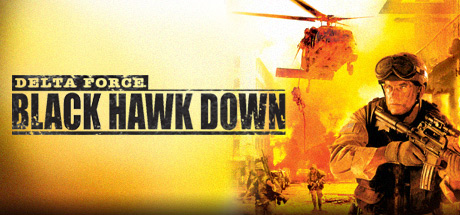
You’ll need dgVoodoo2 for this classic, so search youtube for a brief tutorial on which files to add to a game’s directory to use it. Basically just copy and paste, nothing real fancy.
If you install Team Sabre dlc from steam, you’ll need to uninstall vanilla BHD, then “verify integrity” of Team Sabre files to fix load errors.
– use a 4:3 resolutions (1600×1200) for best FOV
(set hw3d_res1600x1200 = 1 in dfv.cfg of game directory)*F6 toggles HUD
*Shadow Treatment to OFF hides water glitchDelta Force: Xtreme 2 (G3D)
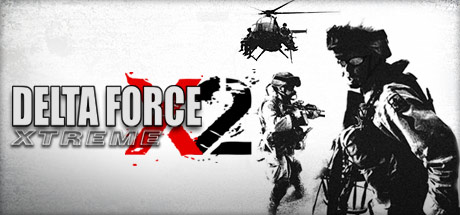
More of a run and gun style action. Neat night vision effect. No dgVoodoo.
– set shadow_quality = 0 in game.cfg found in game’s directory
– use a 4:3 resolution (1920×1440) for best FOV*F6 cycles HUD display
*Shadow Treatment to OFF hides water glitchJoint Operations: Combined Armes (G3D)
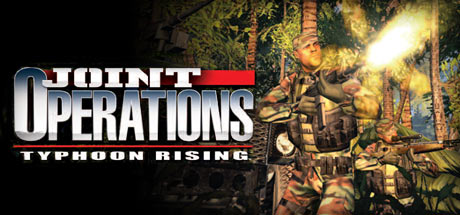
Tested on the Gold edition combining Typhoon Rising with Escalations expansion. This was the more hardcore alternative to Battlefield 2 multiplayer, though not so active anymore. There are several singleplayer missions to do though. Same engine/mechanics as the Delta Force games, but not as forgiving. The menu trailer used to always get me pumped. Good times…
– set shadow_quality = 0 in game.cfg found in game’s directory
– use a 4:3 resolution (1920×1440) for best FOV
– set Widescreen Display option to NO in game’s video options*F6 cycles HUD display
*Shadow Treatment to OFF hides water glitch
*Online works, but the modded versions have not been testedTopic: Forgotten Hope 2 (WW2 mod)
Forgotten Hope 2 (G3D)

This WW2 mod for Battlefield 2 is great and turned out better than I expected in VR. The online isn’t much active anymore, but the 30+ singleplayer/co-op maps with 120+ bots are still a lot of fun. Spawn in and join the bot squads on their attack waves, or zoom around with the freecam to watch the chaos unfold. Thanks to RJK for the base BF2 profile, now we have one tailored for FH2 also on the cloud.
G3D is half the fps and much less games allow it. I never used vorpX and I never switched between G3D and Z3D.
My only experience with VR is when I played Serious Sam VR for 10 minutes on Vive Pro, I am not sure if that was G3D or Z3D. I want to play Battlefield games and from one list I read, none of them support G3D.
How much better is G3D? Z3D to me sounds like fake inferior VR while G3D sounds like the real deal awesome experience, but I never tried it. Please tell me about G3D vs Z3D comparsion, also if you are BF player, how do you like the Battlefield games with Z3D.
Topic: Please help
I bought this Vorpx yesterday and can’t seem to make it work properly, of the 3 games I’ve tried I haven’t come up with great results.
I tried Grid and it looked like a cinema screen in front of me and Resident Evil 7 looks like there is a hand in front of me and a silhouette of a cut out hand next to it and I also tried Battlefront V from a profile I found on Cloud and I started Battlefront V and the game wouldn’t load properly and just crashed and I also tried what was suggested of using the Battlefield 1 profile and still it crashed and went back to the Oculus menu screen.
Is there something I’m doing wrong because right now the experience I’m having with this app really isn’t justifying the price I paid for it, if there are other settings I’m not using they don’t seem to be listed anywhere like a compatibility help topic for every game and the settings you should use, I have used search in topics but the information given was for Resident Evil 7 which a user said usedcamera ht modifier to hide the hideous gun aiming hands and I’ve no idea what that even means and also another user saying that you boot the game, open the in-game VorpX setttings, and click on the DirectVR option and I checked and there is no DirectVR option to click on in the Vorpx menu.
Also suggested by another user to try the Battlefield 1 profile for Battlefield V and that didn’t work either.
I’m lost here and thinking that I’ve really wasted my money.Topic: Total War: Napoleon
If you want to see something epic, give these a try:
Total War: Napoleon (G3D)

This turned out as good as I could have hoped – with full G3D and working shadows. It all looks great, especially when you zoom down to ground level and watch the melee charge chaos!
I also had fun scaling down the battlefield with heavy 3D separation, making the formations really pop, and give the appearance of a miniature toy set. But you’ve never played with your toy soldiers quite like this before 😁.
So I’ve uploaded an additional Miniatures version to try. FullVR mode probably offers the best 3D, but cinema is default for practical reasons. See which you prefer.
– use a 16:9 resolution (1920×1080)
– set Shader Model to High 3.0 in gameTotal War: Empire (G3D)
This one worked the same with a few adjustments. Looks and plays identical. It too has a Miniatures option – kinda neat to see the model ships. You can make all pieces as small as you want by increasing the 3D separation strength.
– use a 16:9 resolution (1920×1080)
– set Shader Model to High 3.0 in gameYour first battle may open without a mouse cursor. Alt+Tab out and back should fix it and any other artifacts. If not, disable “pointer trails” in you Mouse Properties options. This applies to both games. Enjoy!
*G3D Shadow Treatment to OFF will hide the Orders HUD
*Tested on Definitive Editions, but not for multiplayer
