
-
Search Results
-
Topic: Redeemer G3D
Big battle of the profiles today ay ;).
So here is Redeemer G3D, good old U4 engine.
As usual set shadows to low,
motion blur,vsync,color aberration I would prefer off.
Tested on 1080gtx@1440p aa off, turn resolution down to 1080p gives a good fps boost.
Topic: Draugen (G3D)
Character models are blurry until you disable Anti-Aliasing. You may also want to turn down Post-Processing to Medium to avoid texture issues.
If any other texture related issues become apparent, you may want to adjust Motion Blur.The game is an absolute pleasure in G3D.
Also, I tried to include these instructions in the User Profile Description, but it never showed up.
Topic: Blackwake (pirate naval FPS)
There’s a couple profiles for this game on the cloud now, but no mention of it anywhere on the forum. Another neat online vorpX experience for less than $7 during the summer sale.
Blackwake (G3D)
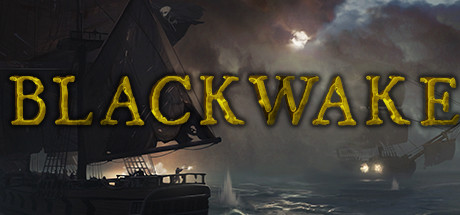
This Unity engine Pirate game is easy to get working in G3D, and is one of the prettier looking I’ve seen on the engine. The moonlit rainstorms add nice atmosphere – making all weapons and surfaces wet and reflective. Also, the models and animations are well done, which really enhances the 3D effect.
All that really needs to be done is lower the shadows to LOW, and all other lighting effects should look great. I only wish the water could be more 3D. I’ve added another profile to the cloud, best for Pimax8k.
– use a 16:9 resolution (2560×1440)
– set FOV to 88 in game
– set shadows to LOW
– set motion blur to OFF*The first launch Tutorial can’t hook for some reason, so do that on the monitor first, then launch Blackwake with vorpX the second time through.
*cinema fullscreen works best for Pimax8k, but Rift may prefer fullVR mode.It’s pretty fun running a cannon crew, and the ship boarding combat can be pretty hilarious. A quick look at the gameplay trailer in case you missed it:
Topic: Generation Zero
Picked up my first summer sale game, and been enjoying my time with it these past two nights. Thanks to shr84 for confirming geometry for us and getting an early profile up.
Generation Zero (G3D/Z3D)

Kind of like Fallout 76 but a bit creepier with more emphasis on stealth. If you like creeping through the woods and rummaging through abandoned houses for supplies, this has you covered. Once detected and taking fire, it can be quite intense as you scramble to escape and not be cornered. The nighttime atmosphere makes for a pretty neat vr experience.
G3D is working beautifully thanks to the Hunter: Call of the Wild profile, and only needed a couple disagreeable shadow fixes to look great. I’ve uploaded my settings to the cloud, though I bet we’ll see this one officially before long.
– use a 16:9 resolution (2560×1440)
– set FOV to max 80 in game
– turn off dynamic resolution in game
– turn off motion blur (or static objects may look blurry)*Setting Shadow Treatment to OFF in vorpX will hide the crosshair if you like, but note this will also hide map icons. Use Z3D toggle key when using map.
*HUD can be scaled for G3D, but will cause flicker if used with Z3D.
*Close one eye when using scopes, like you would in real life.I’ve chosen cinema at near fullscreen as default (best for Pimax8k), but Rift users may want to also try immersive and fullVR modes for a better fit. Enjoy!
Some solo play you can scrub through to get an idea:
Hey everyone,
It was on sale for the steam sale so i picked up Call of Cthulu 2018 and there is a profile made recently that is supposed to have G3D and positional tracking – anyhow, it works… but the game is absurdly blurry and just washed out, like cant see intricate details i know the rift is capable of showing, this isnt screen door, just legitimate blur to everything.
i have turned off blur options in the game and messed around with Anti aliasing in game via nvidia control panel and messed with antistropic filtering and still extremely blurry
anyone have a tip of how to bring the blurriness down?
thanks for your time!
Topic: OKAMI HD
OKAMI HD – Z-Normal
cinema mode.
When it is made to look in 3D, the screen is blurred.
It seems that it can not be helped.
Make it clearly visible and there are no 3D effects.
Better than FLAT MONITOR.
Don’t expect too much.
Profile is in cloud,check it.Once bought on sale now this becomes a real gem.
On one hand its funny. Its like a scifi b movie with the producer narrating here and there (i.e.how they have no money and fakin stuff) nice:)) On the other hand Im impressed. In real life this is at first glance a causual looking, isometric twinstick shooter, long forgotten, one out of many… never played this game seriously maybe 10 min. Well what should i tell, in Vorpx its a whole other world, as i first saw the tower in 3d gzus ! They put def. some money n time in this one .
Im still at the first stage and found alot of diverse and obscure looking enemys.
All created with scifi B movie setting in mind (bubble arm robots and such).
Anyway really nice 3d ingame looking really sharp in 1440p but on my 1080gtx its a bit over the top struggeling around 30fps, for me its ok but 1080p gives a reasonable boost. I could squeeze out some FOV and 3d strenght is at maximum.
!! But you have to turn off shadows, reflections, blur,and vsync also shaders set to DVD mode all in the game menu. !!
Grab the jetpack and beat the tower yeah
