
-
AuthorSearch Results
-
Sep 3, 2018 at 5:11pm #175090
In reply to: Old User Profile Thread
 RJK_Participant
There is nothing that i can do right now. Youll get an overview of the different versions here. The DX10 renderer (i was wrong) cant be hooked by vorpX. When installing 227, opengl, DX8,9 will be availiable but the game cant be renamed anymore for DX8 or 9. The only way is openGL. Install 227 and choose OpenGL renderer. Then you will have G3D with the hidden profile. Ive tried that but the gui spins around on Windows7, please try yourself if it works with your windows version.
Sep 3, 2018 at 1:51pm #175089In reply to: Old User Profile Thread
vrbandwagonParticipantHere Ralf mentions a “factory Unreal 1 profile” with 18.2 but there still isn’t one. Did he just forget?
By the way, what could be the difference between patch 227 and your link to the Direct3D 10 renderer in terms of quality?
[edit: sorry for hi-jacking the thread, ignore my questions if you prefer]
Sep 3, 2018 at 1:36pm #175088In reply to: Old User Profile Thread
RJK_ParticipantAs far i remember ive got Unreal 1 working in G3D with this http://kentie.net/article/d3d10drv/ renderer. VorpX doesnt have a visible profile for it https://www.vorpx.com/forums/topic/invisible-profile/ but the renderer seemed to work without one. I think i havent tested it since 18.2.
Sep 3, 2018 at 1:18pm #175087In reply to: Old User Profile Thread
vrbandwagonParticipant@RJK_
Now that you are an expert in making great profiles, have you thought about revisiting Unreal 1?It’s been almost a year since my post about it but there still isn’t a proper profile and clear instructions to make it work.
Aug 25, 2018 at 10:41pm #174935In reply to: Old User Profile Thread
RJK_ParticipantBrothers in Arms: Hells Highway (G3D)
After beeing disappointed about the older Brothers in Arms games because there was no chance to give them a stereo profile, the newer Unreal 3 Engine impresses with its even greater graphics.
Important FOV Settings :
Open: C:\Users\…\Documents\My Games\BIA Hells Highway\SumacGame\SumacInput.ini
-Look for “[Engine.InputActionDefinition]”
-Look for the line that starts with: “Actions=(Id=IA_ZoomHold,Alias…”
Change it to: Actions=(Id=IA_ZoomHold,Alias=”.ZOOMHOLD”,Names=(“Zoom”),Command=”ZoomIn | FOV 0 | OnRelease ZoomOut | OnRelease FOV 120″)-Ingame assign a key to Zoomhold. Tapping this key will enable enhanced FOV.
Tipp: Assign this also to the key where you have VorpX “3D Off” have assigned to. This will help for better aiming. You can use both keys seperately depending on the gun/situation.Important: Write protect SumacInput.ini after you have made your final adjustments. (The game will otherwise reset your keysettings)
Additional Settings:
Somone else suggested another Setting in the ini:Under [SumacGame.SumacPlayerInput] add the following line:
Bindings=(Name=”F2″,Command=”FOV 0″,Control=False,Shift=False,Alt=False)This should help in cutscenes if they look messed up while FOV is changed. (Not tested)
– Download the profile from the cloud

 Jul 15, 2018 at 7:53pm #174267
In reply to: Old User Profile Thread
dellrifter22ParticipantA couple more war shooters… This time from Unreal Engine 3. Profiles added to the cloud.
Red Orchestra 2 / Rising Storm – G3D

Works fine online with FOV tweaks and G3D
– Set Shadows to “Low” or “Off”
– Use a 4:3 resolution (2400×1800, 3200×2400)
– Set the following FOV values in ROGame.ini found in
Documents\My Games\RedOrchestra2\ROGame\Config:PlayerFOV=105.000000
IronSightZoomScaleSMG=0.000000
IronSightZoomScaleRifle=0.000000
IronSightZoomScaleBipod=0.000000**note that if you open the game options page any time after, it will reset your FOV value. You then will need to tweak the ini again and restart game.
Call of Duty: World at War – G3D
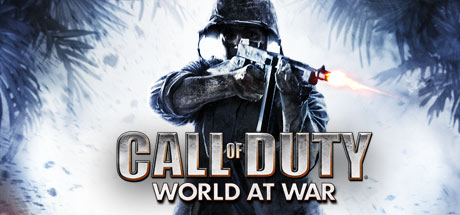
Single player levels playable in dev mode.
See this thread for setup instructions.Jul 3, 2018 at 10:18pm #173765In reply to: Old User Profile Thread
RJK_ParticipantTurok (2008) – (G3D)
Big Dinosour shooter using the Unreal 3 engine.
-For more FOV: Edit gamefolder\TurokGame\Config\TurokInput.ini.
Under [Engine.Console] change TypeKey=None to TypeKey=Tab.
Ingame press Tab for console, type fov xxxx.
-playable in any mode best experience in FULL VR w. Headtracking
-Profile availiable from the cloud
 Jun 27, 2018 at 10:13pm #173669
In reply to: dgVoodoo2 on Windows 7
matteo39Participant<strong class=”d4pbbc-bold”>Important News for Windows7 user
I have managed to create a profile which provides G3D with DGvoodoo2 on Windows 7. There is a very good chance that this profile will work with many DX8 games, but unfortunatley i am not able to verfiy this on Windows 8/10 at the moment.
Before i properly upload and name any games to the cloud , <strong class=”d4pbbc-bold”>i need your assistance for Unreal 2..
Please download this profile and add it to VorpX. Then rename Unreal2.exe to Unreal22.exe and see if you get a clean G3D on Windows 8/10. Also check if you experience problems with HUD.
Beside Unreal2 i have tested Schizm 2 today with the same profile susccessfully.
can thief 2 or deus ex 1 run with this profile?
with standard thief 2\deus ex profiles, there are no g3d, or a bad g3dJun 27, 2018 at 9:29pm #173668In reply to: dgVoodoo2 on Windows 7
RJK_ParticipantImportant News for Windows7 user
I have managed to create a profile which provides G3D with DGvoodoo2 on Windows 7. There is a very good chance that this profile will work with many DX8 games, but unfortunatley i am not able to verfiy this on Windows 8/10 at the moment.
Before i properly upload and name any games to the cloud , i need your assistance for Unreal 2..
Please download this profile and add it to VorpX. Then rename Unreal2.exe to Unreal22.exe and see if you get a clean G3D on Windows 8/10. Also check if you experience problems with HUD.
Beside Unreal2 i have tested Schizm 2 today with the same profile susccessfully.
Jun 9, 2018 at 9:16pm #173425In reply to: Old User Profile Thread
RJK_ParticipantDid you ever notice that donut and that smoking cup on the instructors table in the basement ? I bet not

Unreal 2 (G3D)
(alternative to DGVoodoo2 if it does not provide 3D Stereo)
Requires DX8toDX9 wrapper from https://github.com/crosire/d3d8to9
-RENAME Unreal2.exe to Unreal22.exe !
-you can use very high resolutions
-set graphics to very high
-set shadows to low
-use AntiAliasing in Nvidia settings
-download the profile from the cloudNote; i choosed immersive screen mode, you easily can switch over to FULL VR

 May 31, 2018 at 11:34pm #173239
In reply to: dgVoodoo2 on Windows 7
RJK_ParticipantI hope i am not raising too much confusion here.
I have now installed this DX11.1 Windows Platform Update KB 2670838
VorpX now hooks into DGVoodoo2 but without any 3D ( Tested on Unreal 2 ).
Now the main question is this implementation supposed to provide 3D or 2D ?
May 27, 2018 at 10:09am #173131In reply to: Bioshock 2 – anyone running it successfully?
dextrovixParticipantThis should be addressed in the next vorpX version 18.2.0.
I’m not 100% certain since the issue was semi-random, but I was able to get past a notoriously crashy section in the game more than a dozen times now without a single crash, so it’s very likely fixed.
Feedback welcome after vorpX 18.2.0 is released (no date yet though).
Hi Ralf,
I’ve been keeping an eye on this thread because I too have found Bioshock 2 to be an issue, even though Bioshock 1 worked very well in DirectVR.
For me too, Bioshock 2 on Steam crashes frequently, even with 18.2.2 release 26th May 2018 in DirectVR mode. I can reach points on the first level when it will crash each time (when you first enter the sea), then during Ryan Amusements stepping off the train at the start on the 3rd level. I can play normally outside of VR in standard monitor mode to get past a crashing moment so I know it isn’t the game itself, but it happens so frequently and instantly it makes i impossible to continue in VR. It can also crash when trying to save progress, so it seems this Unreal Engine title is particularly unstable compared to Bioshock 1!
I’ve tried updating my nVidia 1080 to the latest drivers (they were only a couple of months out of date anyway), turned off all graphics options in the GUI, changed resolutions and have been through most relevant VorpX options in its GUI too, but no progress.
Are you able to try Bioshock yourself to see if it happens to you too- for me, it will crash from game start within 10 minutes of gameplay on that first level alone.
May 25, 2018 at 8:48pm #173075In reply to: dgVoodoo2 on Windows 7
RalfKeymasterPlease consider the dgVoodoo2 preset as a playground for experimentation, nothing more. Expect most games to fail with dgVoodoo2 and enjoy the ones that don’t.
I won’t look into any issues with individual dgVoodoo2 games, sorry.
No problems with Unreal II here though, that was one of few I tried myself, so I can’t give you any hints how to solve your issue.
The main error that causes the failure is “Device Feature Level too low: D3D_FEATURE_LEVEL_10_1”. Unless you use a fairly old GPU that error probably is also related to using Windows 7. As I said, you really should consider making your peace with Windows 10. :)
May 25, 2018 at 8:41pm #173074Topic: dgVoodoo2 on Windows 7
in forum General vorpX DiscussionRJK_ParticipantHello Ralf,
Thank you very much, this did indeed solve the problem, everything works as usual.

I know what you are talking about with win10, but as far i read many older games wont even run on win10. I guess i would need to setup another HD for that purpose (when it becomes nessecary).
As you would guess
 now that vorpX works again, i tested dgvoodoo with Unreal 2. To give some feedback on that, VorpX didnt hook (newest dgvoodoo used), i found some DX11 WRNs in the VorpX log, may be that could be interesting for you:
INF: ProgSetting User: D3D11/iG3DShadowTreatment: 0
WRN: D3D11 Base: feature level < 11.0 detected. Trying to force 11.0
INF: D3D11 Base: CreateDevice
WRN: D3D11 Base: Device creation failed: E_INVALIDARG: 2147942487
INF: DXGI Base: CreateSwapChain
INF: DXGI Base: CreateSwapChain
INF: Vive Controller Manager: No controller found
INF: Vive Controller Manager: Initialized
ERR: D3D11 Manager: Device Feature Level too low: D3D_FEATURE_LEVEL_10_1
INF: Main: Detaching from unreal2.exeEdit: also tested the game “PARIAH” (DX8) with the same result.
May 25, 2018 at 5:41pm #173051In reply to: vorpX 18.2.5 Available Now
RJK_ParticipantThank your for this release.
Unfortunately there seems to be an openvr incompatibilty:
openvr runtime init failed. vorpx will not work correctly.
try to restart steamvr or your pc.
openvr runtime error:
Interface Not Found (105)(105)-another small bug i encountered is that the unreal profile is still invisible
-
AuthorSearch Results
-
Search Results
-
Topic: dgVoodoo2 on Windows 7
Hello Ralf,
Thank you very much, this did indeed solve the problem, everything works as usual.
I know what you are talking about with win10, but as far i read many older games wont even run on win10. I guess i would need to setup another HD for that purpose (when it becomes nessecary).
As you would guess
now that vorpX works again, i tested dgvoodoo with Unreal 2. To give some feedback on that, VorpX didnt hook (newest dgvoodoo used), i found some DX11 WRNs in the VorpX log, may be that could be interesting for you:INF: ProgSetting User: D3D11/iG3DShadowTreatment: 0
WRN: D3D11 Base: feature level < 11.0 detected. Trying to force 11.0
INF: D3D11 Base: CreateDevice
WRN: D3D11 Base: Device creation failed: E_INVALIDARG: 2147942487
INF: DXGI Base: CreateSwapChain
INF: DXGI Base: CreateSwapChain
INF: Vive Controller Manager: No controller found
INF: Vive Controller Manager: Initialized
ERR: D3D11 Manager: Device Feature Level too low: D3D_FEATURE_LEVEL_10_1
INF: Main: Detaching from unreal2.exeEdit: also tested the game “PARIAH” (DX8) with the same result.