
-
Search Results
-
Topic: The Dig
The Dig – Steam version (DGVoodoo2 v 2.6) – 2D
I usually dont post 2D games here, but this one (steam version only) works just fine with DGVoodoo2 and VorpX out of the box. 320x200px
 , but looking surprisingly good in cinema modes. Former DOS game from 1995, probably one of the first games with full speech output.
 – DGVoodoo2 v 2.6 required
– drop D3Dimm.dll and DDraw.dll and the config files into the game folder
– Press ALT+enter for full screen
– 2D profile available at the cloud

just wondering if there is a limit to processor or gpu usage, trying to optimize alice madness returns but ive noticed that its not even using all my gpu or my processor, got a rtx2080 ti and experiencing fps drop only at specific points in the game and in the same place to it even runs fine maxed out until these parts, if there was a way to allow vorpx to use more of my gpu it would probably be fine
This has been a fun trilogy project the last couple months, and I think they are ready to share. Much like these games get better upon each installment, their vorpX compatibility does also. Still, I enjoyed playing them all and believe they each have good VR experiences to offer. You can find them quite cheap on sale these days also.
Three new profiles now on the cloud. Enjoy.
Sniper Ghost Warrior (G3D)
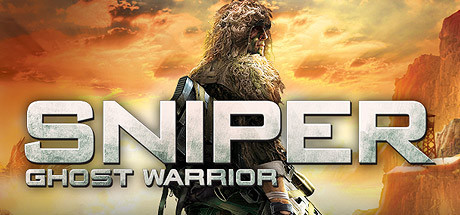
Something about the jungle setting and ability to pick up assault rifles might make me prefer this one to SGW2. Native FOV was extremely low and remains a bit low still even after extreme FOV Enhancement. Still a good fullVR 3D experience if you can tolerate some culling near top and bottom and have the shadows disabled.
– use a 16:9 resolution (2560×1440) any other ratio can cause glitches
*Don’t trust the red aim dot to be exact at long ranges, toggle Z3D hotkey for critical shots
*Disable raindrop effect with vorpX Shadow Treatment if distractingTopic: Sniper Elite 2 and 3
Sniper Elite V2 (G3D)
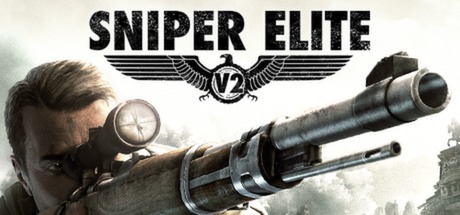
I’ve re-imagined this old cinema profile for a more FullVR experience. Having larger world scale and the scope right up to your eyes now makes it more immersive. I’ve also fixed some 3D effects so bullet cam destruction and slow-mo explosions look better.
If you rely on HUD info, cinema mode will be the better option though. For a better cinema experience, reduce vorpX FOV Enhancement and Height Modifier both to zero. You can also enable shadows and effects that were disabled for FullVR (toggle vorpX Shadow Treatment).
– exclude SniperV2Launcher.exe in vorpX config (don’t hook the Launcher)
– use a 16:9 resolution (2560×1440)*For Cinema mode, reduce vorpX FOV Enhancement and Height Modifier to zero
*vorpX Shadow Treatment optional for Cinema mode
*Increase bullet cam occurrence in game settings
*Close game with Alt+F4 (exit from menu may hard-lock Steam)————————————-
Sniper Elite 3 (G3D)
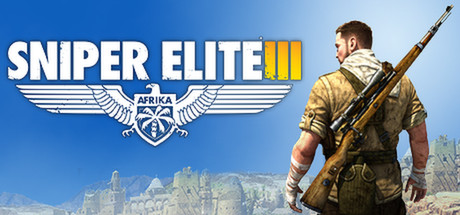
This one is also primed for FullVR in similar fashion, looking even better. Because of strange character model leg cropping, I had to raise the vorpX camera a significant amount. It looks good this way, but you’ll need to factor in about 10 inches above your intended target to compensate. So aim your crosshairs a tad high with all weapons.
As with V2, you can also use cinema mode for better HUD awareness and enable Shadow Treatment effects. Don’t forget to reduce FOV Enhancement and Height Modifier to zero.
– exclude Sniper3Launcher.exe in vorpX config app (don’t hook the Launcher)
– use a 16:9 resolution (2560×1440)*For Cinema mode, reduce vorpX FOV Enhancement and Height Modifier to zero
*vorpX Shadow Treatment optional for Cinema mode
*Increase bullet cam occurrence in game settingsEnjoy the bone-shattering 3D. Looking forward to attempt SE4 next time it goes on sale.
Topic: Call of Juarez: The Cartel
Call of Juarez: The Cartel (G3D)
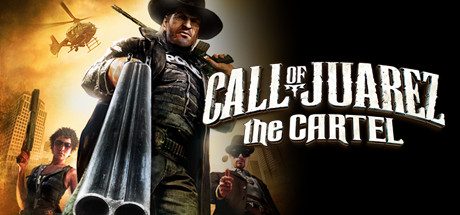
Not sure why all the hate for this rendition of Juarez. I had a good time. It’s hard to find these days (now delisted from steam storefront), but you can still buy steam keys from newegg/g2a for pretty cheap. It took a lot of shader tweaking for G3D, but is now another fun action shooter for vorpX.
– FOV setup as directed by PCGamingWiki:
Edit default_levels.xml
Go to <path-to-game>\MD
Open Data0.pak with 7-Zip or similar.
In it go to Skills and extract a file default_levels.xml
Go to %USERPROFILE%\Documents\Call of Juarez – The Cartel\out
In this folder create a folder Data.
In folder Data that you’ve just created, create another folder, named Skills.
Now move default_levels.xml that you’ve extracted to %USERPROFILE%\Documents\Call of Juarez – The Cartel\out\Data\Skills
Open default_levels.xml in Notepad.
Change <prop n=”CameraDefaultFOV” v=”50.0″/> to v=”80.0″ .a value of v=”80.0″ works best for this profile (any higher breaks recoil).
– use a 16:9 resolution (2560×1440)
*Adjust vorpX height modifier for preferred aiming
*FullVR best for Rift, Cinema mode best for Pimax8K
*Z3D also worksProfile now on the cloud. Hopefully somebody enjoys it :) .
Homefront: The Revolution (G3D)
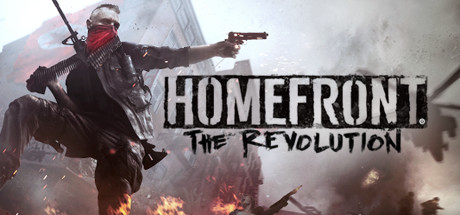
Feels like an urban Far Cry with vibes of Deus Ex – liberating outposts with a bit of exploratory platforming. World design is nice and the gunplay feels good.
While there are already Z3D cloud profiles, we now have a working G3D profile for Homefront 2. It still has some minor lighting glitches to sort, but all world objects are 3D as expected. I had to disable fog to prevent artifacts, and you may notice some decal/light-source swim due to mild FOV Enhancement. Ignoring that, things can look pretty impressive at times in this CryEngine based title. Nighttime in the rain amongst the search drones is stunning.
The full-body presence and animations do well for immersion. Default weapon model placement felt a bit high, so I’ve raised the vorpX camera to my preference. This changes aiming down sights, so adjust vorpX height modifier if it breaks your weapon of choice.
– FOV setup open: C:\Users\(user)\Saved Games\homefront2… game.cfg
edit lines to 80:cl_defaultnearfov = 80
cl_fov = 80– 4:3 resolution recommended for Rift (1920×1440)
– turn off TAA anti aliasing and motion blur
– set all Shadow related graphics settings to Low*Reduce vorpX FOV Enhancement if light/decal swim to bothersome
*Adjust vorpX height modifier for preferred aiming
*Scaling down HUD can misalign some UI effects
*Hide HUD elements in game settings
*Zero key to holster weapon



