cool, i didnt know that.
that would be great if we could indeed enjoy fC6 in Vr :)
i wonder if it will be dx12 only tho ? still z3D can look good in first person shooters, re village, dishonored 2 proved that.
I thought that Dishonored 2 profile will work from day 1 but no way.
Not even a single Geometry 3D profile?
Is this because of Denuvo blocking also VorpX or there is no proper way to get 3D from Deathloop?
I managed to get Z3D from one of those profiles recommended but nothing more… :(
I have uploaded a profile for Deathloop but there is NO 3D yet!
You can still play the game in immersive flat screen, with full head tracking,
but none of the Arkane profiles I tried worked. I tried Dishonored 1, 2 and Prey.
My profile is based on the Death Stranding profile. (I’ll keep experimenting)
Video and impressions coming later today.
Thanks, this was not supposed to happen. Only games from the list can be selected now. (Two red bars indicator, so for example from the ID Tech 5 site only Dishonored 2 was supposed to be available for a review.)
Sorry for the inconvenience. Ill keep your review for later whenever the game comes on the list.
PS: Email is shown on bottom line.
I see that some games do not give any 3d neither. Remnant from the ashes and dishonored 2 both just get shown in immersive screen without any 3d options available.
Hi team,
I’ve been using vorpx for a few years now across a variety of different machines and headsets and have never had any issue. Within the last couple of days I have been plagued by some oddball behaviour on games that have always been working fine for me.
Fallout New Vegas:
DirectVR scan causes freeze and crash to desktop.
Metro 2033 / Last Light Redux:
About 1 in 3 game startups won’t crash. Once in game, everything looks fine but DirectVR scan crashes to desktop.
Some other titles work perfectly fine (Mirror’s Edge / Dishonored) and DirectVR scan as intended. I use windows defender as my AV and have changed no settings on that side of things. I also added vorpx to its exclusions just in case some windows update made it overzealous.
I went the nuclear option and did a fresh install of win10 and the issues persists. I have also tried doing clean re-installs of vorpx inside and outside of the c: programs folder. No difference was discovered.
I’m using a valve index on a AMD 5950x, 64gb RAM and a RTX 3090 on Win10 64bit (21H1 OS Build 19043.1052)
I’m curious if anyone else has encountered similiar issues.
Hi all, new vorpx user here
I purchased vorpx last week after having watched numerous youtube videos and lurking on the forums.
Everything installed and I can pull up the desktop viewer, vorpx starts and also the configuration utility boots up
However, when I start any game with a vorpx profile, for example dishonored (without steam VR running), the intros run in 3d and I can boot into the game, but when I have played just a few seconds (which look absolutely amazing in 3d) the game freezes, and then the link between my oculus and pc drops out (this happens with a physical cable and also through the new air link feature on the quest 2). The same happens with Crysis 3 which I have on my origin account.
If I am playing a native steam VR game (eg the Talos principle) I can play without any dropouts, so I am assuming the link is good.
I have looked through the various help sections but nothing seems to apply. I have completely uninstalled my AVG antivirus, logged out of my VPN and have also uninstalled any hardware utilities such as HW monitor; GPUZ etc. I cannot see any other software that to my mind be interfering but am assuming there is still something running in the background which is causing conflicts.
It is really frustrating as I feel I am so close to getting everything working.
I am now thinking of buying another SSD and having a dual boot windows 10 PC with the new installation being for purely VR/Vorpx games with nothing other than the OS and necessary programs on.
Any help you can think of would be greatly appreciated
Ian
half life 1/2
bioshock 1/2
dishonored 1
portal1/2
ori 1/2
skyrim/enderal
borderlands 3 :D
amnesia (not rebirth but the 2 first)
outlast 1/2
dark messiah of might and magic <3333333333
shadow warrior 1
i use vorpx since i got my htc vive in 2016 and while i’m listing just a few here, i probably played hundred of games with vorpx either in G3D or Z3D and needless to say so far is has been an amazing experience, not always plug and play for unsupported games, and sometimes you may want to tweak game settings even for supported games if your hardware support it, it’s great !
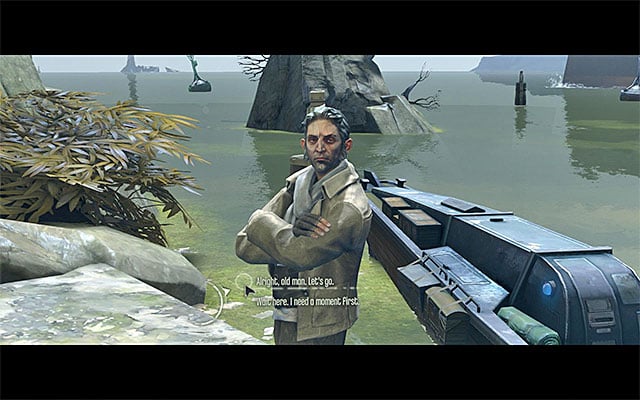
I have an issue, when in cinematic mode with balck bars above and belove, if there is a choice to make, I don’t see the options. In flat mode it works.
For example, in this point at the end of mission 1, I couldn’t end the missión on VR:
https://guides.gamepressure.com/dishonored/gfx/word/708859328.jpg
It’s sad, because the game works very well, it seems native VR.
Edit: I have tryed playing with the HUD depth and HUD scaling options without success
I’m having trouble getting games to hook in openxr mode that all hook fine in steam vr mode. So far only Shadow of the Tomb Raider hooks in XR mode and doesn’t crash at start. It also runs much more smoothly than through steam vr so I can see the update working as intended for that but other games either hang and I get the message about it taking longer than expected, do I want to install hook helpers etc… also tried that to no avail and some start the triangle fade out in WMR then it crashes right back to cliff house. These are some I’ve tried:
BFV – hangs
SWBF2 – hangs
Witcher 3 – fadeout and crash in wmr, game continues to run on monitor
Dishonored – fadeout and crash in wmr, game continues to run on monitor
HMD is G2, RTX3090 GPU
Thanks!
Hello,
I plan to buy the Dishonored game and I don’t want to buy it 2 times beause the Defenitive edition doesn’t work with Vorpx. Can anyone tell me if it works as the original version ?
Regards
Hello Ralf and Nightmare. I take the opportunity of this post, to share my problems and tips on Dishonored as well!
– I also have a game crash after 2 or 3 VorpX Scans each time.
– Sometimes after a scan the camera seems to be reversed, you just have to point the right stick up to put it back.
– During the dialog with merchant NPCs I also have a crash, the cause of this problem comes from the change of the FOV by the memory, switching it to a change of FOV by modifying the ini file solved this problem.
– The thumbnail effect that appears (when you are crouched) has not been completely removed, it sometimes disappears on some maps and reappears on others.
I use this trick to improve the sprint in the game, it became much easier to escape from an enemy:
https://www.pcgamingwiki.com/wiki/Dishonored#Change_sprint.2Frun_from_hold_to_toggle
I volunteer to do further testing on this game with VorpX if needed ;)
(The game is running in windowed mode with the same resolution as my screen, I have a RTX 2060 on Windows 10, I don’t have Antivirus, only Defender and no software running in the background. Excuse my bad english)
So, I am encountering an issue where loading a save crashes my game in Dishonored. It works the first few times around, however after around 2-3 save loads, it always crashes, sometimes even locking up and hijacking my computer, forcing me to restart it. I am using a HTC vive (original) and I use memory scan. My computer is more than enough to run this game by the way. I even tried turning off memory scan before loading a save, but that didn’t help. Not sure if this is useful information, but I need to run vorpX with admin privileges, otherwise dishonored wont work.
That is my main issue, but I have another side issue I thought I should just mention. If I disable the option that locks my mouse movement to horizontal only, corvo’s head looks straight upwards, and if I look back down with my mouse/head it will jump right back up to looking upwards, forcing me to have the horizontal mouse movement only, which I do not like very much.
Does anyone have any suggestions/tips to help me fix either of these problems? (preferably the first one)
Thank you in advance.
That did it! Every resolution problem i had has been solved by this. Resident Evil 7, Half Life 2, Black Mesa, Portal, Dishonored, Bioshock, they all look better than i couldve imagined!
The problem was that i tried to be clever when setting the custom resolutions and used 90hz.
Now at 60hz every game lets me choose them and its incredibly beautiful! My Monitor is still at 1440p@165hz and i strangely have to use fullscreen in my headset everywhere to get the desired resolution but it works great!
Thank you so much!
As the title says, im unable to get Dishonored above 1440p sadly. It looks really pixelated on my HP G2 and forcing SGSAA or changing resolution in ini or registry didnt work.
It always switches back to 1920×1440.
Custom resolutions are already added of course