Die allermeisten Spiele zeigen nur dann einen Rahmen, wenn Du vorher den ImageZoom verändert hast. Das ist in den meisten Fällen nicht die Standardeinstellung. Anstatt ImageZoom zu verwenden solltest Du vorher prüfen, ob es keine bessere Möglichkeit in dem entsprechenden Spiel, das Blickfeld (Field of View) zu erhöhen.
Details dazu findest Du in den “Essential Game Hints” in der vorpX-Hilfe.
[ALT][SPACE] hat nur eine Wirkung, wenn das Spiel Positional Tracking unterstützt und im Geometry 3D Modus läuft. Du solltest einen Bestätigungs-Sound beim Betätigen der Taste hören. Wenn der zu hören ist, hat es auch funktioniert.
Servus, ich hab nun so gut wie alle Games zum laufen bekommen. Allerdings fällt mir auf dass ja bei so gut wie jedem diese schwarze Vignettierung in Form eines Rahmens sichtbar ist. Welcher sich ja beheben lässt insofern man die mittlere Maustaste klickt und zoomt. Meine Frage ist jetzt eigentlich: Welche Einstellung ist so die beste. Mithilfe des “Imagezooms” komplett raus und dann mit Middleclick reinzoomen oder gibts auch die Möglichkeit auf den Zoom sozusagen zu verzichten. Allerdings merk ich dann bei Kopfbewegungen dass sich das Bild verzerrt. Hm… ist das bei euch auch so? :D
After the update, most games that run on fullscreen mode will give me double vision on each eye. It only happens with games/app that are not fully supported with VorpX such as Cryengine’s GameSDK (it used to work fine in full screen) or Oculus Rift demo scene.
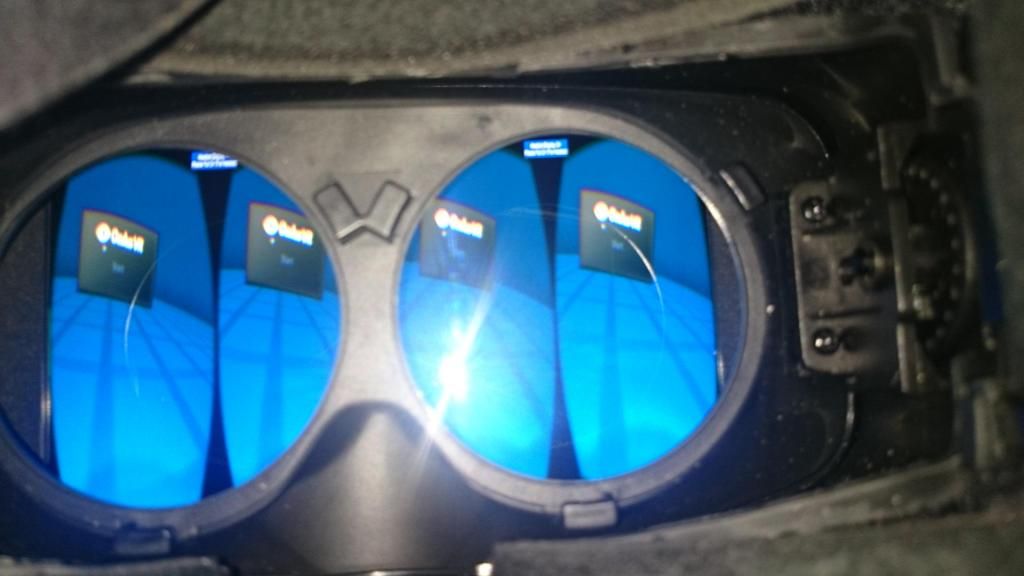
I wonder what’s the problem? Is it the SDK or my vorpx setting has changed due to the update?
Hello, I’m begging anyone out there to please post there settings for games that work really good with the new vorpx? Please, Please, Please! I was going to purchase it for FPS games like BF4, Far cry 3 & 4. I also have a mag 2 gun controller that works great with all FPS shooters that can easily decouple with a button press your head and gun movement. Everyone that owns the DK2 should definitely get one of these fps gun controllers.
Hi, couple questions about Far Cry 4:
I followed all the instructions and set FC4 to an FOV of 120 and I still find everything to be very zoomed in. Is this just how it is? It has made me very nauseous.
Also, is there a way to decouple the head & camera motion from the gun’s motion? That way I can move my head around to look, but use the mouse or right analog stick to aim.
And lastly, I went back to play Far Cry 4 with Vorpx turned off and I noticed that now the main menu and all hud elements are all scaled down to about half the screen size. Is there a way to get them back to normal?
thanks for any help,
Jason
How do I setup Portal 2 / VorpX settings?
The FOV is awful and I can’t adjust it no matter what I try in both VorpX and Portal’s settings.
Can’t see the portal gun at all, and everything is way to close.
As – is it’s unplayable.
Yeah I’m playing black mesa atm and I can’t get the crosshair to work in 3D, it has double vision, this has been fixed for 3D vision people with helix’s mod, I think the best thing for vorpx to do is offer a crosshair, it can be similar to the vorpx pointer that already displays, and that will display in the middle of the screen, of course the graphic wont be the same, but the functionality will.
I am trying to search for ways to fix this issue for this game, there does not appear to be any laser sight option that could be used instead, there is one on the RPG though, if i could find some way to put that into every gun that would be great.
if SBS support was offered would that make crysis 3’s official 3D support would work, because currently when i select it in the in game menus i saw 2 pictures per eye.
also i think human revolution has official 3D support, and would likey do SBS, i think in that scase the guns would be fixed, as currently when you do 3D with vorpx there is a double gun issue making 3D less enjoyable than 2D.
Thanks for that link, you should try bulletstorm, it has perfect 3D with strength set at 1, unfortunately ADS has double vision in the gunsight so i have to lower it to 0.4, if you can think of a way to hide that part of the gun that would be perfect, you will know what I mean when you install it
See below for my head fix (alingns AND scales)
under stormhud.ini set the values
BaseScreenWidth=1200
BaseScreenHeight=1620
this pushes the hud to the center, it also scales the hud by the resolution, so it makes the hud much smaller, so for once the crosshair size is decent inside vorpx.
im trying to find a way to move the hud up from this point, any help would be appreciated.
I tried renaming crysis 3’s exe, but it didn’t work, vorpx just loaded the regular crysis 3 profile, any other advice?
I was able to change them but it made aiming down sites unplayable.
I don’t think I can agree with you that this game works well, bioshock infinite was great, I was rate this game as bad/poor due to game gun size issue.
crysis 1 on the other hand works well.
Ya Crysis 3 works really well with vorpx, it does make me anxious for CV1 though. The graphics are great and the environments are very detailed it just begs for a clearer screen. This and Bioshock Infinite are my showcase games so far. I think the FOV settings for your gun and arms are separate in the ini file. Ill have to look into it but I bet they can be tweaked.
note that the FOV value is vertical, so thats about 112 FOV horizontal, this is actually okay if you zoom out the image in the rift, say to zoom level 60, however the huge gun poses a big problem as it effectively blocks your FOV more than it should.
This supported Vorpx game seems completely unplayable to me, FOV is too low as the game only allows a vertical FoV of 80 in the console, trying to get anymore than that just returns the value 80 each time, my gun is also comically large.
is there something I am missing to getting crysis 3 working?
just to update, rebooting got my camera working again, apologies for jumping the gun reporting this. i guess everything is still a little unstable. gotta say, when it works, skyrim definitely rocks. very much looking forward to more games enabled for geometry/positional tracking.
I’ve had some luck with MW2.
None with MW3 or COD4/MW1
Just to put it out there. I’ve played other FPS titles with VORPX and MW2 is the biggest “gunface” experience out there.
FOV is terrible.
WHen I say “SOME” luck. I mean for some reason it will hook. Then I reboot my pc, go through the procedure again and then it wont hook. It seems to work if I run MW2 after I’ve played other games. Haven’t figured out WHAT games exactly.


