
-
Search Results
-
Hey…
I’m having an issue with BF4 in G3D where the game hooks, and I can see it working in 3D, but most (basically all) of the main textures are missing and flickering.
I can see the skybox and some floating debris/smoke/ash etc… but that’s it.Any ideas?
Battlefield: Bad Company 2 (G3D)

Probably still my favorite Battlefield game. G3D is looking good here, shadows included. Weapon placement is not perfect, but I’m happy with the way this game looks in VR. FOV is adjustable in multiplayer but not singleplayer, so I’ve configured two separate profiles.
- Battlefield: Bad Company 2 MP (Multiplayer)
– ensure BFBC2Game.exe is assigned in vorpX config app
– FOV setup open: C:\Users\….\Documents\BFBC2… settings.ini
Find and change value to:
Fov=74
– use a 16:9 resolution (2560×1440)*vorpX Shadow Treatment toggles minor shadow/skybox glitches
*Has moderate edge culling from FOV Enhancement
*Cinema best for 8K with pitool small fov
*Rift may prefer fullVR/immersive modes
*Click Search button to populate empty server browser- Battlefield: Bad Company 2 SP (Singleplayer)
– ensure BFBC2Game.exe is assigned in vorpX config app
– use a 21:9 resolution (3440×1440)*Has considerable top and bottom edge culling due to extreme FOV Enhancement, though not so noticeable when looking straight ahead
*Immersive/fullVR modes best for Rift, Pimax8k should use cinema mode with Low pitool fovMedal of Honor 2010 Multiplayer (G3D)

Got the Frostbite multiplayer working in G3D now. It’s not the popular favorite nor super active anymore, but you can still find a couple dozen playing at times. Beware though, these longtime players are lethal.
You’ll need to download a PunkBuster update from Evenbalance to connect to servers. Works online with vorpX.
– FOV setup open: Origin Games\Medal of Honor\Engine\Config…BaseEngine.ini
Find and change value to:
FOVAngle=90.000000
– launch with MoHMPGame.exe from game directory MP folder
– use a 16:9 resolution (2560×1440)*set graphics to medium if getting crashes
*vorpX Shadow Treatment toggles friendly/objective HUD markers
*cinema mode best for Pimax8K, Rift may prefer immersive/fullVR modes
*See here for singleplayer profilesThis is what Multiplayer looks like in case you’ve forgotten:
As always, new profiles can be found on the vorpX cloud. Enjoy.
Novalogic had a deep sale of their titles last week so I picked up a few older mil-shooter favorites to try with vorpX. To my delight they each managed G3D and I was able to relive past moments now in vr. Figured I’d share profile settings for anyone else aching to get back behind a 50.
Each of the cloud profiles below default to cinema fullscreen (best for Pimax8K), but Rift may look better switching to fullVR mode. Enjoy!
Delta Force: Black Hawk Down (G3D)
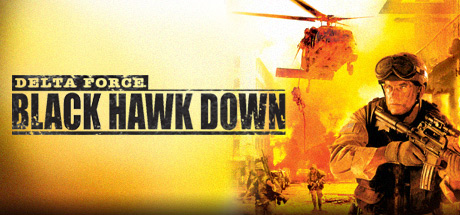
You’ll need dgVoodoo2 for this classic, so search youtube for a brief tutorial on which files to add to a game’s directory to use it. Basically just copy and paste, nothing real fancy.
If you install Team Sabre dlc from steam, you’ll need to uninstall vanilla BHD, then “verify integrity” of Team Sabre files to fix load errors.
– use a 4:3 resolutions (1600×1200) for best FOV
(set hw3d_res1600x1200 = 1 in dfv.cfg of game directory)*F6 toggles HUD
*Shadow Treatment to OFF hides water glitchDelta Force: Xtreme 2 (G3D)
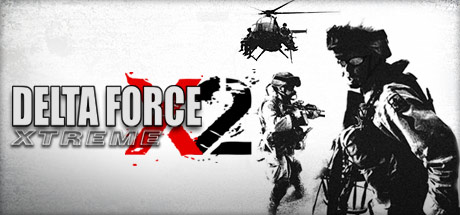
More of a run and gun style action. Neat night vision effect. No dgVoodoo.
– set shadow_quality = 0 in game.cfg found in game’s directory
– use a 4:3 resolution (1920×1440) for best FOV*F6 cycles HUD display
*Shadow Treatment to OFF hides water glitchJoint Operations: Combined Armes (G3D)
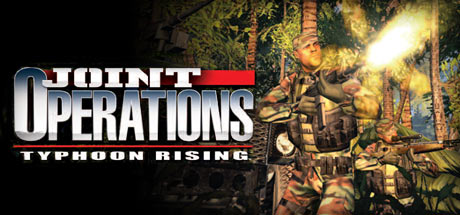
Tested on the Gold edition combining Typhoon Rising with Escalations expansion. This was the more hardcore alternative to Battlefield 2 multiplayer, though not so active anymore. There are several singleplayer missions to do though. Same engine/mechanics as the Delta Force games, but not as forgiving. The menu trailer used to always get me pumped. Good times…
– set shadow_quality = 0 in game.cfg found in game’s directory
– use a 4:3 resolution (1920×1440) for best FOV
– set Widescreen Display option to NO in game’s video options*F6 cycles HUD display
*Shadow Treatment to OFF hides water glitch
*Online works, but the modded versions have not been testedUsually I don’t really talk about what is going on development wise, but this is worth mentioning:
Some of you may have been wondering why the f*** there aren’t any recent Frostbite engine games (almost all newer EA titles) with Geometry 3D. Well, the simple and not exactly flattering reason is that for a long time I couldn’t come up with a G3D implementation for a rarely used Direct3D 11.1 feature this engine uses extensively. At least not without completely destroying performance.
Until today.
Not only does it work beautifully now, it’s also faster than I could have hoped for. Overall less than 50% G3D performance impact without rendering to a headset, so probably only a little bit more than 50% eventually.
So far only one game has been tested (Mass Effect: Andromeda), but if nothing unforeseen happens, this finally should allow G3D for most newer Frostbite games including Battlefield 4 and newer, SW: Battlefront, Dragon Age: Inquisition etc. Stay tuned.



