Archives

Homepage Forums Search Search Results for 'Dark'

Viewing 15 results - 241 through 255 (of 476 total)
  • Author
    Search Results
  • #187046

    In reply to: Resident Evil 2 Remake

    d0kt0r
    Participant

    @Ralf, Yes I tried all the usual suspects, even tried creating a VorpX shortcut.
    I’ll play around with it some more this weekend to see what else it could be. If I’m the odd man out, then it must be something in my environment causing it. But at least you have one non-working sample, in case anyone else reports the same. I’ll report back later if I figure it out. Thx.
    @doktor, I noticed he credited the wrong person too. 😉

    Headtracking in inmersive is working fine here. There are a few tips to enable/disable headtracking based on gamepad (vorpx menu inside the game). You should try it. If you dont get it done, Ill check my config.

    Tested the new RE2 geometry profile and it is GORGEOUS. Tweak the graphics menu based on your graphic card performance, but with a good light quality, the environment on the darkness is absolute jaw-breaking.

    dellrifter22
    Participant

    Completing the Medal of Honor PC series, here’s Allied Assault with War Chest expansions. Typically $10 or less on gog.com.

    Medal of Honor: Allied Assault (G3D)

    Looks great in very clean opengl G3D. I recommend the graphics and weapons mod linked in the description of this video. It includes ironsights:

    Installation of the mod is an easy drag and drop into the corresponding “main” folders. Notice however instructions to omit the ironsights file in the expansion folders, as this will break dlc weapons.

    – FOV and widescreen setup:
    Go to Medal of Honor Allied Assault\main\configs\unnamedsoldier.cfg

    Under key bindings add:
    bind q “fov 120”

    Under cvars section add lines:
    seta r_customwidth “2560”
    seta r_customheight “1440”
    seta r_mode “-1”
    seta ui_console “1”
    seta developer “1”
    (This allows you to set fov by pressing q at the start of each mission)

    *Flicker on the menu and loading screen is normal and wont affect gameplay
    *vorpX Main Eye does not save in opengl profiles, so remember to reset this upon each game start
    *Turn off crosshair in game settings
    *cinema fullscreen is default for Pimax8k, Rift may prefer immersive or fullVR modes

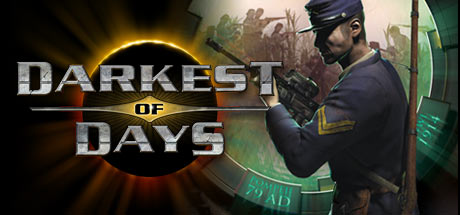
    Darkest of Days (G3D)

    I’ve waited years for this to get discounted, which it never does, but found a working demo on steam. It has a fun concept of traveling through time to various war conflicts, bringing with you advanced weaponry.

    I’ve since purchased the game and am happy to report that it works well enough in vorpX with G3D. My only real complaint is that the weapon model fov greatly outreaches the world fov, so I can’t raise it as high as I’d like. Still very playable with these profile settings though.

    – use a 16:9 resolution (2560×1440)
    – set game to Fullscreen mode to avoid stuck mouse cursor
    – set Physics to LOW in game, or you may get black screen bug
    – turn off Ambient Occlusion in game settings to fix one eye black
    – bind a console key in game’s control settings
    – upon each game launch, use console command to set FOV:

    set player.fov 74

    *Hide HUD with console command “set render.gui 0”, hold tab to view objective locations on map
    *Turn off crosshair in game settings
    *vorpX Main Eye does not save in opengl profiles, so remember to reset this upon each game start (enable expert settings)
    *cinema fullscreen is default for Pimax8k, Rift may prefer immersive or fullVR modes
    *Run vorpX in steamvr mode for Rift if crashes on startup
    *Free demo on Steam

    Profiles can be found on the vorpX cloud.

    #186647
    dellrifter22
    Participant

    A couple more for those who like to explore eerie forest trails at night.

    BIGFOOT (G3D/Z3D)

    That moment when the hunter becomes the hunted. A fun little game of cat and mouse as you try to find and trap Bigfoot before he finds and kills you. Fun national forest environment, fun gadgets to use, looks good in Unreal4 G3D. Play solo or coop of 4.

    – FOV setup: open Engine.ini from C:\Users\….\AppData\Local\Bigfoot\Saved\Config\WindowsNoEditor
    Add at the bottom:
    [/script/engine.localplayer]
    AspectRatioAxisConstraint=AspectRatio_MaintainYFOV

    – use a 16:9 resolution (2560×1440)
    – set graphics settings to Epic
    – turn motion blur off

    *Use vorpX Shadow Treatment to toggle reticle dot if needed
    *Cinema mode best for Pimax8k, fullVR and immersive modes best for Rift

    The Land of Pain (G3D/Z3D)

    Brief horror adventure through forest, caves, and mines. Find the right tools and keys to progress while running from evil creatures in the dark. Works well in CryEngine G3D, minus some miss-match shadows. I’ve opted to hide them, but you can toggle them back on with vorpX Shadow Treatment. Perhaps best to play the daylight prologue in Z3D, then switch to G3D for the remainder.

    – use a 16:9 resolution (2560×1440)
    – set fov to max 75 in game
    – set shadows to LOW

    *If launch is very pixilated, cycle Crystal Image setting in vorpX to resolve
    *If encounter crashes mid game, use experimental version from steam game’s properties beta tab
    *Cinema mode best for Pimax8k, fullVR best for Rift, immersive screen best for Z3D

    Find them on the vorpX cloud. Enjoy.

    #186545
    Grocs
    Participant

    Thanks for the feedback grumdark. I’m glad it isn’t just me enjoying this as much as I am :)

    Agree with your additional feedback completely.

    Ralf replied to another thread around the injection watermark on the monitor / tv.

    Apparently you can turn it off using this method –

    “That said, there is an ini option that should do the trick. Go to C:\ProgramData\Animation Labs\vorpX and open vorpX.ini with a text editor. In the [GUI] section set bShowWatermark to False.

    The C:\ProgramData folder is hidden per default by Windows. If you can’t see it, enable ‘Show hidden files’ in the Explorer options.”

    #186244
    Ralf
    Keymaster

    That’s not quite as important anymore for modern games as it used to be. Most games these days use low latency mouse input with almost as little latency as memory scanner head tracking. The memory scanner is still quite a bit better for other reasons, but the advantage isn’t as huge with most newer games.

    Aliens: Colonial Marines
    Bioshock
    Bioshock Remastered
    Bioshock 2
    Bioshock 2 Remastered
    Bioshock Infinite
    Black Mesa Source
    Borderlands
    Borderlands GOTY Enhanced
    Borderlands 2
    Borderlands: The Pre-Sequel
    Bulletstorm: Full Clip Edition
    Conan Exiles
    Deadfall Adventures
    Conarium
    Contagion
    Crysis 3
    Dark Messiah of Might & Magic
    Dear Esther (Source)
    Dishonored
    Duke Nukem Forever
    Deus Ex: Human Revolution
    Elder Scrolls: Oblivion
    Elder Scrolls Skyrim
    Elder Scrolls Skyrim SE
    Fallout 3
    Fallout 4
    Fallout 76
    Far Cry 2
    Far Cry 3
    Far Cry 4
    Far Cry Blood Dragon
    Far Cry Primal
    Get Even
    Half-Life 2
    Half-Life 2 Episode 1
    Half-Life 2 Episode 2
    The Hunter: Call of the Wild
    Kingdome Come Deliverance
    Left 4 Dead 2
    Metro 2033
    Metro 2033 Redux
    Metro Exodus
    Metro Last Light
    Metro Last Light Redux
    Mirror’s Edge
    Portal
    Portal 2
    Quake III
    Quake 4
    Return to Castle Wolfenstein
    The Stanley Parable
    Star Trek Voyager: Elite Force
    The Turing Test
    Unreal Tournament 3
    Vampire: The Masquerade – Bloodlines
    The Vanishing of Ethan Carter
    Zeno Clash

    #186192
    RJK_
    Participant

    Some DX9 games could crash on start or when changing the game resolution (e.g. Outlast, The Darkness II

    I am a little unshure, does this mean Darkness 2 is supposed to work now ? I am asking because it behaves just the same as HL2. Game showing on Monitor w. VorpX Logo, but not in HMD. (Win7/64)

    #186049
    Ralf
    Keymaster

    19/07/20
    vorpX 19.2.2.1 has been released.

    This hotfix addresses a severe issue causing several DX9 games to crash on start. No other changes.

    • Some DX9 games could crash on start or when changing the game resolution (e.g. Outlast, The Darkness II)
    #185833
    RJK_
    Participant

    Have anyone played The Darkness 2 lately ? With me VorpX logo is showing on Monitor Screen but HMD is turning black right on start. (Win 7)

    NightHawk
    Participant

    The Dark Mod, which literally started out as a mod for Doom 3, but is now a standalone app, works perfectly with VorpX. I’m referring to the mod for the Rift by bucklebean. How can a fan made mod work, and yet the vanilla version of the game itself isn’t supported?

    Also, there are two mods listed for Doom 3, but you have to type doom3 (without the space). Neither of them work.

    [Edit]: Okay, the BFG version of Doom 3 works, but I had to change the resolution to see everything properly. I don’t know how it works, but it is glorious. I set the resolution to 1920 x 1440 @ 120Hz.

    #185238
    Grocs
    Participant

    Ok thanks again Ralf. I just tried Dark Souls and it looks great in 3D. Even if I don’t end up playing some of these in VR, the Immersive Screen is pretty awesome regardless.

    Great work on creating this application too. Pretty amazing what it can do.

    #185207
    moarveer
    Participant

    Well FOV is extremely important for VR, and really welcomed for any game or app included 180 vids, or Vorpx. It adds a huge layer of immersion, since current 100 FOV headsets feel like looking through a scuba mask. Once you’ve tried Pimax high FOV, it’s really hard to go back.

    However 5k/8k FOV have a few issues. First, they have 3 levels of FOV, low/mid/high. High has a very noticiable distortion on the sides (like a glass border reflection), mid is currently almost invisible but can be noticed, and low is distortion free. The good thing is that low FOV is still much bigger than every other HMD in the market, and it’s completely distortion free, besides it’s actually very easy to adapt to the distortion with time, it like using glasses, the first day you notice the border all the time, in a week you completely forget about it.

    The thing is for your use case, you won’t take much advantage of high FOV, since Vorpx FOV is determined by the games FOV options, which normally don’t have over 90-100 FOV. The second issue is that high FOV has higher requirements, so you’ll need a great computer to make a game work on high FOV with Vorpx. The 3rd issue is that Pimax by itself requires a more powerful computer than average, since it has such high pixel panels and FOV, it needs to push a ton of pixels, so a great computer is required. Add to that the parallel projections feature of Pimax, that has a 30% performance hit since canted screens require a software adjustment, and has to be turned on in almost every game or app.

    However currently Pimax has done a great job improving performance with a feature called Brainwarp that’s similar to ASW on Oculus and similar solutions on Steam and WMR, together with the option to lower refresh rate to 60hz and lower FOV, it’s actually very usable in many cases.

    Also just like 3d vision, to render a game in 3D it hits half the performance of 2d in many cases, and also that for games to look great they need heavy supersampling (I run vorpx vames at 2529×1572 DSR resolution, or 2400p internal Vorpx resolution for them to look good), so add these to the mix, you get a ton of performance hits from every corner.

    In my case (intel i5 4670k, 1080ti) with a Pimax 8k, at low FOV, 60hz and Brainwarp on, I can play many games in fullVR mode and real 3D (called geometry 3d or geo3d in Vorpx), but most of them are old. Games that work well in terms of performance for me are for example Bioshock 1/2, Dark Messiah, Half Life 2, Borderlands 1 GOT enhanced, Amnesia, Bulletstorm, Duke Nukem Forever, Firewatch, Metro 2033 Redux, Fallout New Vegas, The Stanley Parable to name a few. Still several games, even old, have mid-low performance like Dishonored, TESO or Shadow Warrior 1. Still those that work are absolutely incredible and really feel like you’re inside the game.

    However Vorpx has a home theater mode, that it basically creates a floating virtual screen, and in that case performance is way less important. In full VR mode, low fps will hit your brain hard, since any slow down can make you sick, but in virtual theater mode or floating screen mode, you can play at lower fps just fine, like it was a real monitor or projector. Another thing to have into account is that if you don’t have good VR legs (have your brain trained to detach virtual movement from real movement), you can get really sick with Vorpx when your brain tries to understand why it’s moving (virtual reality) but you’re actually not moving in the real world. It get’s time to get used to it, and it’s even harder with Vorpx since real games move you at very high speeds that your brain takes time to get used to.

    So for example, games like Witcher 3 or Batman Arkham Knight are perfectly playable in Vorpx theater mode at 30-40 fps in full real 3D, both reasonably demanding games, however games like TESO can melt your brain in FullVR since they have a hard time hitting 60 fps in real 3d, so head movement and game movement aren’t completely in sync.

    Also since Pimax has such a huge FOV, the pixels need to fill a much higher screen size, so even having two 2k screens (5k) or two 4k screens (8k) doesn’t mean it looks a lot better than normal HMDs, and they are comparable to Index in the case of 5k, and close to Reverb in the case of 8K afaik in terms of image quality/SDE.

    That’s why I said that for your use case, probably Rift S, Reverb or Odyssey Plus are the best devices. Only VR games really take advantage of the huge FOV of Pimax, but you’re not interested in VR gaming that much as far as I can see.

    So for me, I’d put it like this:
    1) Rift S for a really good rounded device both for VR and 3d/vorpx/video at a good price, but Facebook walled garden market.
    2) Vive Pro for a slightly better, more expensive experience compared to Rift S.
    3) Reverb for a extremely good 3d/Vorpx/video experience, average VR experience at a high price, but hardware issues.
    4) Pimax for the ultimate VR experience, but very high price, very high requirements, it’s not sold with either controllers and tracking LHs, so you need to get them from elsewhere.
    5) Samsung Galaxy Plus: Best entry device that can be found for 300-400 for the full VR kit, very similar image quality to Rift S ( http://360rumors.com/samsung-odyssey-plus-vs-oculus-rift-s-299-399-budget-high-resolution-vr-headsets/ ), average VR experience. The good thing is that it has high availability, and Samsung has a great return policy, so if you don’t like it, they’ll take it back, no question asked in almost all cases.
    6) Index: The best case overall VR experience without any compromises, but high price, low availabilty.

    moarveer
    Participant

    I tried the game with RJK_ profile and it worked great, but the full VR experience lacked a bit, mostly since the low FOV doesn’t help to create a good experience, and the 3d fov was maxed, so it created some issues on the sides of the screen.

    The good thing is that as it was mentioned before, DCoTE Unofficial Patch has a FOV option, but it’s greyed out if you use the Steam version since Steam blocks the exe from being modified. I purchased the game from GOG which is on sale currently for 2,59 euro ( https://www.gog.com/game/call_of_cthulhu_dark_corners_of_the_earth ) and the unofficial patch works. I could set up 99 FOV instead of the default 55 fov, but it was a bit too much so I set it to 70, tweaked a bit the RJK_ profile and it works great.

    Also the view was shaking a bit, so I suggest you turn sensitivity to 1 on the controller options and tweak Vorpx headtracking option instead, it makes the headtracking more solid.

    One thing though is that you have to start a new game after changing the FOV, otherwise it doesn’t work. Also it fixes a few bugs like the wrong sky at the beginning and many more things, never finished the game before so this looks really promising.

    By the way I tried to endorse RJK profile but it gave me a Unspecified Error:30010, weird.

    #184954
    Ralf
    Keymaster

    19/06/12
    vorpX 19.2.1 has been released.

    This is a maintenance release, mostly focusing on fixing a few issues that have been identified since 19.2.0. Also some minor improvements have been added, most notably automatic audio switching for Rift S.

    New/Changed:

    • Rift S audio switching support.
    • D3D9 improvements, may help in unsupported DX9 games that use state blocks.
    • D3D11 compatibility improvements
    • The actual value is shown for settings that are set to ‘Device Default’
    • vorpX shortcuts launch programs without hooking if the watcher is disabled.
    • To deal with Pimax’s new ‘Compatible With Vive Only Games’ setting a warning is shown if the headset is detected as Vive while Pimax software is running.
    • No more ~5 seconds hooking delay after a clean game exit. Now only delayed if a game hangs.

    Bugfixes:

    • D3D9 Z3D pipeline init was incomplete (vorpX 18.1.5 regression).
    • D3D9 Z3D HUD scaling was not working anymore in some games despite the feature being available.
    • Z3D did not work anymore in various games when loading pre 19.1.0 profiles.
    • Fixed a rare crash condition that could occur occasionally with multithreaded games during init.
    • Game settings changed by DirectVR weren’t always saved for Metro: Exodus

    Game Profile Changes/Fixes:

    • The Long Dark: Geometry 3D was broken after game update, 3D HUD added
    • Tomb Raider Anniversary: fixed sea water glitch
    • Mass Effect 1-3: default to immersive screen mode now instead of cinema
    • Z3D base paramaters adjusted for various profiles
    #184815
    VorpViver
    Participant

    Thx. I did a longer test session.

    Apart from the window-mode-advice I had done everything before (even restore settings). But did it again – with no effect. The Long Dark and Arma 3 are running well – as in the past and without any addressed issues (The long dark looks even better though!).

    Since the problem occurs with Arma 2 and Take on Mars only, I thought its an issue with the game profile. But I am running out of ideas. It might be a freak-problem.

    If there are not any ideas left, I ll wait until I set up my tribble boot (reinstall OS in one or two month time) and see if it occurs on the new OS too. Best

    #184584
    VorpViver
    Participant

    I have trouble hooking Arma II: black Vive display, but working head-tracking (observable on the computer screen). Only a mild glow at the edge of the HMD.

    I rest to the factory vorpx-profile. I reinstalled Arma II completely.

    With other games vorpx just works fine (Arma 3, Long Dark), only the Arma II profile seems to make trouble. Any suggestions? Thx

Viewing 15 results - 241 through 255 (of 476 total)

Spread the word. Share this post!