
-
Search Results
-
First, let me make clear that I like Vorpx a lot and I’m glad I bought it. But there are some issues that I continue to struggle with, and one of those is trying to play a game in FullVR–like, for instance, FarCry 3–and staring at a gigantic pair of hands which are supposed to be mine but are completely disproportionate to the rest of the environment. I don’t really think of this as a viable way to play, because VR is all about immersion, and it’s hard to be immersed in a game where I’m playing as a regular human … who just happens to have gigantic hands.
I know this isn’t vorpx’s fault per-say–too many game makers don’t bother to provide FOV options for the weapon view model and if they did, this wouldn’t be a problem. But it IS a problem and I wish we could see it acknowledged a little bit more when it comes to playing in FullVR mode. I’ll read recommendations from people about this or that game–and they never mention the giant hands issue.
I know a partial solution is to play in cinema widescreen mode, and I do play that way sometimes, but I hate to just give up on FullVR mode, so I don’t really see that as a solution either.
I can’t be the only one troubled by this, can I?
Topic: SWAT 4: Gold Edition
New Profile + Guide for SWAT 4: Gold Edition in G3D + Full VR or Immersive/Cinema Mode (your preference)
After several hours of tinkering, I finally managed to get this beauty of a tactical game working with VorpX with a G3D profile. To get this working, I’ve included the following mini guide.
1.) Have a fresh install of the game. I already had the following graphical mod installed and based on what I understand, this should not be a requirement. But if interested, here is the link.
2.) The following mod (Swat 4 Elite) is not a must but very strongly recommended for some useful gameplay and VR reasons
– FOV Slider
– Ironsights which can be used in conjuction with the one eye feature in VorpX
– For disabling Crosshair (useless in VR for this game anyway)
– Integrate the Stetchkov Syndicate DLC
– A bunch of other things, you can read up on itDownloads
SWAT 4 Elite Mod – Patch Files
One important thing to note, this mod simply has a folder -> SEF and gets copied into the main SWAT IV directory. Combine the main mod file and patch (overwrite any files over main) before you copy the SEF folder to the main game directory. Nothing should be overwritten in your game install and don’t do this! If you overwrite anything there, you will have to re-install the main game. This is a very simple install and does not overwrite anything from your main install.
3.) Once the mod is installed, run the game first time without VorpX and make the following game settings.You must launch the game using LaunchSEF.bat which can be found
Your Game Main Folder\SEF\LaunchSEF.bat
– Set your resolution (I am using a custom resolution 3200 x 2400 which has turn out to be a nice balance for graphic fidelity, text legibility and performance. See notes later in guide about other custom resolutions. Most defaults are already set for 16:9 or widescreen.
– Must disable Glow Detail
– Must disable Bump Map Detail
– Must Hide Crosshair – Check
– Max out the FOV Slider included in the mod, avoids having to use DirectVR which works but finnicky and doesn’t always work. Using the FOV slider is a more permanent solution, hence the mod.
– Hide Weapon is optional but I prefer it. Hiding weapon allows for stronger 3D strength and experimentation.
– Modify your keyboard commands and rebind any that conflicts with your VorpX hot keys. Mainly middle mouse button for me.4.) Download my profile from the cloud and you should then be good to go. You must launch the game using LaunchSEF.bat which can be found
Your Game Main Folder\SEF\LaunchSEF.bat
My VorpX settings have been carefully made. Obviouly you can adjust anything within Vorpx as you see fit. The height modifier is set to 0 but I actually set it to 0.4 during gameplay and when I am ready to quit I put it back to 0 for main menu. This can impact the viewport so be mindful of this. You’ll see what I mean.
About Resolutions: You can edit the SwatGuiState.ini for custom resolutions which can be found at this file path
Your Game Main Folder\SEF\System\SwatGuiState.ini
You’ll see a set of resolutions that resemble something like mine listed below. Once you make a list like this to include your own. Only change resolutions outside of VorpX or the game will lock up. But once you got your resolution set, you are good to go.
ScreenResolutionChoices=800×600
ScreenResolutionChoices=1024×576
ScreenResolutionChoices=1024×768
ScreenResolutionChoices=1152×648
ScreenResolutionChoices=1152×864
ScreenResolutionChoices=1280×720
ScreenResolutionChoices=1280×768
ScreenResolutionChoices=1280×800
ScreenResolutionChoices=1280×960
ScreenResolutionChoices=1280×1024
ScreenResolutionChoices=1360×768
ScreenResolutionChoices=1366×768
ScreenResolutionChoices=1440×900
ScreenResolutionChoices=1600×900
ScreenResolutionChoices=1600×1024
ScreenResolutionChoices=1600×1200
ScreenResolutionChoices=1680×1050
ScreenResolutionChoices=1920×1080
ScreenResolutionChoices=1920×1200
ScreenResolutionChoices=2560×1440
ScreenResolutionChoices=3200X1800
ScreenResolutionChoices=3200X2400
ScreenResolutionChoices=3360X2520
ScreenResolutionChoices=3840×2160
ScreenResolutionChoices=3840×2880
ScreenResolutionChoices=4320×2340
ScreenResolutionChoices=4800×2700Final notes: This game is complex and believe me, you will need your keyboard! I use a Logitech G13. Between this and my Logitech game mouse re-programmed, I can operate this game without having to look at my keyboard. There a few caveats that do come with this. When using grenades, turn your head since the screen may become blinding but does dissipate after a few seconds. Also, some of the skyboxes are incorrect, no shaders or authoring can be accessed to deal with them. Edgepeek is a requirement for commanding your blue + red teams and other aspects of game elements such as the view ports. Once a command is issued, simpy get out of edgepeek and watch the action. Really cool stuff. I never get bored of setting off a C2 charge! Thankfully any of the caveats that you encounter are not game breaking. In fact, this really a cool way to play this tactical game. If I come across anything else that is useful, I’ll edit this post. Also, suggestions are always welcomed.
Have fun!
Happy New Years
Stryker
Topic: The Fall: Last Days of Gaia
Fallout 2.9 – The Fall: Last Days of Gaia (G3D)
I freaked out today when i saw this game with VorpX. If your’an early Fallout fan, you may try this one out. Its about like a Fallout 2.X, but in a 3D environment. Of coarse you cant compare graphics with Fallout 3, but..
– Make a shortcut to thefall.exe and add -o , treat this shortcut as a seperate config app. When changing resolution above 1920×1080 you need to experiment until you find a proper resolution because some settings destroy menus. Though 1920×1080 will be sufficient for Cinema Mode at Medium Screen size
– Start game with thefall.exe as usual
– If background depth (same as HUD) is annoying you, reset Focal OFFset.
– Tested with non DRM version from german “Hardwae” magazine 1/2009.
– Profile availiable from the cloud

Taking screenshots wasnt very sussesful, because resolution wasnt very high for this test.
Merry Christmas !
I just tried the newest vorpx updates and it’s completely killed the reprojection (steamvr or vorpx fluid sync, not sure what it was using before)
It used to be that I would join a match and the game would be choppy for about 5 seconds but then everything would iron out and be buttery smooth thanks to the fluid sync. Since the new update it’s just choppy all the time now!
I tried the vorpx advanced settings and turning the direct mode fluid sync on and off has no effect.
I feel this update has made things much worse than just leaving it how it was with the SteamVR motion smoothing. Keep in mind all of my SteamVR supersampling settings are set to default. It’s like the fluid sync is completely broken now.
I would recommend the dev download rocket league and try the previous version from 2 weeks ago and then compare smoothness to lack of reprojection on this version.
Topic: War of Rights
Finally, you can try first person musket battles of the Civil War in War of Rights – out today on steam Early Access.
I’ve been playing this in closed Alpha all summer and am glad people on steam can now play! I’ve logged 400+ hours in it with vorpX and can report that it works well in Z-normal immersive cinema.
The experience is quite immersive thanks to the well done full-body animations, free look, 3D proximity voip, CryEngine graphics, and authentic gameplay mechanics. The kind of immersion that keeps you watching your flank in the woods and flinching at incoming miniballs. That anxious feeling as you reload to trade volleys, knowing you could be next to fall. And of course the constant communication between soldiers and officer commands, making every situation feel coordinated but dynamic.
War of Rights (Z3D)

I’ve not been able to produce Geometry, but have my hopes that the soon coming Prey profile can work here as well. Fingers crossed. Until then, Z3D still offers a good experience.
– use a 16:9 resolution for widest view (1920×1080)
– set FOV to 78 in game
– set AA to highest SMAA 2TX
– turn off depth of field*Use vorpX hotkey “disable 3D” for better iron sights (bind to Right mouse button for hold and aim, or Middle mouse for toggle)
*Be sure to set Rift Audio as both Default Device and Default Communication Device in Windows sound options or you won’t hear voip
*World FOV can be increased further via console “cl_fov XX” but I’ve yet to discover for the weapon model to match. But potential could be there.I’ve anticipated this game a long time – it has been my favorite online experience this year. I’m happy it plays with vorpX and hope others can enjoy it as well. Just a couple clips to demonstrate game atmosphere and community events:
I probably should have made a dedicated thread for this, but thanks for watching :)
@ sapolettos: Just a lot of trying each of Ralf’s profiles until you get lucky :) . The shader tool he provided has been a big help too. Loving it.
Had some more fun playing at war this weekend. A couple more G3D shooters you might enjoy.
Medal of Honor: Warfighter (G3D)

I had to force a lot of 3D enhancement to make up for hardcoded FOV (causing environment culling around periphery), but once in the action I was soon not bothered by it. It’s got some intense set-piece shootouts that feel neat in 3D, so I’ve decided to share the profile anyway. I did manage to reduce HUD and offensive shadows, so worth a go if you own the game. Probably my new favorite modern military shooter.
– use a 16:10 resolution (2880×1800) in fullscreen
*Use hotkey “switch G3D/Z3D” for door breaching HUD
*2 driving levels crash the hmd, but vorpX automatically rehooks after completion
*Z-normal optional with cinema modeMedal of Honor: Airborne (G3D)
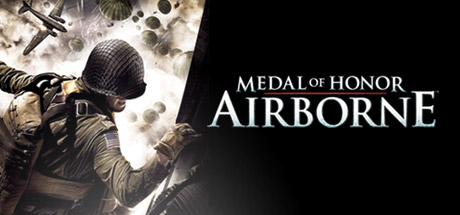
Now this one is working great! I spent most of the weekend adjusting FOV code for each weapon, and it has pleasantly paid off. Very good G3D, flawless FOV, it all just feels right. Shooting is very punchy and physical, and combat action very intense. A must try in VR for war shooter fans.
– download FOV files. Place them marked “read only” into:
Documents\EA Games\Medal of Honor Airborne(tm)\Config– use game launcher to set 4:3 resolution (1600×1200)
steamapps\common\Medal of Honor Airborne\UnrealEngine3\Binaries\moha_setup.exe
(click play to apply, may give expected load error)– from now on, launch as usual via steam etc.
– press Q to trigger FOV at beginning of each briefing and airdrop (also toggles HUD)*If scopes or mounted guns break FOV, ADS with unscoped weapon to fix
*Getting smoked? set steam launch parameter “-enableconsole” and type “god”
*If Q key fails, use console command “fov 120” to set FOV at start of each missionTopic: You will freak out on this
I wonder how many people ever tried the background image functions of vorpX.
If you really want to see something crazy that vorpX can do:
– go to this page
– download an image that you like
– go to Cinema Environments in the config app
– click add image file
– choose downloaded file
– mark as cube strip side by side (if not already autoset)
– start a game (Tipp: use the reallyslick screensavers w. cloudprofile) – i recommend “Hyperspace”
– enter cinema image mode
– push back sceen to the max
– choose your imported image from the list
– freak out !


