For fans of the pirate themed sandbox ATLAS I’ve got a tweak that helps a LOT in getting a working VorpX profile. This information might also be relevant for ARK: Survival Evolved, and perhaps other Unreal4 engine games though I have not tested this myself.
As you might be aware, horizontal FOV is god for achieving good VR rendering, and ATLAS like a lot of game doesn’t let you scale it up far enough.
However, there’s a tweak to get around that:
1. Go into …/ATLAS/Engine/Config/BaseEngine.ini and open it in a suitable text editor like Notepad++
2. Search for the line: AspectRatioAxisConstraint=AspectRatio_MaintainXFOV
3. Change it to read: AspectRatioAxisConstraint=AspectRatio_MaintainYFOV
4. Save the file.
Having switched around the FOV constraints, you now have a MUCH larger FOV to play with. I’ve managed to get a pretty comfortable and immersive Full VR mode running with no significant complaints or side effects.
Disclaimer: I have no idea if this might be problematic with BattleEye if you try play on hack protected servers. I’ve been playing the game in single player.
I haven’t tried yet myself, but Beardo claims hooking is possible with the alternate exe provided for modding that disables EAC for singleplayer.
This is good news! When I heard EAC, I figured we were out of luck.
I believe Master Chief Collection is now Unreal 4 based, but not entirely sure. Beardo mentioned he has tried a few Unreal 4 profiles already, but so far no 3D.
When I get the chance, I’d like to try more profiles and run in through the authoring tool and see for myself. Perhaps Ralf may even take interest and get this working beforehand.
$10 on steam. You don’t need to buy the full collection even though the store tries to convince you it is required for dlc.
If no other vorpX games hook, you may have anti virus blocking injection, or some other overlay program (fraps).
If you haven’t already, you’ll need to assign a profile to Jedi, as it doesn’t yet have a default one listed in local library.
There are two user profiles on the cloud you can import from for Z3D. Find these inside the vorpX Config app by logging in and search the word Jedi in the top bar.
It sounds like some are getting forms of G3D to work by copying profiles for Abzu and other Unreal 4 based games. You can copy Abzu from your local list and see how that works also.
The earlier discussion posted here, also mentions to disable Origin’s in game overlay, if you are playing through Origin.
Hmm, that might be a tricky one. I can’t seem to find any info on what engine it uses, other than Dead Rising 1, 2, and 3 all used different engines.
Profiles from Unreal Engine 3 and Unity would be my first attempt, as common engines I sometimes get lucky with. I’m guessing DR2 is dx9 based, so you might try the Unreal Engine 3 base profile or one of the older Call of Duties. Then Anna, or Slender: The Arrival which are both Unity dx9 I believe.
Lastly, it might be worth trying with Source engine like Half Life 2 before giving up.
No idea if any of these will work, that’s just what I would try if I had the game.
Might have a chance for DR1 though with profiles from Dragon’s Dogma Dark Arisen or Lost Planet 2, which seem to share the MT Framework engine.
Any idea why Vorpx won’t hook to Gears 4? I’ve tried other Unreal Engine profiles, but nothing. Not hooking. FYI Using Xbox game pass version
Im not sure if this is the same problem we were having with Outer Worlds not hooking recently, some of us used this method in this thread to get it to hook. Might be able to do something similar for Gears, honestly dont know for sure though.
…usually found in C:\Users\(user)\AppData\Local\(game)\Saved\Config\WindowsNoEditor
(if no such file or folders exist already, sometimes creating them can work)
From there you can use a combination of vorpX image zoom and 3D FOV Enhancement to squeeze more view if you need it. You may need to enable expert settings in vorpX config app to use this. Also disable the directVR page in delete menu if it happens to be active in that profile.
3D FOV Enhancement is mostly the last resort though. You can gain a fair amount with it maxed to 1.50 but you’ll notice it comes at the cost of edge culling so only push it as high as you can tolerate. If you must use alot, using an ultra-wide resolution (21:9) can help hide most culling on the sides.
Oculus GO via SteamVR+VirtualDesktop
Tried Painkiller, Skyrim and Unreal Tournament 3.
Sadly, that driver can’t render 360(or at least 180)degree screen around you. :(
A couple more for those who like to explore eerie forest trails at night.
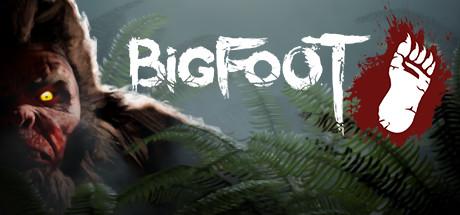
BIGFOOT (G3D/Z3D)
That moment when the hunter becomes the hunted. A fun little game of cat and mouse as you try to find and trap Bigfoot before he finds and kills you. Fun national forest environment, fun gadgets to use, looks good in Unreal4 G3D. Play solo or coop of 4.
– FOV setup: open Engine.ini from C:\Users\….\AppData\Local\Bigfoot\Saved\Config\WindowsNoEditor
Add at the bottom:
[/script/engine.localplayer]
AspectRatioAxisConstraint=AspectRatio_MaintainYFOV
– use a 16:9 resolution (2560×1440)
– set graphics settings to Epic
– turn motion blur off
*Use vorpX Shadow Treatment to toggle reticle dot if needed
*Cinema mode best for Pimax8k, fullVR and immersive modes best for Rift
The Land of Pain (G3D/Z3D)
Brief horror adventure through forest, caves, and mines. Find the right tools and keys to progress while running from evil creatures in the dark. Works well in CryEngine G3D, minus some miss-match shadows. I’ve opted to hide them, but you can toggle them back on with vorpX Shadow Treatment. Perhaps best to play the daylight prologue in Z3D, then switch to G3D for the remainder.
– use a 16:9 resolution (2560×1440)
– set fov to max 75 in game
– set shadows to LOW
*If launch is very pixilated, cycle Crystal Image setting in vorpX to resolve
*If encounter crashes mid game, use experimental version from steam game’s properties beta tab
*Cinema mode best for Pimax8k, fullVR best for Rift, immersive screen best for Z3D
Found a few horror game demos on steam with nice Unreal4 and Cryengine graphics. Good for a night of free quality entertainment. Profiles are on the cloud.
Gray Dawn Demo (G3D)
-FOV setup: open C:\Users\….\AppData\Local\GrayDawn\Saved\Config\WindowsNoEditor… Engine.ini
At bottom add:
[/script/engine.localplayer]
AspectRatioAxisConstraint=AspectRatio_MaintainYFOV
-use a 16:9 resolution (2560×1440)
-use Epic settings
*cinema mode best for Pimax8k, fullVR/immersive best for Rift
The Cursed Forest Demo (G3D)
-use a 16:9 resolution (2560×1440)
-use Ultra settings
-set fov to max 80 in advanced game settings
*cinema mode best for Pimax8k, fullvr/immersive best for Rift
The Beast Inside Demo
-FOV setup: open C:\Users\….\AppData\Local\TheBeastInside\Saved\Config\WindowsNoEditor… Engine.ini.
Add at bottom:
[/script/engine.localplayer]
AspectRatioAxisConstraint=AspectRatio_MaintainYFOV
-use a 16:9 resolution (2560×1440)
-set Shadows to Medium
-set AA to Low
-set Blur to NO
-set all else to Ultra
*cinema mode best for Pimax8k, fullVR/immersive best for Rift
That’s not quite as important anymore for modern games as it used to be. Most games these days use low latency mouse input with almost as little latency as memory scanner head tracking. The memory scanner is still quite a bit better for other reasons, but the advantage isn’t as huge with most newer games.
Aliens: Colonial Marines
Bioshock
Bioshock Remastered
Bioshock 2
Bioshock 2 Remastered
Bioshock Infinite
Black Mesa Source
Borderlands
Borderlands GOTY Enhanced
Borderlands 2
Borderlands: The Pre-Sequel
Bulletstorm: Full Clip Edition
Conan Exiles
Deadfall Adventures
Conarium
Contagion
Crysis 3
Dark Messiah of Might & Magic
Dear Esther (Source)
Dishonored
Duke Nukem Forever
Deus Ex: Human Revolution
Elder Scrolls: Oblivion
Elder Scrolls Skyrim
Elder Scrolls Skyrim SE
Fallout 3
Fallout 4
Fallout 76
Far Cry 2
Far Cry 3
Far Cry 4
Far Cry Blood Dragon
Far Cry Primal
Get Even
Half-Life 2
Half-Life 2 Episode 1
Half-Life 2 Episode 2
The Hunter: Call of the Wild
Kingdome Come Deliverance
Left 4 Dead 2
Metro 2033
Metro 2033 Redux
Metro Exodus
Metro Last Light
Metro Last Light Redux
Mirror’s Edge
Portal
Portal 2
Quake III
Quake 4
Return to Castle Wolfenstein
The Stanley Parable
Star Trek Voyager: Elite Force
The Turing Test
Unreal Tournament 3
Vampire: The Masquerade – Bloodlines
The Vanishing of Ethan Carter
Zeno Clash
I had a few questions and didnt want to make too many posts, so i just combined it into one.. Hope thats okay? :)
1 : First off, I went from a Rift cv1 to a Index. To make the Index run Vorpx, should I just choose Steam vr headsets in the config vorpx options?? Or should I wait for an Vorpx update, so its full supported??
2 : The Master Chief Collection is coming this year to pc. It would be amazing to play all the games in vr. But I can´t figure out what engine that game uses. Any chance you guys think it could get supported bt Vorpx??
3 : I have looked at a game called Nightmare Reaper, its a retro fps. Its made in the new Unreal engine. Has anyone tried to make it work with Vorpx?
4 : I have also looked at the game Ion Fury/Ion Maiden. Its an Build engine game. Has anyone made that game run in Vorpx??
Got it going now. Unreal 3 Engine Dx 9.
You can tweak the ini of this game for higher resolutions.
Tested on 1080gtx@2160p. Strength 5.0 and a little bit more FOV !
Undying Unreal 1 engine is DX6 which cant be handled for proper Stereo 3D yet. The experimental profile was using the Glide output through DGVoodoo2. The other one is a DX9 patch.
Oh, wow, thanks RJK – that’s a big relief. Unreal is one of my 1st PC games and without it i would be very sad in VorpX. :) (there are so many custom maps for it)
But i wonder, why Undying is not compatible. After all, it uses Unreal 1 engine. Has it been modified for this game?
Author
Search Results
Viewing 15 results - 151 through 165 (of 288 total)