Hi all,
I’m playing Cyberpunk with the latest patches.
I have an RTX 3080, and my computer can easily sustain 45 FPS in VR with 90Hz mode on my PICO 4.
I was using Vorpx 21.3.3, and playing the game with a resolution in game of 1920×1080 with Z-normal. The 3D effect was working fine. However when I tried to add custom resolutions and go up to 2880×2160 (something close to the native resolution of my PICO 4), then the Z-normal or Z-adaptative stopped working. I experimented a little bit and found that for resolutions that higher than my native 2560×1080 screen resolution, Z-normal and Z-adapative are ineffective.
I downloaded the last beta version, and happily found that the DirectVR option is there. Unfortunetly it is not playable when turning with the mouse, both screen seems not synchronized perfectly and the screen is almost unreadable during such movement. I have looked around other topics but nothing clear appears (FPS are still 45 at 90Hz). That’s sad because the immersion is fantastic when just contemplating the world.
Ok so back to Z-normal or Z-adapative, nothing works better than the previous version. So I have to choose between being short-sighted or in a flat world.
Does anyone already noticed such behavior? Is there anything to do ?
Thanks
I tried hooking PCSX2 to Vorpx before and while successful, no 3D options were available. Just in-headset flatscreen.
Is this still the same?
Hi. I’m wondering if there’s a way to engage head-tracking to emulate the ‘look around’ right analog stick on an XBox One controller in PCSX2, specifically while in first-person mode in Kingdom Hearts II.
When you begin the game, you can switch to a first-person view by pressing the ‘view’ button, and move around with the left analog, and look around with the right analog. I’m just wondering if there’s a way to just move your head to look around rather than have to use the right analog stick to do it.
Thanks in advance!
With the new vorpx beta and the virtual monitor i can play Uncharted 3 on the PS3 Emulator (RPCS3) in 5120×2880 in 3D and the resulting bombastic graphic.
The Vorpx Desktop Viewer in combination with reshade are killer apps.
If anybody want to play it too and need help with the config of the Emulator and vorpx, i will assist you.
Hello everyone,
I’m trying to use custom resolutions that exceed my monitor’s 1080p to be able to fully enjoy the 2448×2448 resolution of my HTC VIVE Pro 2. However, whenever I set a resolution that is higher than 1080p, like 2560×1440, the game starts stuttering massively and becomes absolutely unplayable OR nothing changes (definition doesn’t increase nor FPS decrease).
I have even struggled setting aspect ratios that are not officially supported by the game, even if below 1080p.
I tried applying the custom resolution to my PC’s main monitor before appliying it in game, but the results are the exact same.
The interesting fact is that without vorpX they actually work just fine, it’s only when I launch the game in my headset that I get the massive stuttering (only inside the headset) or no effect at all.
Games I tested:
– Forza Horizon 4 / 5: Massive stutters all the time (head tracking extremely laggy, which happens in 1080p as well to a lesser extent)
– Rocket League: Massive stutters when lots of things are moving on the screen
– Tiny Tina’s Wonderlands (same engine as Borderlands 3): nothing changes, can only change from 16:9 to 16:10 applying custom resolution to my monitor prior change in game
Any suggestions?
Thanks in advance,
Heon_X
Hey, I saw this video https://www.youtube.com/watch?v=BPo-2UnGXc8
and he says i need to change the resolution to 2048X1536 how I do that?
Tnx♥
my pc:
13700K
6900XT
AW2721D 240HZ 2560X1440
I would prefer to demux your 3D Blu-Rays without Copyrights it into two lossless files (left/right) with MVCtoAVI
https://3dtv.at/Products/MvcConverter/Index_de.aspx
and after that make a upscale to 4K and encode it with x265 to a mkv file
Encoder|Converter video FREE PC|Mac
and have fun with vorpx desktop viewer in SBS !
@luka2099 Ralf will probably write something concise when this is out of beta, but in essence this creates a “fake” monitor that you can assign a game to run on. There are similar hardware solutions that are widely used to provide ‘monitors’ to computers which don’t have any physical monitor at all; I actually considered using one of those solutions for exactly the reasons Ralf built this virtual one; to make it far easier to access higher resolutions than your actual monitor supports.
My example usage: My physical monitor is only 1080p. With NVIDIA super-sampling (DSR) this means the maximum I can *easily* set a game to run at is 4K. Anything above that becomes a PITA.
If a game supports being assigned to a secondary display (most modern games, in my experience), then you can turn on the vorpX virtual monitor, set “Goat Simulator” to run on “Display 2” rather than “Display 1” (you actual screen, assuming you have only 1 physical monitor), and choose any resolution Ralf has programmed the vorpX virtual display to support. Alternatively you could plug in something like this (see Amazon link) and achieve a similar result; the downside being you could easily lose your mouse on the secondary display, since it does not actually exist. The vorpX virtual display is a nice idea since you can turn it on and off in software rather than plugging in and unplugging a physical device: https://www.amazon.com/FUERAN-DP-DisplayPort-Emulator-4096×2160/dp/B082J671N2/ref=sr_1_1_sspa?crid=3JILL2N19V3IF&keywords=dp+headless+adapter+8k&qid=1676921150&sprefix=dp+headless+adapter+8k%2Caps%2C84&sr=8-1-spons&psc=1&spLa=ZW5jcnlwdGVkUXVhbGlmaWVyPUExV1ZRNlVLM1NTVUZJJmVuY3J5cHRlZElkPUEwMDA0NDE2MkhPSlRHNjVKQTBFWSZlbmNyeXB0ZWRBZElkPUEwNzg5MjIyMVREMk1ZTkpLQVNLUSZ3aWRnZXROYW1lPXNwX2F0ZiZhY3Rpb249Y2xpY2tSZWRpcmVjdCZkb05vdExvZ0NsaWNrPXRydWU=
The forum search would have lead you to this
Pinball FX2
Hi. I am looking for the Vorpx profile for pinball fx2 too. If anyone has it and it works in 3d please let us know. In the meantime the only working solution I can find for Pinball Fx2 in 3d is:
1. Use tridef 3d – output as side by side.
2. Search for tridef profile for pinball fx2 by Jcat
3. I run pinball fx 2 at 4k so that side by side looks good.
4. Run steam vr, and virtual desktop streaming on pc.
5. On quest 2 run virtual desktop app and then run program from within tridef 3d once desktop shows on quest 2. In the environment eg void in virtual desktop on quest 2 you can change size etc and also at bottom of screen switch to side by side so the game runs in 3d.
6. When in game with tridef running, press Num 0 which brings up 3d menu – here you can change depth etc – it looks really good once you change the settings to suit.
Good luck.
Yes, I know there is a Pinball FX 2 VR, but I also heard Vorpx (which I have) used to support Pinball FX 2 and that rjkole had a specific profile for it. Is that no longer the case? I can’t find it on the cloud and I don’t know where to download it. Is it even possible to make vorpx work with Pinball FX2 at all now? I’m not following the recent changes of why certain profiles seems to have dissapeared…
Hey Ghost75757,
kept you waiting huh ? :)
I didnt play any VR last year, my headstrap of my VIVE is not good anymore and i bought an new Pico 4 this year, but sadly it had defective Lenses (its an Quality Product Issue) with Lens Disortions and i had to return it after the first day. I now want to wait until i get my 2nd one.
When i get my 2nd Pico 4 with hopefully perfect lenses, then i cant wait to play this Game in cinematic Mode VR ;)
Thanks for your Guide with this Camera Tool, i cant wait to try it ;)
To answer your Question: The Trick was, to Pause the watcher, when you wanted to play via the Desktop Viewer, because if you didnt pause the watcher, the games automatically hooked then in Vorpx and interfered ;)
By the way, did you already play MGS2 and MGS3 via PCSX2 Emulator with the 3D Plugin ?
Its great.
Also there is now an 3rd Person Mod for Metal Gear Solid 2 PC Version, if this Game also had an Vorpx Profile ;)
Also, you you can play Twin Snakes via Dolphin VR or via “Normal Dolphin with SBS Mode for Cinematic VR experience.
And there is an great Boneworks Metal Gear Solid Mod. Just for your Interest ;)
Tips:!!
For LCD and OLED monitors that are wider than 4095px
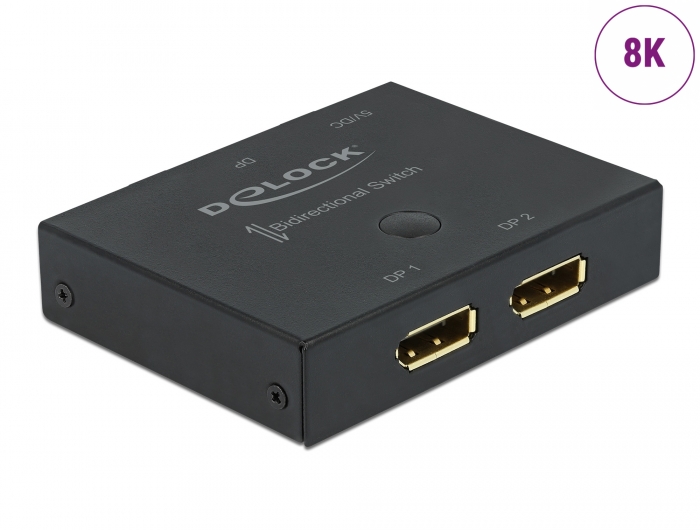
a physical 8K DisplayPort 1.3 or 2.0 switch must be purchased
and edit “extensions blocks” in CRU1.5.2 system edid editor.
There we add a 5760×2880 (any Hz) slot for Pimax Crystal and a second 4320x2160px (any Hz) slot for 4K Headsets.
This allows you to maintain 200% GPU FPS without the need for scaling.
In the settings, check “create 3 virtual monitors when starting VR” after creating the virtual monitors, change up to added native resolutions of the VR headset You have so that the game engine renders 1:1 pixels. When we turn off VR “3 virtual monitors are closing” and the system automatically returns to the native resolution of our physical monitor.
For monitors up to 4095px wide, we add custom resolutions to the Nvidia, Ati-Radeon or Intel in custom resolution drivers editor. It works.
example:
Hi i’m a owner of HP G2, and i think it is a good headset to beging with VR IF your main concern is quality display for medium price over everything else.
His display is 2160×2160 for each eye, so if you want to take full advantage of his resolution in game, you need a biffy computer.
His field of view is in the average-low compared to other headsets today, and his sweet spot his pretty narrow.
His refresh rate in only 90hz but with 2160×2160*2 it was not shocking (2 years ago).
The G2 use Fresnel lens and there is no eye tracking, meaning that when you wear the headset, you look at the world by moving your head, not your eyes. If you move your eyes inside the headset, everything outside of the sweetspot will be blury.
About 2 years ago when the G2 was new to the market, i would have recommanded it for any people looking for a great display.
But today i would not recommande the G2 brand new; there is new headsets on the way that are better at everything, but if you can get a second hand in good condition at cheap price, it is not a bad choice to begin with.
If you have a high end computer (4090 owner), i would recommand waiting few weeks for the Pimax Crystal instead.
Since i upgraded my GPU, the “narrow” field of view and 90hz refresh rate of the G2 is the main reason why i will change for a better headset.
Long story short, i would not recommand the G2 at all if your hardware and GPU are above 3090TI.
x2 and 3….hmmmm that could be interesting

