
Archives

Homepage Forums Search Search Results for 'Blur'

Viewing 15 results - 196 through 210 (of 509 total)
  • Author
    Search Results
  • DerfelMax
    Participant

    Hi all, I’m new on Vorpx. I have a 9700k+3090+Reverb G2 and tried to have fun with Metro 2033 Redux with Vorpx. I imported the local profile and the game hooks perfectly, but already at the first presenting video, Vorpx shows me a red message on the upper left corner saying that the game is running lower than 45fps, and advice me to lower settings. I run the game with my native monitor res 1920×1080, medium settings, fullVR game mode and G3D.
    Into the game, when I move forward/backward the character or turn left/right my headset indeed everything is juggering. Moreover the resolution is very poor and blurry (the image seems to be too zoomed in towards the screen).
    My questions are:
    1) is it possible that in G3D an old game like Metro is still so heavy for my system?
    2) how can I avoid that strong zoom effect I mentioned above? As far I read into the forum the local profile for Metro changes the FOV automatically so that I don’t need to bother about it.
    Thanks!

    #201111
    Adam
    Participant

    Pimax Vision 8K X ughh ohhh. Much better like valve index.So now it’s clear. I not happy with the whole thing it’s blurry and it looks like waste.
    I’m going to return it to the store and buy it Pimax Vision 8K X.

    stereoxide
    Participant

    I just got VorpX and I’ve been playing around with it trying to use it on Titanfall 2 and Mirror’s Edge but the gameplay is pixelated and blurry on both games. I’ve been trying to change the resolution in the Direct VR tab but there’s no option for that. I get an option where I can choose the quality but I can’t get it past “Decent”. It’s saying that I should add custom resolutions if I go over “Decent” so I added all the custom resolutions on this list:

    Custom Resolutions for the Direct VR Settings Optimizer

    After doing all that, I still can’t change the resolution, nor get past “Decent”.

    If it helps at all, I’m trying to play the games on a Quest 2 and my PC is running a Ryzen 5 5600x, RTX 3070 and 16gb of RAM.

    #200877
    spinfusor
    Participant

    Can’t get the game to run at this 4×3 resolution. The 2K max in the game is too blurry.

    Anyone have any suggestions?

    #200777
    Ogrescar
    Participant

    I don’t know about lighting mods, but we’re talking about the unreal engine, so you can do a lot with the graphics by changing some settings in the config files. Bioware purposefully blurred lo-res textures to make them less noticeable, for example.

    #200712
    thomas3d
    Participant

    Until tomorrow 5pm free in the Epic Store … “Rage 2” … runs with Reshade Super Depth 3D with the Reverb G2 and 2500 × 1400 in game settings as well as everything ultra … super smooth with my 2080Ti and sees in 3D-VR just “fantastic” from … !!! … yesterday I sank into it for 3 hours also because of the really great story…

    Now I really want to watch “Mad Max” 3D-Bluray on my 4K 3D projector …: D

    https://www.epicgames.com/store/de/product/rage-2/deluxe-edition

    #200710
    thomas3d
    Participant

    If someone is interested … I found a perfectly fitting profile … “Alien Rage” !!!

    Now Depth looks fantastic with G3D … runs out with all settings at 1440p to max. Except Motion Blur …
    The annoying bar is gone too …
    It’s really fun in 3D-VR because the sharks are so well animated … as are the divers and the underwater world …

    For “Hai fans” there is also a current game that also runs great in G3D … “Man-Eater” … there is also a YouTube video with Vorpx …

    #200421
    riccardo8989
    Participant

    hello, I am using black mesa from steam and I use this link for the viewer, I do not use virtual dekstop, as mentioned I tried with all the vorpx settings but nothing to do, I continue to see the scene in a low resolution, the scene I see it in a square and not in full screen, the only way is to zoom in but obviously it blur everything

    #200346

    In reply to: Ralf: HP Reverb G2?

    Ralf
    Keymaster

    For anyone pondering whether a Reverb G2 is a good choice for vorpX gaming: the answer is yes with a little caveat. Finally got one today and have to say I’m impressed for the most part. Note that I only look at the headset from a vorpX perspective.

    The caveat is that WMR headsets still make it harder for vorpX to keep the headset thread framerate stable when the GPU becomes maxed out, so in some games/situations they are a bit more prone to judder than e.g. a Valve Index. I’ll soon do some OpenXR experiments, hoping that OpenXR instead of SteamVR for WMR headsets will get rid of that, but as always can’t promise anything.

    Display:

    Overall great image quality with solid black levels and (almost) non-existent screendoor effect. The vertical FOV is similar to Oculus headsets, i.e. about 10° narrower than Index/Vive. Due to the 1:1 screen aspect ratio the horizontal FOV is largely comparable to Index/Vive with their 8:9 screens though, although that’s a bit difficult to say exactly since the stereo overlap may be different. Perfect FOV vs. pixel density choice in my opinion. Your mileage may vary if a slightly higher FOV is more important to you than the best possible image sharpness.

    Modern games typically will have to be upscaled from lower resolutions for performance reasons, at least when using G3D, but the high pixel density makes that look considerably better than on other headsets.

    Lenses:

    I’ve read some complaints about a rather small sweet spot, but at least for me that’s not really an issue. Once the headset sits right the fully crisp area doesn’t seem to be smaller than in other headsets to me. Things get sightly more blurry towards the screen edges, but that’s the case with all headsets and I don’t think its any worse here compared to other current headsets. Way better than the gen 1 WMR headset I have.

    Tracking:

    More than good enough for vorpX gaming. Supposedly in some situations Valve’s base station tracking can still be slightly superior (e.g. bow aiming or grabbing behind you), but typically you won’t encounter situations like that with vorpX. So nothing to complain about in the tracking department.

    Controllers:

    Pretty much Oculus Touch controllers with a slightly cheaper feel. Not as refined as Index controllers, but they provide enough buttons to work well with vorpX. The Index finger tracking (so far) is largely a gimmick and of no concern for vorpX anyway. Nothing serious to complain about here either.

    Sound:

    Spectacular. Same as Valve Index. Best you can get in a consumer headset.

    Conclusion:

    Overall the Reverb G2 is a good choice for vorpX gaming. Whether it can dethrone Index in regard to being the best headset for vorpX is a matter of preferences. Without the WMR caveat mentioned above it would for me, especially when factoring in the more affordable price point of the Reverb. The way things stand I’d consider them largely on par as far as vorpX is concerned.

    DakkaDakka25
    Participant

    I can attest to the camera drag. It’s the biggest thing stopping this being a must-have VorpX experience. Turning your head slowly is a good user fix, but in a game where you need to work quick through your shift, you do end up just using your mouse instead. I use a high sensitivity which makes the movement quicker but more dramatic. It’s around 120 or so.

    Pressing Z to anchor yourself to a wall is usually when I end up looking around with my head. In fairness, the orientation stays firm. If you turn your head back around after, you’ll be looking where you were before.

    I run it 1900×1600, and yeah it’s a bit blurry as you could expect, but nothing unmanageable. From that I have decent view of the HUD elements although the text, again, blurs a bit at the peripheries. Thankfully there are enough environmental and audio cues to clue you into the things you need to be aware of.

    But a really great experience.

    DrRobotnik
    Participant

    Hi all,

    I just bought VorpX and am super excited to use it with all my non-VR games.

    I’ve tested it out on quite a few games in my library including Sekiro, Fallen Jedi, Monster Hunter World, New Vegas and Crysis.

    I’ve noticed that in the 3rd person games there’s quite a lot of ghosting when moving the character around, especially around the body of the character.

    I’ve tried turning off VSync, changing resolutions and disabling all of the post-processing effects i.e. motion blur etc. Has anyone experienced the same issue and found a way to eliminate it?

    Many thanks in advance!

    #199765
    RJK_
    Participant

    Serious Sam HD: The Second Encounter (G3D)

    For some strange reason the game looks a bit blurry in FUll VR with high resolutions, but cinema modes look quite good. (Probably only an upscaled game, not really HD)

    – Optimized for Cinema Modes
    – Full VR w. Headtracking avaibalbe
    – Scalable HUD
    – Profile available at the cloud

    Both games of the Series are 24% OFF currently Here

    #199688
    dellrifter22
    Participant

    Managed to find the right shader buffers for G3D, and have shared the profile to the cloud if you wish to try it [dellrifter22].

    FullVR works best for looking around in the game’s Capture Mode (Shift+C), zoom the camera back all the way out (mouse wheel) for maximum FOV, and hold down Right-Mouse-Button to free look with your head. 3D strength is set to give this view the most accurate scale possible. This is great for just looking around, but you will likely want to use vorpX EdgePeek or Cinema modes for standard play.

    Low settings are recommended (but leave textures High)… and you’ll want to turn off Shadows, AA, AO, and Atmospheric Effect to avoid any blur or misalignment.

    I’ve only tested a couple hours with the Standard version that came free on Epic Store, but I think all is working properly. I sometimes had to have steamVR running first, before the game would hook properly, so keep that in mind.

    Anyway, see what you think.

    #199674
    RJK_
    Participant

    Lichdom: Battlemage (G3D)

    1rst Person, RPG, Hack n Slay with huge fireballs and stuff. Great 3D in all modes.

    – Maximize game FOV
    – Turn oFF motion Blur
    – Full VR w. Headtracking
    – Scalable HUD
    – Cinema Mode on Default
    – Profile available at the cloud
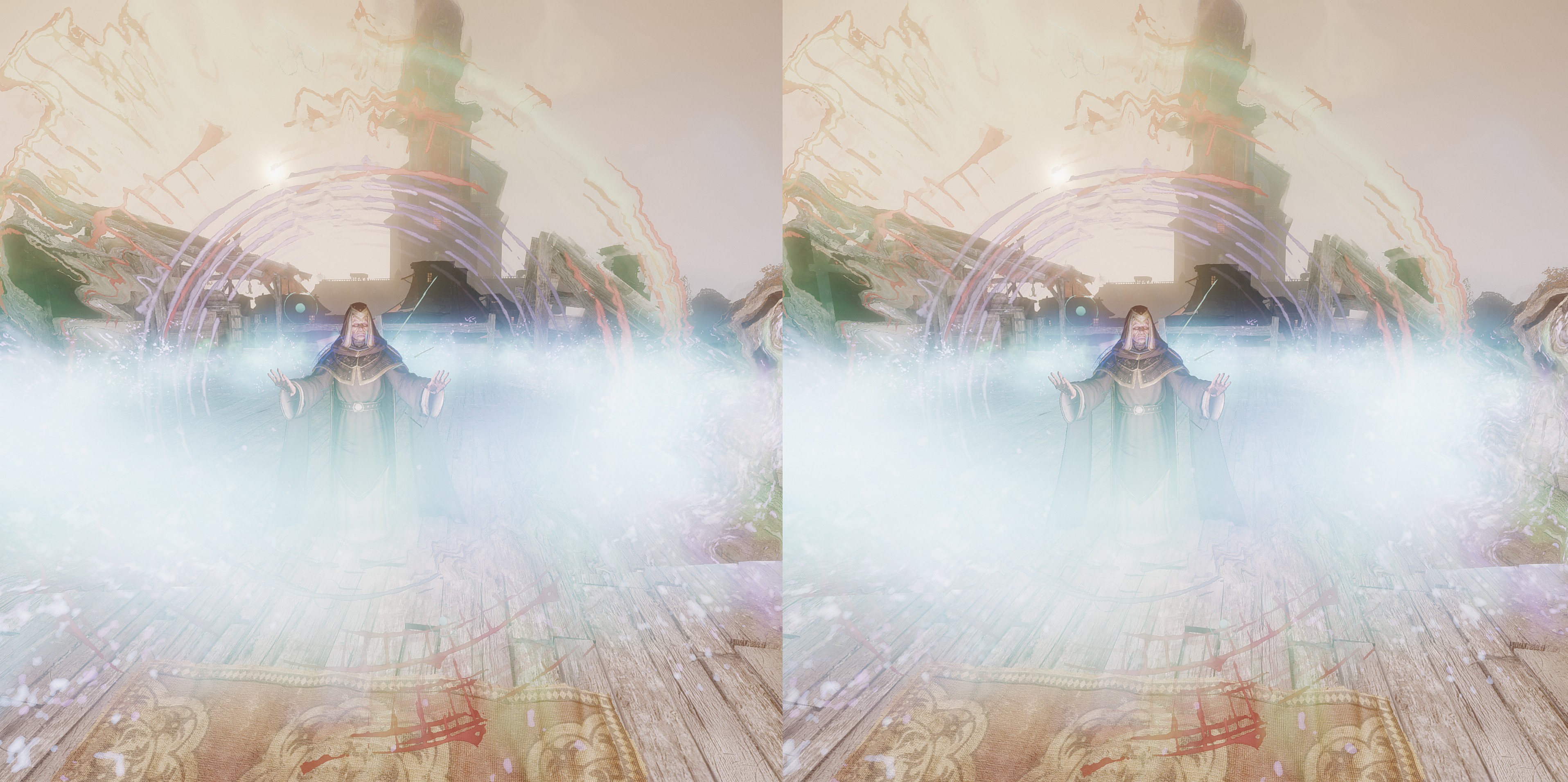
    Currently 60% OFF Here

    #199545

    Topic: Chaos Domain

    in forum User Profiles
    RJK_
    Participant

    Chaos Domain (G3D)

    Shooter/Sidescroller reminding me on Turrican somehow. Shadows are turned off, swith them back on to see if they dont disturb you.

    – Optimized for Cinema Modes
    – For Custom resolutions:
    — find CDSystemSettings.ini
    — Change ResX and ResY
    – Profile available at the cloud

    Note: Game looks abit blurry, this seems to be intened.

Viewing 15 results - 196 through 210 (of 509 total)

Spread the word. Share this post!
