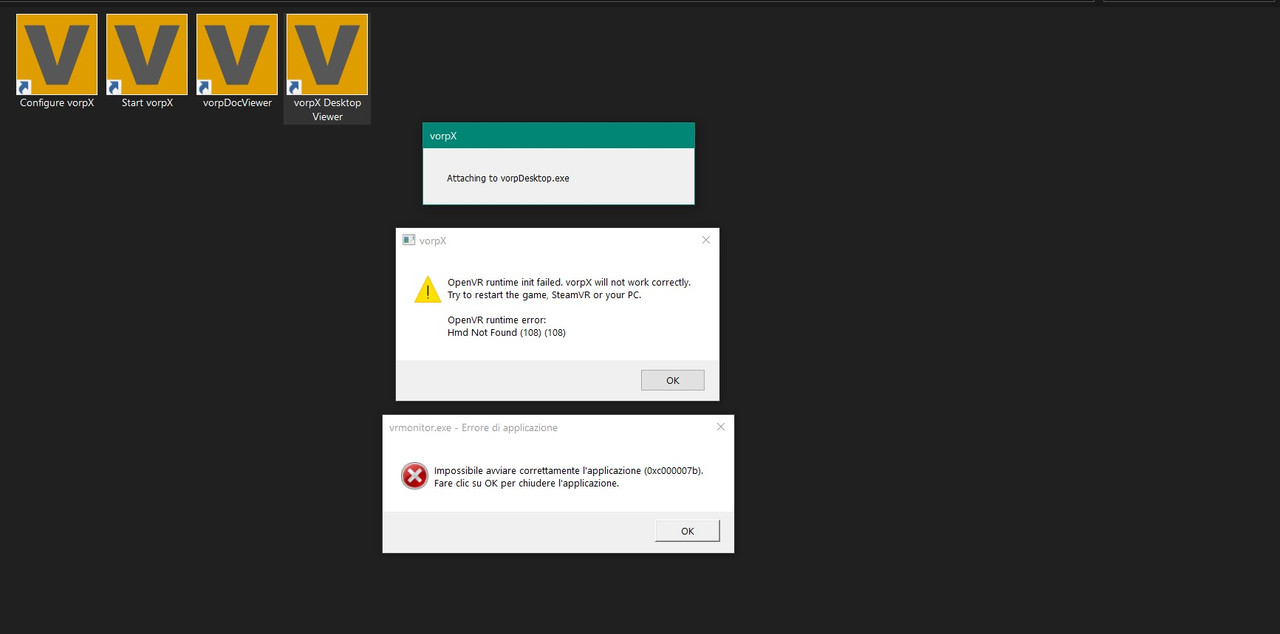
Trying to run Resident Evil 3 Remake, (RER2 runs fine). Upon launching I am greeted with the error re3.exe – Fatal Application Exit
D:\SteamLibrary\steamapps\common\RE3\re3.exe
“d:\\runtimebuildroom\\gitroot\\runtime\\modules\\render\\os\\renderdevicedx11.cpp” 6047 D3D11 create Swapchain failed.(HRESULT: 80004005)
Headset: HP Reverb G2
boots just fine without VorpX. Newish user, (well new again… had VorpX back in the DK2 days.. bought it twice) any help appreciated. Love this program, even if requires some tinkering!
Hello everyone, well I’ve tried to play games with vorpx but I can’t get it to work it not matter what game I try, don’t know if I’m doing something wrong, basically I select the profile (same has I see people do in YouTube for example,) but either I get a black screen or stuck on logo,
Gamed I’ve tried : rdr2 (steam) cyberpunk and Witcher 3 (GOG) metro exodus, resident evil village…etc
My laptop is:
Acer predator helios 500
CPU: Ryzen 2700
GPu: Vega 56
Ram: 32gb
Thanks in advanced
To tell you the truth, I bought VorpX just to play Cyberpunk 2077 in VR. After playing with the settings, I truly like playing the game more in Cinemas mode with 3d enabled and a huge screen in my loft. What makes this software good is you can create custom resolutions and use them for your nice big screen separate from what your monitor resolution can show. Once I have completed Cyberpunk, I am waiting for Resident evil village as my next game.
21/06/17
vorpX 21.2.1 has been released.
Originally this was supposed to be just a maintenance update, but in the end became an almost-major-release due to two huge additions in the form of vorpX connection mods for GTA V and Red Dead Redemption 2 that provide a great out-of-the box FullVR experience for both games. Both are still somewhat beta, but good enough for a first public release.
The connection mods implement perfect 1:1 headtracking, decoupled walk/look/aim, auto switching to EdgePeek in cutscenes and menu screens for improved comfort, and unique VR optimized cameras for both games that get rid of nauseating head bobbing and whenever possible the equally nauseating moments where the games briefly take away control, e.g. when entering a car or mounting a horse.
They also add Alternate Frame Geometry 3D for both games. If you are sensitive to the comfort issues inherent to AFR 3D, vorpX’s built in 3D methods are still available without losing the other benefits of the more direct connection like positional tracking and decoupled walk/look.
Nice detail: For the heck of it GTA V got an additional driving view that mounts the camera on a car’s hood, similar to what you may know from many racing games. Turned out to be the most fun and immersive way to cruise through Los Santos you may have ever experienced.
Full changelog:
- Dedicated connection mods (BETA) for Red Dead Redemption 2 and GTA V to provide a great out-of-the-box FullVR experince: VR optimized cameras, decoupled walk/look, auto EdgePeek handling, alternate frame G3D, and more.
- The shader authoring tool can be used on top of official profiles now.
- Profiles can now be restored to default from within the game, having to switch to the config app for that was always a bit clunky.
- Internal frame interpolation can handle alternate eye rendering without relying on support provided by headset runtimes.
- Fallback hooking mode that improves compatibility with some mod loaders (e.g. Resident Evil 2)
- ‘Loft’ cinema environment (finally) finalized.
- Some textures were blurry in cinema scenes since earlier this year.
- OpenXR now working for games that utilize nVidia Ansel, e.g. SW: Battlefront 2.
- DirectVR memory scanner caching didn’t always work as intended.
- D3D9: Fixed a regression that could cause heavy flicker in older fixed function pipeline games (e.g. GTA: Vice City with the D3D8>D3D9 wrapper)
- Head roll wasn’t always applied as intended (e.g. Resident Evil 7)
- Some Epic Launcher and EA Desktop related improvements
- Elder Scrolls Online: HUD shader fixed for latest game release.
- Fallout 4: Lightning shader fixed (thanks RJK)
- Skyrim SE: Some effect fixes (thanks RJK)
- Mass Effect: Legendary Edition: ME1/2: G3D/Z3D profiles added, note that G3D performance isn’t exactly great due to a somewhat ineffecient D3D9 to D3D11 conversion. Especially for ME2, which doesn’t look that much better, the DX9 original is still recommended.
- MPC-HC/VLC: some default settings tweaks,
Hi,
I am new to Vorpx. I have been watching multiple videos and reading about how to play Resident Evil 7 on my Valve Index. After installing the FOV trainer and all that, the FOV seems to be ok. However, what disturbs me most is the fact that what I see on my headset is way darker compare to what is render on my monitor.
Have you experience this before? Does it have to do with your SteamVR headset settings? Or is it something with Vorpx settings?
My settings are configured for 90FPS and resolution of 3840×2160 (4K)
Any tips?
I just purchased vorpx and have been tweaking settings for a play through of Resident Evil 7. From what I’ve read it seems that playing in geometry3d causes parts of the game to be invisible so I figured I would play in znormal instead since this is my first playthrough.
1 – My problem is that when in znormal tilting my head causes some very strange movement as if the screen is tilting in the opposite direction as my head tilt. So my first question is is there any fix for that?
2 – If there isn’t a fix for that then my follow up question is is there any way to “tilt” the screen a fixed amount? The reason for this is that I have a medical condition which causes my head to always be tilted slightly right(even though it feels straight and natural to me). This constant head tilt coupled with the strange screen tilt of Znormal means that the game constantly looks like it is on a tilt.
Like so: https://drive.google.com/file/d/1OcRnvii1671iQqF0MtO3fqiqjv2eGtiO/view?usp=sharing
So i figured if there is a way to tilt the screen a fixed amount I could tilt it to compensate for my wack head tilt thus making it look level for me. Thanks if anyone can offer some advice!
ps this isnt an issue in geometry3d (or real life for that matter) cause I guess my brain makes sense of it or something since its actually 3d, dunno
Resident: Evil Village which modes are available on the new profile (G3D/Z3D) ?
Hi everyone,
I installed Vorpx a few days ago and I still cannot launch a game with it. I’m trying to use Vorpx with Resident Evil 7 on Steam. I’m using an Oculus Quest 2.
First I connect my Oculus by USB-3 then I activate Oculus Link. I open Vorpx with “Start Vorpx” and a tray appears in the task bar. Then I configure Vorpx, I set “Oculus” in the Device Selection and I choose Resident Evil 7 in the game list, then I apply. I open Steam and launch SteamVR. My Oculus is recognized and I launch Resident Evil 7. A message appears to tell me that the game is not VR and I press OK. The game’s launched but I cannot see Vorpx message that tells me Vorpx is attaching re7.exe. If I press del button, nothing happens.
I execute re7.exe in a windowed mode.
Please help me, I really don’t know what to do.
Thanks for the help
The easiest way to play the game is with everything set to default. The default settings are dialed in to just work without any tinkering at all.
I would highly recommend to do just that, you won’t even notice that the image is cut off at the top/bottom after a little while.
If you really can’t live with the bars, you will have to raise the game’s FOV beyond what it allows normally with a mod:
- Download and run the mod: https://www.nexusmods.com/residentevil7/mods/23.
- Set the FOV to 127 in the mod.
- Set the Image Zoom to 1.0 in vorpX.
- For a crisper image raise the ‘Resolution Scaling’ in the game’s graphics options.
Aspect ratio: Only with a 16:9 res the game will ever fully fill the view in the headset, at narrower aspect ratios it displays black bars itself. Also the FOV value for the mod will have to be slightly lower for 1440×900, probably something around 120.
Controllers: Either just move them out of sight or disable them in the vorpX menu. They will also disappear after a while when they go to sleep.
I believe it’s automatically injected. Or go to local profiles and search resident evil village.
And I’d tested the Scope thing, seems like after I disabled the 2nd monitor, it doesn’t mess the game up! Omg, VorpX and Ralf is amazing! Also thanks to ParadiseDecay for the new Profile. It really work wonders for people who owns a RTX 2070 or lesser GPU. Love the look of the 3D as well as the smoothness of the game. (Gets around 68-80fps on 1080p) Game still looks sharp and beautiful.
21/05/08
vorpX 21.2.0.3 has been released.
This is a small in-between releases hotfix with the below changes:
- Fixed: Low framerate with the Resident Evil Village release version
- Fixed: Some buttons in the vorpX menu didn’t work via keyboard/gamepad anymore
- New Profile: Resident Evil Village: Full VR, scalable HUD
Hi Ralf,
I just purchased Vorpx for Resident evil 8. However, it keeps failing to attach and it’s stuck on the loading screen for Oculus and stuck in the home screen on SteamVr. I am using a Rift S and rtx 2060. Bought resident evil 8 on steam.
I need help!
You might want to change the Device Selection to SteamVR (Index, Vive, Primax) if it is not injecting.
If you read the conversation that is in this post, my friend, you’d see that as it is now, RE8 is not good friends with vorpX…
The Demo was in an OK terms…
So we all have to sit tight and hope for some sort of a solution, BeardoBenjo and the-VR-realm get low 7-8 FPS in game. As BeardoBenjo said in his comment – A SlideShow…
I don’t know what he did, but now it works. i started it once with vorpx desktop streamer and in window mode, then it started me working with normal vorpx too. And now it works for me also with resident evil 3! it’s really crazy cool, I never stop thanking whoever invented this vorpx program !!!!!!
Lucky you, to still does not work.
Can you describe exactly what you did step by step?
Thanks
I don’t know what he did, but now it works. i started it once with vorpx desktop streamer and in window mode, then it started me working with normal vorpx too. And now it works for me also with resident evil 3! it’s really crazy cool, I never stop thanking whoever invented this vorpx program !!!!!!